
24/7 Customer Support

Free returns

Same-day & Next-day Delivery

Quality Guaranteed

Unlock Your Welcome Offers: FREE Delivery | Up to 80% OFF | Free 30-day JoyPlus trial
Download the APP
A projector tripod stand can make a home cinema or filming setup more flexible, but the wrong model may become unstable, awkward to adjust or incompatible with your equipment. Product listings often focus on height and rotation while overlooking practical details such as thread size, weight distribution and folded dimensions.
Before buying, UK shoppers should look beyond headline claims and check how the stand will work in their actual room, garden, campsite or studio.
A 360° rotating tripod stand can help position a projector, camera or phone, but rotation alone does not indicate how securely it locks. A loose ball head or universal joint may allow equipment to drift after adjustment. Check whether the head has a locking mechanism and whether the tripod feet provide grip on the surfaces you use.
For outdoor viewing, remember that a lightweight stand can be affected by wind, uneven ground or accidental contact. Keep the legs fully spread and place the stand on a firm, level surface.
A stand advertised as tall may be inconvenient for tabletop use, while a short model may force you to place the projector on furniture. Look for the complete adjustment range rather than the maximum height alone.
A telescopic adjustable projector stand with both low and high positions can suit floor projection, a coffee table, a home cinema shelf or a temporary outdoor setup. Also check the folded length if you plan to carry it on public transport or store it in a cupboard.
A 1/4-inch screw tripod stand is widely used for cameras, phones, photography lights and compact projectors. However, thread compatibility does not confirm that every device is suitable for the stand. Check the equipment’s weight, mounting point and centre of gravity before attaching it.
A phone clip or adapter can expand compatibility, but it should grip the device firmly without pressing buttons or covering the camera lens.
For mixed use, a range of around 60–160 cm covers many tabletop and floor-based setups. Snap locks or twist locks should be easy to operate and should hold each section firmly. Avoid relying on a product’s maximum height if the legs become narrow or difficult to balance when fully extended.
A portable projector stand is more useful when it folds into a manageable size and does not require tools for ordinary setup. For regular travel, compare the folded length with your storage bag, car boot or camping equipment.
The standard 1/4-inch mounting interface is common across compact cameras, smartphone holders, ring lights and some small projectors. Check whether the listing includes a phone clip, adapter or cold shoe accessory, rather than assuming these are supplied.
A projector mount with phone clip may be suitable for users who switch between projection, video calls, livestreaming and mobile filming. A cold shoe mount can also be useful for attaching a microphone or light to a compatible camera rig, although accessories may have separate weight limits.
Aluminium alloy is commonly used for a balance of low weight and rigidity. A triangular leg structure and non-slip feet can help reduce movement on indoor flooring, but no lightweight tripod should be treated as immovable.
A tilting head is useful for directing a projector towards a wall or screen, while a rotating joint helps with portrait and landscape phone filming. Always lock the angle before leaving the equipment unattended.
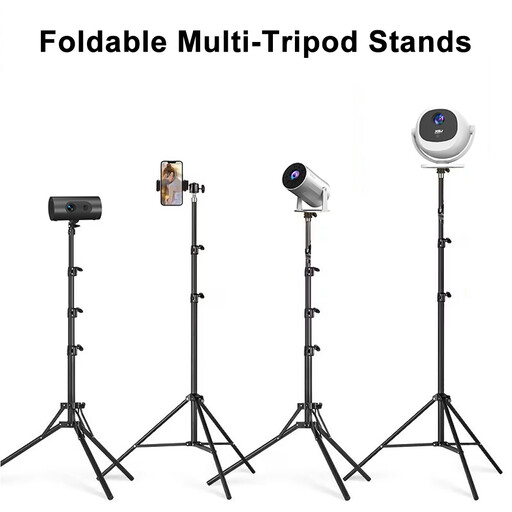
Why This Fits Their Persona: A practical starting point for UK households wanting one stand for a compact projector, phone, camera or photography light.
Its stated 60–160 cm adjustment range covers both tabletop and floor positions, while the folded length is 60 cm for easier storage.
Includes a phone clip and adapter, with a 1/4-inch screw interface and 360° horizontal rotation.
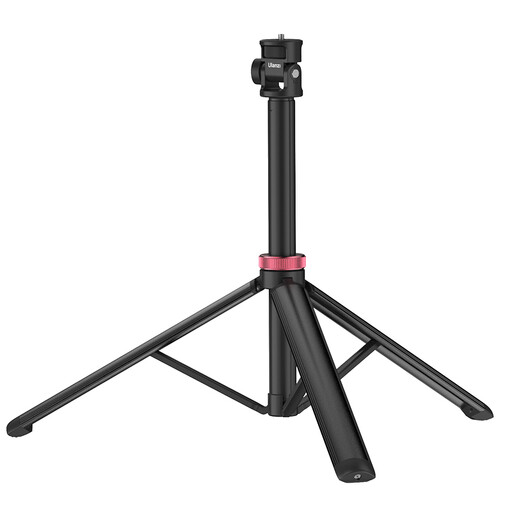
Why This Fits Their Persona: Designed for creators who want a taller portable support for video lights, cameras or smartphones in a home studio or travel kit.
The listed 81-inch extension and aluminium construction make the height specification clear, helping buyers compare it with shorter stands.
Features a 1/4-inch screw, adjustable height and a 360° ball head for camera, phone and light positioning.
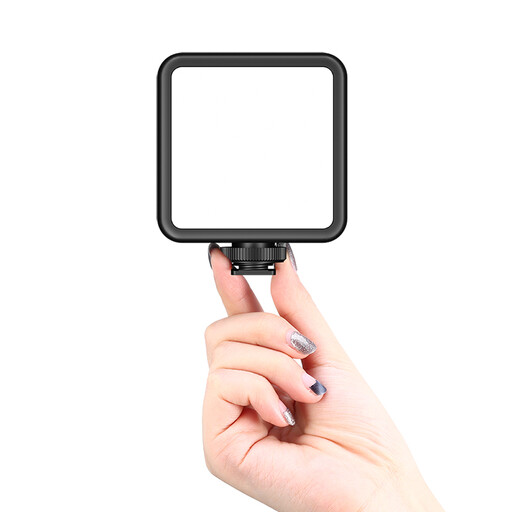
Why This Fits Their Persona: A useful accessory for smartphone vloggers and livestreamers who need to attach a phone alongside a microphone or light.
The stated 1.9–3.9-inch phone width range gives a practical compatibility check before purchase.
Combines a 1/4-inch tripod mount with a cold shoe for compatible lights or microphones.
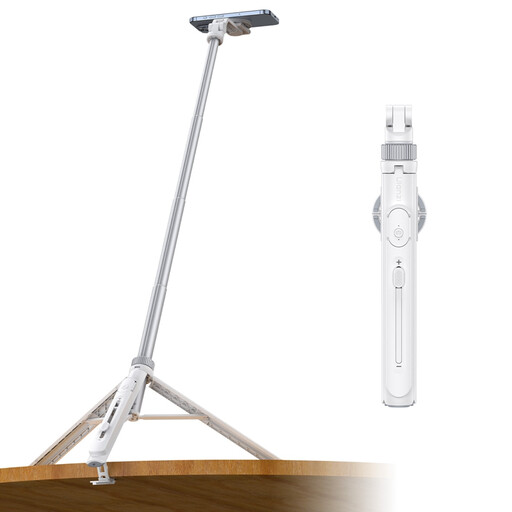
Why This Fits Their Persona: Suitable for phone-first creators making travel videos, livestreams, group clips or hands-free recordings.
Its 2-in-1 phone clip and stated 57-inch extension provide clear information for buyers comparing compact mobile setups.
Includes a remote, built-in extension design and dual cold shoe mounts for compatible accessories.
We have compiled a complete, real-time list of products that fully satisfy these strict selection criteria and UK safety regulations.
Yes, a portable projector stand can work for temporary outdoor viewing when placed on firm, level ground and protected from wind and moisture. It should not be left unattended, and the projector itself must also be suitable for outdoor conditions. A tripod does not replace a stable table or permanent mount in exposed weather.
A model with a 1/4-inch screw and suitable adapters may support all three categories. Check the individual device weight, mounting thread and dimensions before use. A phone clip is required for most smartphones, while a camera may attach directly to the tripod screw.
No. A tripod stand has no electrical motor and does not affect the projector’s power consumption. Running cost depends mainly on the projector’s wattage and how long it operates. The stand can, however, help position the projector without using extra furniture.