If the projector must sit to one side of the screen, look for horizontal optical lens shift that accommodates the planned position rather than relying on keystone correction. If the projector can be centred but viewers sit to the side, check the screen’s gain and viewing angle. Once the layout works, confirm how the projector will connect to your video source and sound system for musical films.
Who this setup suits
Off-centre projector installers
If a centred shelf or mount is impractical, check the exact projector’s horizontal lens-shift range and optical zoom against your planned screen position. ProjectorCentral advises choosing placement controls that avoid the need for keystone correction.
Side-seat home-cinema viewers
If the projector can be centred but regular viewers sit at an angle, the screen matters too. Screen specialist celexon explains that higher gain directs light more narrowly, reducing the viewing angle.
Musical-film viewers planning external sound
Once placement is workable, check how your source device and sound system will connect to the chosen projector. Audio options differ by model: BenQ lists eARC for the W4000i, while Epson lists Bluetooth connectivity for the EH-TW7100.
What matters when choosing
Decide whether the projector, the viewers or both will be off-centre. That determines whether projector placement controls, screen viewing angle or both need attention before picture and audio features.
| Concern | What to check | Who this matters to |
|---|
| Side-mounted projector |
Check horizontal lens shift separately from vertical shift, then match the zoom and throw range to the planned screen width and lens-to-screen distance. |
If I cannot centre the projector, I need a rectangular image without depending on heavy digital correction. Around 42% of consumers would put projector placement first. |
| Side-seat visibility |
Compare the screen’s gain and stated viewing angle at the widest regular seat; confirm suitability for your projector type. |
From a seat well to one side, I want the picture to remain visible rather than judging it only from the centre. Side-seat visibility would come first for around 33% of consumers. |
| Picture and sound for musical films |
Confirm the chosen model’s supported picture formats and a compatible route from the video source to the intended sound system. |
Once the room layout works, I care most about the film’s picture and how dialogue, vocals and music reach my speakers. Around 25% of consumers would prioritise those connections and picture features. |
Placement and screen mistakes to avoid
-
Assuming lens shift always moves the image sideways
Lens-shift directions are model-specific. BenQ specifies ±15% horizontal shift for the W4000i, while ViewSonic lists vertical shift and digital geometry controls for the LX700-4KE RGB.
Check the exact model’s placement diagram and horizontal range before committing to a side shelf or mount.
-
Planning a fixed installation around strong keystone correction
Epson says its H/V keystone correction makes the image slightly smaller. BenQ notes that greater keystone adjustment can make edges appear jagged.
Align the lens and screen where possible, use optical shift if the model provides it, and keep digital correction to the adjustment still needed.
-
Judging a screen only from the centre seat
According to celexon’s screen guidance, higher gain narrows the viewing angle, so a screen that appears bright centrally may be less suitable for regular side seats.
Check gain and viewing-angle information against the positions where people will actually sit.
Relevant brands to consider
BenQ
The W4000i is a home-cinema example for an installation needing documented horizontal optical shift.
- BenQ specifies ±15% horizontal lens shift, 1.3x optical zoom, 4K UHD and eARC for the W4000i.
- That shift range belongs to this model and must be checked against the planned offset; it does not describe every BenQ projector.
Epson
The EH-TW7100 offers placement controls and connection options for a conventional home-cinema setup.
- Epson lists lens shift, optical zoom, keystone correction, HDMI and Bluetooth connectivity for the EH-TW7100.
- For a side mount, check the exact model’s horizontal placement range before assuming its lens shift will cover the offset.
ViewSonic
The LX700-4KE RGB is relevant when side-projection and geometry-correction controls are being considered.
- ViewSonic lists 1.6x optical zoom, vertical lens shift, H/V keystone, four-corner adjustment and side-projection capability for this model.
- Vertical shift is not horizontal optical shift. Check how much digital correction the planned side position would require.
Sony
Sony describes the BRAVIA Projector 8 and 9 as native-4K laser home-cinema models with HDR processing.
- These picture features may be relevant after the installation position and sound connections have been planned.
- Check the exact model’s horizontal lens-shift range before selecting either projector for a side mount.
Joybuy screens for side seating
These two foldable screens are choices for viewers who sit off-centre; neither is a projector. Their stated viewing angles are listing claims, so compare screen gain, your seating positions and compatibility with the intended projector before choosing a size.
 No image available
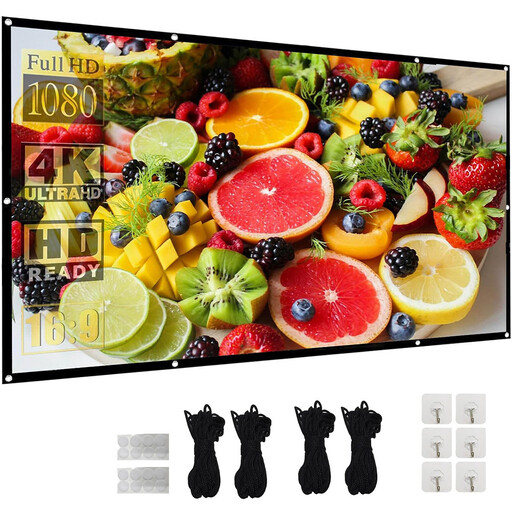
XBJ 120-inch 16:9 foldable projector screen
Consider this size if it fits your planned viewing area and regular seats extend to the side. The listing states a 160° viewing angle and describes double-sided projection, a foldable screen, ropes and hooks. Check screen gain, the view from your seats and compatibility with your projector.
View on Joybuy
 No image available
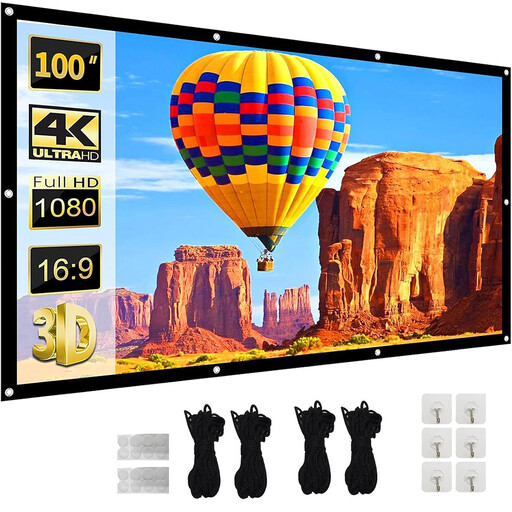
XBJ 100-inch 16:9 foldable projector screen
Consider this size if a foldable screen suits your room and viewers regularly sit off-centre. The listing states a 160° viewing angle and describes double-sided projection with hooks and ropes. Check screen gain, the view from your seats and compatibility with your projector.
View on Joybuy
Common questions
Can I put a projector to the side of the screen?
Yes, if the exact model’s placement controls accommodate that position. ProjectorCentral recommends choosing an offset or lens-shift range that avoids needing keystone correction; for occasional side placement, check the model’s H/V keystone or corner-correction limits instead.
Will keystone correction affect the picture?
It can. Epson says the corrected image is slightly smaller, and BenQ notes that greater adjustment can make edges appear jagged. For a fixed installation, try physical alignment and available optical lens shift before using digital correction.
Will a brighter projector fix a dim view from a side seat?
Not necessarily: the screen also controls how light is distributed across seats. Celexon explains that higher screen gain narrows the viewing angle, so check gain and the stated viewing angle for your widest regular seat.
How can I tell whether a projector will fit the room?
Measure your intended screen width and lens-to-screen distance, then compare them with the exact model’s throw-ratio and zoom range. ProjectorCentral defines throw ratio as distance divided by image width; check lens-shift limits separately if the mount will also be off-centre.


