Evening viewers with limited space
If the projector must sit on a table, shelf or movable stand, the available distance to the wall and the ease of aiming it may determine which models are practical.


Choose a portable projector if you can darken the room and need to move or angle it between viewings. A brighter home-cinema model is worth considering when some ambient light remains and you have a workable position for it. Measure the projector-to-wall distance before deciding, and plan for music or other accompaniment as well as the picture.
If the projector must sit on a table, shelf or movable stand, the available distance to the wall and the ease of aiming it may determine which models are practical.
For black-and-white films with intertitles, consider how much light you can keep out of the room before prioritising a compact design or a higher-resolution label. Epson’s buying guide distinguishes controlled-light viewing from living rooms with some ambient light.
Music and other sound can be part of silent-film viewing: the British Film Institute’s Silent Cinema programme includes live accompaniment. Think about where the projector will sit relative to listeners and how you will connect your film source and speakers.
Start with the position the room allows and the lighting you normally watch in; those conditions make the distinction between a movable projector and a more conventional home-cinema setup useful.
Consider it when: You can darken the room and need a projector that is easy to move or angle.
Trade-off: The compact BenQ and XGIMI examples have lower stated brightness than the conventional Epson example, so do not assume they will suit lamp-lit viewing.
Consider it when: Some ambient light remains and you have a stable, suitable projection position. Epson lists the EH-TW6250 at 2,800 lumens of white and colour light output.
Trade-off: Its zoom and image adjustments do not remove the need to check the model’s projection distances against your room.
Consider it when: You cannot place a projector farther back and want to investigate a position close to the projection surface.
Trade-off: Check the exact model’s home-video connections and setup rather than assuming that every ultra-short-throw model suits film viewing; Epson’s range includes models aimed at other uses.
| Concern | What to check | Who this matters to |
|---|---|---|
| Placement and image size | Measure the intended lens-to-wall distance and check the exact model’s projection chart for your desired image size. Consider whether a stand or shelf can keep the image clear of seating. | I need a usable image without putting the projector in the way. Around 42% of consumers would put workable placement first. |
| Image in your lighting | Decide whether curtains or blinds can darken the room. Compare brightness figures on a stated measurement basis; resolution alone cannot tell you how the image will look with lights on. | If I watch before the room is fully dark, I want intertitles and black-and-white detail to remain readable. For around 33% of consumers, the image under their usual lighting is the primary concern. |
| Accompaniment and connections | Check operating noise for the viewing mode and the connections needed by your player, streaming device or speaker. Confirm individual streaming services on the exact model. | I want to hear the accompaniment clearly and play films from my chosen source. Accompaniment and connectivity come first for around 25% of consumers. |
A high-resolution label does not make a compact projector bright enough for every living room. Epson’s buying guide places portable use in controlled lighting and gives separate guidance for living rooms with some ambient light.
Work out whether you can darken the room before comparing models, and compare brightness figures only when their measurement basis is clear.
If darkening the room is essential to your choice, you may also need curtains or blinds.
Keystone correction or an adjustable stand can help with alignment, but neither establishes the image size you will get from a particular position. BenQ specifies a fixed 1.2 throw ratio for the GV50P.
Measure from the proposed projector position to the wall, then consult the exact model’s projection-distance chart.
A workable position may require a suitable shelf, stand or mount.
Silent films may be shown with music, as the British Film Institute’s Silent Cinema programme illustrates. If the projector is near the seats, its operating noise and your chosen speaker arrangement also matter.
Decide how you will play each film and its accompaniment, then check the model’s audio connections and supported sources.
An external speaker or a compatible cable or device may be needed for the setup you choose.
These models illustrate different setups; their stated features should not be assumed to apply across each brand’s range.
The portable GV50P is one model to investigate when movable placement, built-in audio and controlled-light viewing matter.
The EH-TW6250 illustrates a more conventional home-cinema arrangement for a room that can accommodate its projection position.
The MoGo 3 Pro illustrates a compact projector with a stand that can be angled for temporary placement.
These Joybuy-listed portable and compact projectors are options to examine if you can arrange a suitable position in a small living room. Check the intended image size, room lighting and film source for each model rather than treating the list as a substitute for a brighter home-cinema setup.
 No image available
Consider this movable model if you can darken the room and want to check whether a position relatively close to the wall gives you the image size you need.
 No image available
This model is worth examining if you need to aim a temporary projection position towards a wall or ceiling.
 No image available
Consider this model if you expect to move the projector and want integrated audio for films with accompaniment.
 No image available
This compact model is an option to check for a temporary position in a darkened room, particularly if native Full HD is not essential to you.
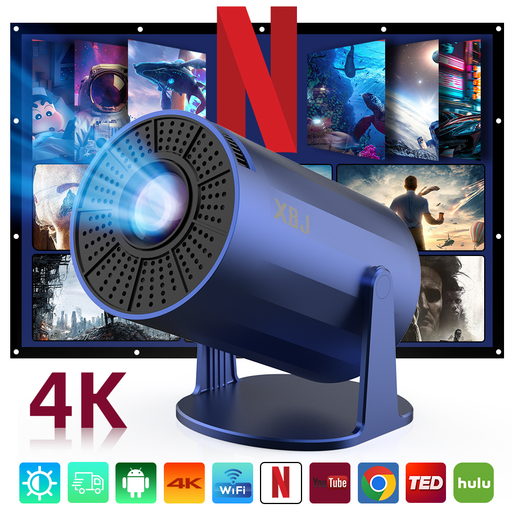 No image available
Examine this model only if its image at your chosen distance and lighting meets your expectations for a small-room screening.
Match brightness to the light you will actually watch in. Epson’s buying guide discusses 500–1,500 lumens for portable projectors in controlled indoor lighting and 2,500–3,500 lumens for living rooms with some ambient light. Those ranges are guidance, not a guarantee of picture quality; check how each model’s brightness is measured.
Yes, if the film has a score or you plan to add accompaniment. The British Film Institute’s Silent Cinema programme includes live accompaniment; for home viewing, check the projector’s operating noise and whether its speakers or audio connections suit your setup.
No smart-projector label establishes support for every service. Check the particular app and its availability for your exact model in the UK, along with any disc player or streaming device you intend to connect. XGIMI lists licensed Netflix and Google TV for the MoGo 3 Pro, while BenQ lists Google TV for the GV50P.
Check the supplied power arrangement, instructions and responsible seller information for the projector you intend to buy. GOV.UK’s electrical-equipment guidance cited here applies to Great Britain; if the projector is being supplied in Northern Ireland, check the separate guidance applicable there.