If you sit to one side while the projector stays centred, start with the screen’s viewing angle and gain: keystone correction will not change how the screen reflects light towards your seat. If the projector itself must sit off-centre, check horizontal optical lens shift for a fixed installation and reserve digital keystone for corrections whose effect on image size and sharpness you can accept. Consider 4K-capable models after checking the source, throw distance, screen size and room light.
Who is this for?
Viewers seated to one side
If you watch from noticeably left or right of the screen, compare screen gain and viewing angle before choosing projector placement features. ProjectorScreen.com explains that higher gain commonly comes with a narrower viewing cone; Elite Screens publishes viewing-angle specifications for its screen materials.
Viewers with an off-centre projector position
If a shelf or mounting point places the projector away from the screen centreline, check the exact model’s horizontal optical lens-shift range. Epson lists horizontal lens shift for the EH-LS12000B; BenQ cautions that digital keystone can affect picture quality and image size.
Viewers who move the projector between rooms
If you cannot leave the projector aligned in one place, horizontal image correction may help with temporary setups. Check its correction limits alongside the planned screen size and room light; BenQ specifies the portable GV50 at 1080p and 500 lumens.
What matters when choosing?
Work out whether the seat, the projector, or both are off-centre before comparing models. For a side seat, screen viewing angle is the starting point; projector alignment becomes the next decision if its position is constrained.
| Concern |
What to check |
Who this matters to |
| Brightness from a side seat |
Compare the screen material’s stated gain and viewing angle, including how the angle is defined. |
If I sit well to one side, I want wildlife scenes to remain visible without relying on brightness at the centre seat. Around 36% of consumers put side-seat brightness first. |
| Off-centre projector placement |
Measure the mounting position and throw distance; check the exact model’s horizontal lens-shift range rather than assuming vertical shift will help. |
With my projector stuck on a side shelf or constrained mount, I need to position the picture without making digital correction my main adjustment. Fixed-placement flexibility comes first for around 29% of consumers. |
| Documentary detail |
Check the projector’s resolution and compatibility with the documentary source’s resolution and HDR format, then assess screen size and room light. |
Once my seating and placement work, I care most about seeing fine textures in the footage from a compatible source. Around 21% of consumers prioritise documentary detail. |
| Flexible temporary setup |
Check horizontal correction and any distance limits, as well as the specified resolution and brightness for the planned setup. |
If I move the projector between rooms, I need a workable picture without a permanent mount. Portable setup is the primary concern for around 14% of consumers. |
Buying pitfalls
-
Choosing a high-gain screen solely for a side seat
ProjectorScreen.com explains that higher gain commonly narrows the viewing cone, so a brighter central view need not look equally bright from the side.
Compare gain and stated viewing angle for the exact screen material, with your seating position in mind.
-
Treating a side seat and a side-positioned projector as the same problem
Lens shift and keystone change where or how the projector places its image; they do not widen the screen’s viewing cone for someone seated off-axis.
Choose screen material for the viewer’s angle. If the projector is also off-centre, separately check its placement options.
-
Making maximum keystone correction the installation plan
BenQ says keystone adjustment can affect sharpness, picture quality, response time and image size. Epson also notes that its corrected image becomes slightly smaller.
Align the projector physically where possible, check optical lens shift on a fixed-installation model, and assess any remaining digital correction with detailed footage.
-
Expecting 4K alone to resolve a side-seat problem
A projector’s resolution does not determine how the screen reflects light towards an off-axis viewer. Source compatibility, placement and room light also affect the choice.
Settle the screen and installation plan first, then check whether a 4K-capable model suits the documentary source and intended screen size.
Relevant brands to consider
Epson
Epson has home-cinema models to examine when a fixed projector position makes optical adjustment important.
- Epson specifies powered horizontal lens shift of ±47.1% for the EH-LS12000B, alongside 4K resolution and HDR10+ support. Its EH-TW7000 lists lens shift, zoom and keystone.
- Check the throw distance and shift range for the exact model and mounting position; these specifications do not apply to every Epson projector.
BenQ
BenQ offers models with different priorities for temporary positioning and fixed home-cinema use.
- BenQ specifies the portable GV50 at 1080p and 500 lumens, while the TK860i is specified at 4K UHD and 3,300 ANSI lumens.
- BenQ cautions that keystone correction can affect sharpness, picture quality, response time and image size. Check which correction directions the particular model provides.
Elite Screens
Elite Screens is relevant when the screen surface, rather than projector placement, is the main side-seat decision.
- Elite Screens lists its MaxWhite and CineWhite materials at 1.1 gain with a 180° viewing-angle specification.
- Those are specifications for named materials, not a promise of identical brightness at every seat. Check the exact material, projector type and room conditions.
Screens for side-seat viewing
These XBJ screens are options to examine when the viewer sits to one side of a centred projection setup. Each listing states a 160° viewing angle; compare the exact screen material, gain and angle definition before relying on that figure for side-seat brightness.
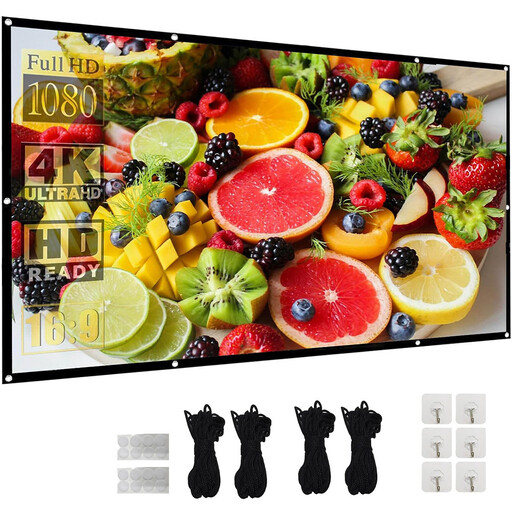 Image unavailable
XBJ 120-inch 16:9 foldable projector screen
Consider this size if a 120-inch screen fits your room and projector placement.
The Joybuy listing describes double-sided projection and states a 160° viewing angle. Check the material, gain and viewing-angle definition before choosing it for a side seat.
View on Joybuy
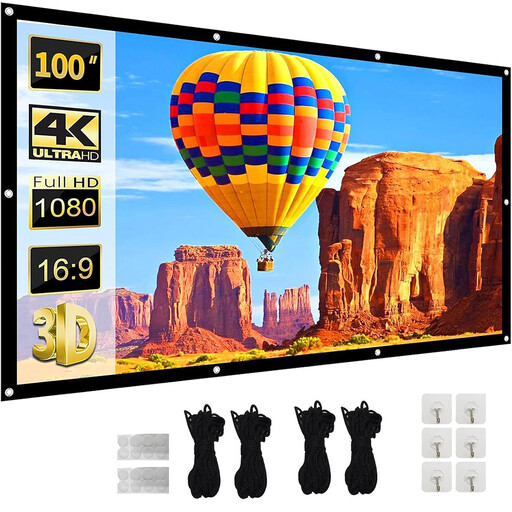 Image unavailable
XBJ 100-inch 16:9 foldable projector screen
Consider the 100-inch size if it suits your intended image and available space.
The Joybuy listing describes double-sided projection and states a 160° viewing angle. Check the material, gain and viewing-angle definition before choosing it for a side seat.
View on Joybuy
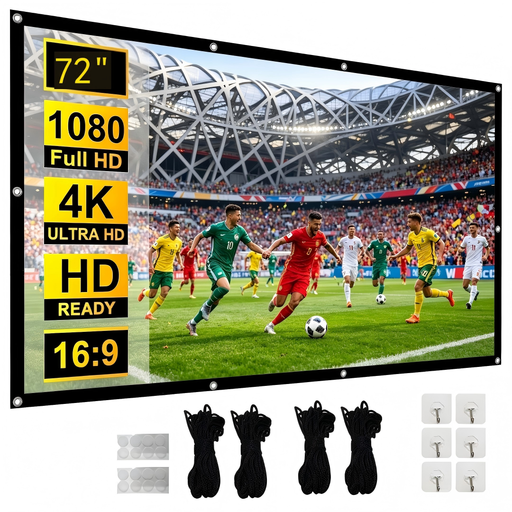 Image unavailable
XBJ 72-inch 16:9 foldable projector screen
Consider the 72-inch size where a smaller projection area better fits the planned setup.
The Joybuy listing describes double-sided projection and states a 160° viewing angle. Check the material, gain and viewing-angle definition before choosing it for a side seat.
View on Joybuy
Frequently asked questions
Do I need lens shift because I sit to one side?
Not if only your seat is off-centre and the projector can stay aligned with the screen. Lens shift helps position the projected image when the projector itself is off-centre; for your seat, compare the screen’s gain and viewing angle instead.
Can horizontal keystone correct an off-centre projector?
It can straighten the image, but it is not a consequence-free substitute for alignment. BenQ says keystone may affect sharpness, picture quality, response time and image size, while Epson notes that correction makes the image slightly smaller.
Is a high-gain screen a good choice for a side seat?
Not automatically: higher gain commonly brings a narrower viewing cone, according to ProjectorScreen.com. Compare the exact material’s gain and stated viewing angle against where you will sit rather than judging it by the central view alone.
Do I need a TV Licence to watch documentaries on a projector in the UK?
The projector does not determine whether you need a TV Licence; what you watch does. TV Licensing says you need one to watch live TV or live streams, or to use BBC iPlayer for live or on-demand programmes. Check the viewing service and programme before watching.


