Choose a PS5 with a built-in disc drive if you want to use physical PS5 or supported PS4 games, or watch supported film discs, straight away; it can also download games. A slim Digital Edition suits a download-first library, but check for a CFI-2000 or CFI-2100 model if you may add the CFI-ZDD1 drive later. PS5 Pro has 2TB of built-in storage and enhancements in select games, but it too starts without a disc drive, according to PlayStation.
Who each configuration suits
Households with games or films on disc
If you own PS4 or PS5 game discs, expect to buy physical games, or watch supported Ultra HD Blu-ray, Blu-ray or DVD discs, a PS5 with a built-in drive lets you use them without a separate accessory. PlayStation lists a compatible add-on drive for specified Digital Edition models and PS5 Pro.
Download-first PS5 buyers
If you plan to buy games through PlayStation Store and do not need disc playback now, a Digital Edition fits that approach. Check its model group before counting on a later drive: PlayStation supports the CFI-2000 and CFI-2100 Digital Editions, not the original CFI-1000 Digital Edition.
Players considering PS5 Pro
PS5 Pro is relevant if its 2TB built-in storage and enhancements in select PS5 Pro Enhanced games matter to you. PlayStation says those features vary by game. The console has no drive at purchase, so physical games or films require its compatible, separately sold drive.
What to check before choosing
PS5 with built-in drive
Choose it when: Physical games or supported film discs are part of your home library from day one.
Keep in mind: A built-in drive does not limit you to discs; PlayStation says this PS5 can also download games.
Slim Digital Edition
Choose it when: You expect to download games and do not need disc playback immediately.
Keep in mind: Only specified model groups can take the separate drive, which needs an internet connection for pairing during setup.
PS5 Pro
Choose it when: The 2TB storage and enhancements available in select PS5 Pro Enhanced games are priorities.
Keep in mind: PlayStation says enhancements vary by title, and a disc drive is sold separately.
| Priority | What to check | Your needs |
|---|
| Disc use |
Check whether the console has a built-in drive or needs the separate CFI-ZDD1. Check the supported game and film-disc formats you intend to use. |
I have physical PS5 or PS4 games, or I want to watch films on disc without adding a drive later. |
| Future drive |
Confirm the Digital Edition model group: PlayStation specifies CFI-2000 and CFI-2100 for the CFI-ZDD1. The CFI-1000 Digital Edition is not a supported upgrade route. Pairing requires internet access. |
Downloads suit me now, but I may want to use discs later. |
| Digital access |
Plan for a PlayStation account and internet access for PlayStation Store downloads. Consider a subscription separately if you want a PlayStation Plus feature. |
My library will mainly consist of downloads, so account-based purchasing matters more to me than inserting discs. |
| Storage and streaming |
Compare the stated built-in storage of the exact console variant. PlayStation limits PS5 cloud streaming to select games and requires PlayStation Plus Premium and broadband with at least 5 Mbps upload and download speeds. |
I expect a sizeable downloaded library, or I am considering streaming some supported games rather than downloading them. |
Mistakes to avoid
-
Assuming every Digital Edition accepts the add-on drive
PlayStation restricts the CFI-ZDD1 to PS5 Pro and specified slim Digital Edition model groups. The CFI-1000 Digital Edition cannot use disc-based games or media.
Check the console’s model group before buying it for a future-drive plan.
Choosing a CFI-1000 Digital Edition for that plan could leave you needing a different console to use discs.
-
Expecting PS5 Pro to play discs out of the box
PS5 Pro has no built-in drive, and PlayStation says its enhanced features apply to select games rather than every title.
Check the games whose enhancements matter to you, and include the compatible drive in your plan if you need physical games or films.
The drive is a separate accessory.
-
Starting a download before checking the game edition
Under PlayStation’s UK Store cancellation policy, starting a game or add-on download or stream affects the stated change-of-mind refund route. The policy does not replace statutory consumer rights.
Check that the edition and platform are the ones you intend to buy before downloading or streaming.
-
Expecting cloud streaming to cover every game
PlayStation offers PS5 cloud streaming for select games, subject to a Premium membership and its broadband requirements. It does not add disc playback.
Check whether the games you want are streamable and whether your connection meets PlayStation’s stated requirements.
PlayStation Plus Premium is an ongoing membership requirement for this feature.
Relevant brand reference
PlayStation / Sony Interactive Entertainment
PlayStation’s UK specifications define the PS5 console, Digital Edition, PS5 Pro and CFI-ZDD1 drive compatibility discussed here.
- The PS5 with a built-in drive can use supported game discs and download games from PlayStation Store.
- The add-on drive fits only specified Digital Edition model groups and PS5 Pro; PS5 Pro enhancements vary by game.
PS5 console options on Joybuy
These options include disc-equipped consoles and Digital Edition Slim consoles, some paired with a game or accessory. If a future disc-drive upgrade matters, confirm the exact model group of the console in the listing.
 No image available
Sony PlayStation 5 Disc Edition Slim
This console suits a library that includes physical games from the start. Its built-in drive supports physical PS5 and supported PS4 game discs; the listing also describes game downloads. Check the stated storage if downloaded-library size matters to you.
View on Joybuy
 No image available
PlayStation 5 Disc Edition with Marvel’s Wolverine
This bundle pairs a disc-equipped PS5 with Marvel’s Wolverine for PS5. The console provides a physical-game route; check the included game’s age rating for your household and the console’s stated storage if you also expect to download games.
View on Joybuy
 No image available
Sony PlayStation 5 Digital Edition Slim
This is a download-first console with no built-in disc drive. Confirm its model group before planning a later CFI-ZDD1 upgrade: PlayStation supports CFI-2000 and CFI-2100 Digital Editions, and the separate drive requires internet pairing during setup.
View on Joybuy
 No image available
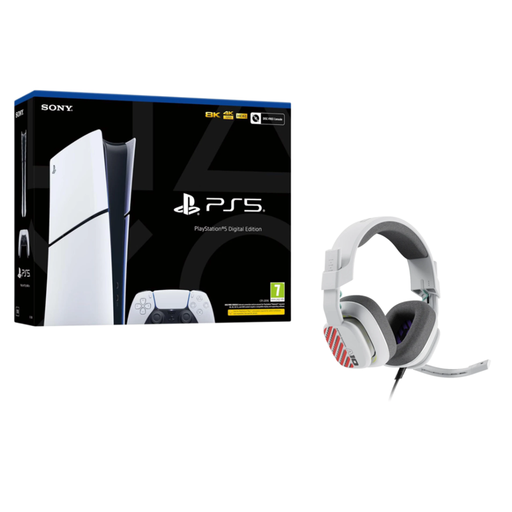
Sony PS5 Digital Edition Slim with Logitech ASTRO A10 Gen 2
This bundle suits a download-first setup that also calls for a wired headset. It pairs a Digital Edition Slim console with a Logitech ASTRO A10 Gen 2 headset; confirm the console model group before relying on a later disc-drive upgrade.
View on Joybuy
No image available
Sony PS5 Digital Edition Slim with XREAL One Pro M
This bundle combines a Digital Edition Slim console with XREAL One Pro M AR glasses. It is a disc-free setup at purchase; check the console model group before making plans to add a drive, and check that the glasses suit your intended setup.
View on Joybuy
Common questions
Can a PS5 Digital Edition play discs without an add-on?
No. PlayStation says the Digital Edition has no built-in disc drive. The CFI-1000 Digital Edition cannot use disc-based games or media; supported CFI-2000 and CFI-2100 Digital Editions can use the separately sold CFI-ZDD1 drive.
Which PS5 consoles can use the CFI-ZDD1 disc drive?
PlayStation specifies the CFI-ZDD1 for PS5 Pro and Digital Edition CFI-2000 and CFI-2100 model groups. Check the exact model before purchase; the CFI-1000 Digital Edition is not supported, and pairing the drive requires an internet connection during setup.
Do I need PlayStation Plus to buy games for a Digital Edition?
PlayStation describes buying and downloading games through PlayStation Store using a PlayStation account. PlayStation Plus is a separate membership for features such as cloud streaming, which requires the Premium tier; do not treat it as part of the console’s disc-or-digital hardware choice.
Can cloud streaming replace downloaded games and discs?
Not for every game. PlayStation limits PS5 cloud streaming to select titles and requires PlayStation Plus Premium and broadband with at least 5 Mbps upload and download speeds. Streaming does not give a disc-free console disc playback.
Can I cancel a PlayStation Store game purchase after downloading it?
For a change of mind, PlayStation’s UK Store cancellation policy allows cancellation of a game or add-on within 14 days of purchase only if downloading or streaming has not started. That retailer policy does not replace statutory consumer rights, including rights concerning faulty content.


