What to check before choosing
Start with the games and discs you already use, then check storage and any Pro features against your screen and playing habits.
PS5 Slim Disc Edition
Choose when: You want a built-in drive for compatible PS4 or PS5 discs, while keeping the option to buy digital games.
Trade-off: Disc games install to console storage and the disc must remain inserted to play; future new releases are subject to Sony’s announced digital-only change.
PS5 Slim Digital Edition
Choose when: You expect to download games and do not need to use physical discs.
Trade-off: There is no built-in drive; an add-on drive is compatible only with specified model groups and needs an internet connection for initial pairing.
PS5 Pro
Choose when: You value its 2 TB SSD or features in games that support Pro enhancements.
Trade-off: It has no built-in disc drive, and the visual features depend on the games you play; check them against your screen before deciding.
| Concern |
What to check when buying |
Who this matters to |
| Access to physical discs |
Check compatibility for each PS4 disc you own and whether you want to buy physical games. A disc-based game still installs to console storage. |
If I want to keep playing compatible discs or choose physical games, a built-in drive matters; around 31% of consumers put disc access first. |
| Download-first setup |
Check the exact model’s listed SSD capacity and whether you would want a compatible add-on drive later. |
If I buy downloads and have no use for discs, I want a console configuration that fits that setup; around 25% of consumers prioritise a digital-first choice. |
| Pro features and display |
Check which games support the Pro features you want and whether your screen suits your intended use. |
If I am upgrading for particular games and a screen that can make their features relevant, I want to check those titles before choosing Pro; around 19% of consumers prioritise this. |
| Installed-game space |
Compare the capacity listed for the exact console and check the requirements for any M.2 SSD expansion. USB extended storage cannot run PS5 games directly, according to PlayStation Support. |
If I keep several games installed and want to avoid managing space often, I focus on storage; around 13% of consumers put installed-library space first. |
| Online play and account access |
Check whether the games you play require PlayStation Plus for online multiplayer and review the Console Sharing and Offline Play setting for your account. |
If I need particular multiplayer games and account settings to work as expected, I check their requirements before choosing; around 12% of consumers prioritise online-service fit. |
Joybuy PS5 options
These Joybuy listings include PS5 Digital Edition bundles, a disc-equipped PS5 bundle and a PS5 Pro bundle. Check whether each bundle’s named extras suit your setup and whether the console format matches the games you want to play.
 No image available
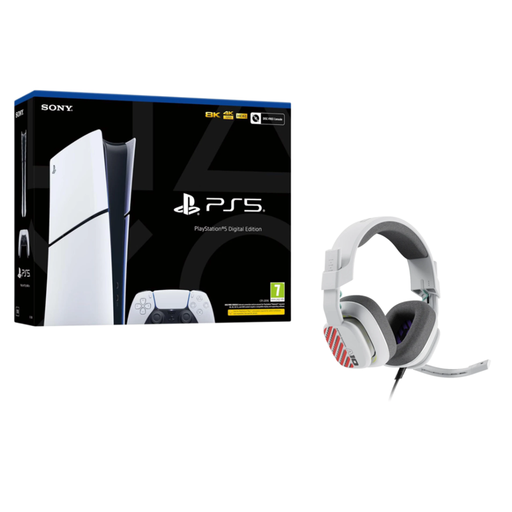
Sony PlayStation 5 Slim Digital Edition + Logitech ASTRO A10 Gen 2 Headset, White
This bundle suits a download-first setup where a wired headset is also wanted.
The console is a Digital Edition without a disc drive; the named extra is a white Logitech ASTRO A10 Gen 2 wired headset.
Joybuy
 No image available
Sony PlayStation 5 Slim Digital Edition + Yaber K3 Smart Projector
This bundle is for a download-first PS5 setup paired with the named projector.
The console is identified as a Digital Edition and does not include a disc drive; the bundle title names a Yaber K3 smart projector.
Joybuy
 No image available
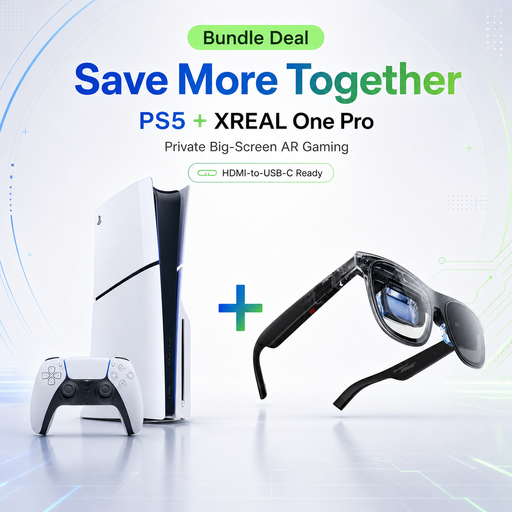
Sony PlayStation 5 Digital Edition Slim + XREAL One Pro M AR Glasses
This bundle suits a download-first setup where the named AR glasses are also wanted.
The console is identified as a Digital Edition without a disc drive; the bundle title names XREAL One Pro M AR glasses.
Joybuy
 No image available
PlayStation 5 Disc Edition + Marvel’s Wolverine Bundle
This bundle is relevant if you want a disc-equipped PS5 and the named game.
The description identifies support for physical Blu-ray discs and marks the included Marvel’s Wolverine game PEGI 18.
Joybuy
 No image available
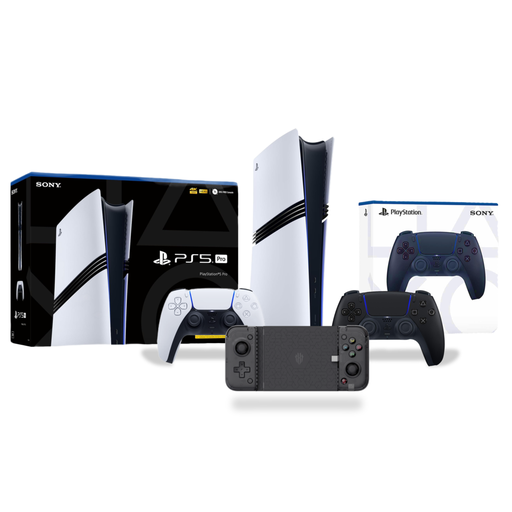
PlayStation 5 Pro + DualSense Wireless Midnight Controller + REDMAGIC Shadow Blade Gamepad
This bundle is for someone considering PS5 Pro who also wants the named additional controllers.
The bundle description identifies a PS5 Pro and lists an additional Midnight DualSense controller and a REDMAGIC Shadow Blade Gamepad. The Pro has no included disc drive; Sony says its compatible drive is sold separately.
Joybuy
PS5 disc and Digital FAQs
Can I use my PS4 discs and digital games on a PS5?
Most PS4 games are playable on PS5, but there are exceptions, according to PlayStation Support. A PS4 disc needs a PS5 with a disc drive and must stay inserted during play; check individual games and any upgrade conditions. Digital games are associated with your account, so check the titles you want to access.
Can I add a disc drive to a PS5 Digital Edition later?
Yes, but only for the model groups Sony specifies: PS5 Pro and PS5 Digital Edition CFI-2000 Slim and CFI-2100. The compatible CFI-ZDD1 drive needs an internet connection for initial pairing, so check the exact console model before buying it.
Does a PS5 game on disc avoid using SSD space?
No. PlayStation Support says a disc game installs when first played and the disc must remain inserted to play it. USB extended storage can store PS5 games but cannot run them directly; a supported M.2 SSD is an option for expanding playable storage.
Do I need PlayStation Plus for online multiplayer?
PlayStation Support says most PS4 and PS5 games with online multiplayer require PlayStation Plus. Check the requirements for the particular game; a subscription is not required simply to use the console or play every game.
What if a digital game I bought is faulty in the UK?
GOV.UK guidance on the Consumer Rights Act 2015 says faulty digital content can qualify for repair or replacement, with a price reduction potentially available under the applicable statutory conditions. This is different from an unconditional right to return a downloaded game because you changed your mind.


