If you expect to borrow, buy or resell physical games, a PS5 with a built-in disc drive gives you more ways to obtain games. Choose a PS5 Digital Edition if downloads suit you and you do not need discs; consider PS5 Pro for its larger storage and enhancements in supported games, provided your display and intended games make those features useful. Xbox or Nintendo Switch 2 may fit better if their games, services or portable play matter more to you than PlayStation games.
Who each route suits
Physical-game flexibility seekers
A PS5 with a disc drive suits consumers who want to use compatible PS5 or PS4 game discs, including copies they buy second-hand or borrow. They can also choose downloads rather than committing to discs for every game.
Download-first PS5 players
A Digital Edition suits consumers who plan to obtain games through PlayStation Store and have a dependable connection for downloads. They should decide whether they might want physical games before choosing a console without a built-in drive.
Display-focused players
PS5 Pro is worth considering for consumers who want its 2TB storage and enhancements in supported games. PlayStation says the visual and frame-rate features depend on the game; display capabilities matter too.
What matters when choosing
For consumers starting home console gaming, settle on the games and game format you want before comparing display features, storage and online services. A different console ecosystem remains an option if PlayStation games are not your priority.
| Concern |
What to check |
Who this matters to |
| Physical games |
Check for a built-in disc drive, or confirm drive compatibility for the exact disc-free model. |
If I want to borrow games or use second-hand discs, I need a console that can play them. Around 33% of consumers put physical-game flexibility first. |
| Downloads and online services |
Check your download connection and the requirements of the games and services you intend to use. |
When I plan to keep my games digitally, dependable downloads and access to the games I want matter more than disc playback. Around 33% of consumers make that download-first need their priority. |
| Display and storage |
Check game support alongside your display’s refresh rate, VRR and HDR capabilities; consider how many games you want installed. |
I would consider enhanced visuals or more built-in storage if my screen and chosen games can make use of them. Around 17% of consumers put those capabilities first. |
| Game ecosystem |
Identify the games you want, where friends play and whether portable gaming is important. |
If Xbox games or playing away from the TV matter more to me, choosing a PS5 for its hardware alone misses my main need. Around 17% of consumers prioritise a different ecosystem or playing format. |
Choices worth checking twice
-
Assuming Digital and Disc offer the same ways to obtain games
A PS5 Digital Edition has no built-in disc drive, so it cannot use physical games as supplied. A compatible drive is a separate accessory for supported models.
Think through any PS4 discs you own and whether you expect to borrow games, buy used copies or play Blu-ray media. If you may add a drive later, confirm compatibility with the exact console model.
-
Choosing PS5 Pro because a screen says 4K
PlayStation’s PS5 Pro enhancements vary by game. PlayStation also says 120Hz output requires both a compatible display and a game that supports that frame rate.
Check your TV or monitor’s refresh rate, VRR, HDR and HDMI capabilities, then look up support in the games you intend to play.
-
Assuming any external drive can run PS5 games
PlayStation says PS5 games stored on USB extended storage must be copied back to console storage before play. A compatible installed M.2 SSD can launch PS5 and PS4 games.
Consider how many games you want installed at once. Before choosing expansion storage, check PlayStation’s current M.2 interface, size and cooling requirements for your console.
-
Treating a subscription catalogue as an owned game library
Access through a subscription depends on its terms, and available games and features can change. Xbox says Game Pass availability varies by plan, region and platform.
Check whether the particular games you want are included and review renewal and cancellation terms before relying on a subscription for them.
Relevant brands for reference
Sony PlayStation
The platform directly involved in the choice between a disc PS5, PS5 Digital Edition and PS5 Pro.
- PlayStation distinguishes a disc console from models supplied without a disc drive; PS5 Pro has 2TB of built-in storage.
- PlayStation says PS5 Pro enhancements apply to supported games, so the intended games and display need checking.
Microsoft Xbox
An alternative for consumers whose preferred games or subscription approach lead them towards Xbox.
- Xbox offers disc-and-digital and digital-only console configurations.
- Xbox says Game Pass titles and features vary by plan, region and platform; check access to specific games.
Nintendo
An alternative for consumers who want portable play alongside gaming on a home TV.
- Nintendo describes Switch 2 as usable in portable mode and with a TV.
- Nintendo says 4K output depends on compatible games and display hardware and is limited to 60 frames per second.
PS5 console choices on Joybuy
These listings cover disc and Digital Edition PS5 consoles, including bundles. Decide whether you need physical-game access before comparing the individual console versions and bundle contents.
 No image available
Sony PlayStation 5 Disc Edition Slim
Consider this disc model if you want to use physical games as well as digital purchases. Check the console’s stated storage capacity and the display requirements of any games for which you want higher frame rates.
View on Joybuy
 No image available
Sony PlayStation 5 Digital Edition Slim
This is a download-first choice for consumers who do not need disc playback as supplied. If physical media may matter later, confirm the exact console model and compatible separately sold drive before choosing it.
View on Joybuy
 No image available
PlayStation 5 Disc Edition with Marvel’s Wolverine
Consider this bundle if you want a disc console and are interested in the named game. Check the game’s age rating, the precise bundle contents and the console version before choosing it for your household.
View on Joybuy
 No image available
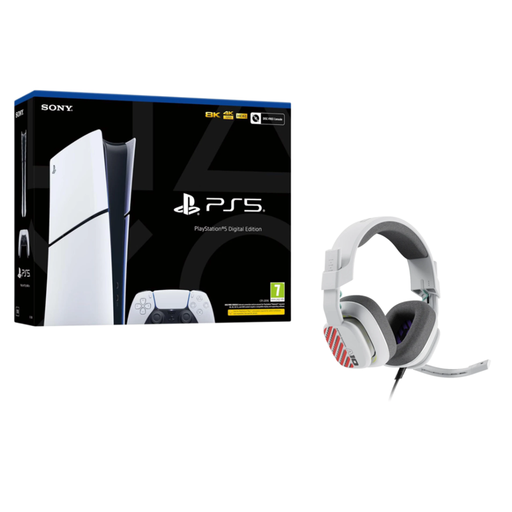
Sony PlayStation 5 Digital Edition Slim with white LOGITECH ASTRO A10 Gen 2 wired headset
This bundle may suit a download-first player who also wants the named wired headset. Confirm the exact console model and that the headset and its connections fit your intended setup.
View on Joybuy
 No image available
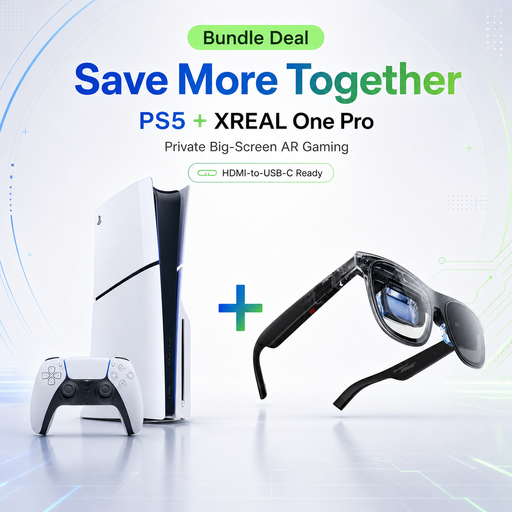
Sony PlayStation 5 Digital Edition Slim with XREAL One Pro M AR glasses
Consider this bundle only if the glasses are relevant to how you plan to play. Confirm the included components, how the XREAL One Pro M connects to the PS5 setup and the exact console model before choosing it.
View on Joybuy
Common questions
Can a PS5 Digital Edition or PS5 Pro play my game discs?
Neither has a disc drive as supplied, so you cannot insert game discs straight into the console. PlayStation describes a separately sold drive for supported models; check compatibility with the exact console before relying on that option.
Do I need PlayStation Plus to start using a PS5?
You do not need PlayStation Plus for basic offline console use or every game. Online multiplayer requirements vary by game, so check the particular titles you intend to play and the subscription benefits you would use.
Will a 4K TV show every PS5 Pro enhancement?
No: PlayStation says PS5 Pro enhancements vary by game, while 120Hz output requires a compatible display and a game that supports it. Check your screen’s refresh rate and features alongside the games you want to play.
Can I play PS5 games directly from an external USB drive?
No. PlayStation says PS5 game data on USB extended storage must be copied back to console storage before play. A compatible installed M.2 SSD can launch PS5 games, but it must meet PlayStation’s requirements.


