Disc-library households
If you own supported PS4 or PS5 game discs, want to borrow or buy pre-owned games, or watch films on disc, check whether the console includes a drive or supports Sony’s separate drive.


If you use supported game discs or want Blu-ray or DVD playback, choose a PS5 supplied with a disc drive, or add Sony’s compatible drive to a supported Digital Edition or PS5 Pro. A Digital Edition suits a download-first library; consider Pro when its 2 TB storage or enhancements in supported games matter, remembering that it does not include a drive. Sony says newly released PlayStation games will be available digitally only from January 2028, while previously released discs remain playable on compatible consoles.
If you own supported PS4 or PS5 game discs, want to borrow or buy pre-owned games, or watch films on disc, check whether the console includes a drive or supports Sony’s separate drive.
If you mainly buy digital games and do not expect to use discs, compare Digital Edition variants by their stated storage and consider whether you want the option to add a compatible drive later.
If you are considering PS5 Pro for enhancements in supported games or its stated 2 TB storage, check whether your games and display make those features relevant to your setup. Sony says Pro features vary by game.
For UK consumers comparing PS5 configurations, the main decision is whether disc access is needed now, can be added later, or is unnecessary for a download-first library.
| Concern | What to check when buying | Who this matters to |
|---|---|---|
| Game-disc access | Check whether the console includes a drive, supports the games you own and, if relevant, accepts Sony’s compatible add-on drive. | If my household already owns supported game discs or expects to borrow or buy pre-owned copies, I would keep disc access central; around 36% of consumers put game discs first. |
| Digital play and storage | Check the exact model and its stated SSD capacity; do not assume that a Digital Edition includes a drive. | If I mainly download games and do not expect to use discs, I would focus on the exact Digital Edition’s storage; around 29% of consumers prioritise digital-only access. |
| PS5 Pro features | Check whether the games you play support the Pro features you want, and whether you need a separate drive for discs. | If I play titles with Pro enhancements and want to make use of them in my setup, I would weigh those features against my actual games; around 21% of consumers put supported-game enhancements first. |
| Film discs and later flexibility | Confirm the console model is compatible with Sony’s drive and that you can complete its initial internet pairing. | If film discs matter but I do not need game discs straight away, I would value the option to add a drive later; around 14% of consumers prioritise film playback or deferred drive access. |
Neither configuration includes a drive as standard, so game and film discs cannot be used until a compatible drive is fitted.
Check the console’s model group against Sony’s CFI-ZDD1 drive compatibility information. Initial pairing requires an internet connection.
PlayStation’s UK listing identifies the CFI-2100 Digital Edition as an 825 GB model. A listing with a different stated capacity may be a different variant.
Read the exact model number and SSD capacity on the product listing before comparing configurations.
If you later need more space, Sony supports separately installed M.2 SSDs that meet its stated requirements.
Sony says newly released PlayStation games will be available for purchase digitally only from January 2028; previously released discs remain playable on compatible consoles.
Choose a disc drive for the existing library, supported pre-owned games or films you expect to use, rather than assuming new releases will keep a disc option.
Sony says Pro enhancements apply to supported games and vary by title.
Check the specific games you intend to play before choosing Pro mainly for its graphics or frame-rate features.
The PS5 configurations in this buying decision are Sony PlayStation consoles, including Digital Edition, disc-capable and Pro models.
These Joybuy listings cover Digital Edition consoles and bundles, a Disc Edition bundle, and a PS5 Pro bundle. Check the exact bundle contents and disc-drive arrangements before choosing.
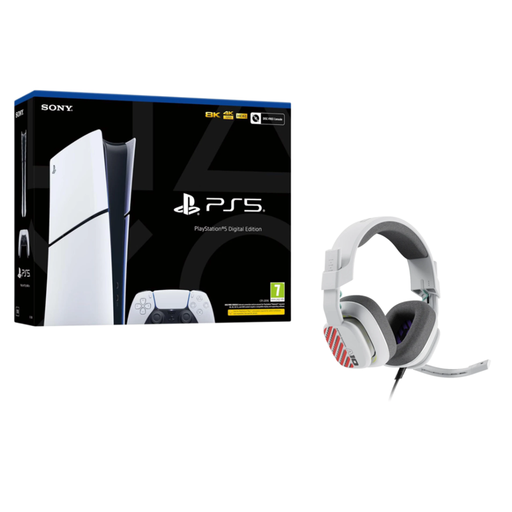 No image available
A download-first PS5 Slim Digital Edition bundle for players who also want the included wired Logitech ASTRO A10 headset.
The console is described as having no disc drive; physical game and film discs cannot be used as supplied.
 No image available
A digital-game setup paired with the Yaber K3 projector named in the bundle.
The console is described as a Digital Edition with no disc drive, so physical discs cannot be used as supplied.
 No image available
A download-first Digital Edition bundle with XREAL One Pro M AR glasses for a personal-screen gaming setup.
The console is described as having no disc drive; physical game and film discs cannot be used as supplied.
 No image available
A disc-capable PS5 bundle for players who want physical game access.
The bundle includes Marvel’s Wolverine for PS5, identified as PEGI 18; check the rating for the intended player.
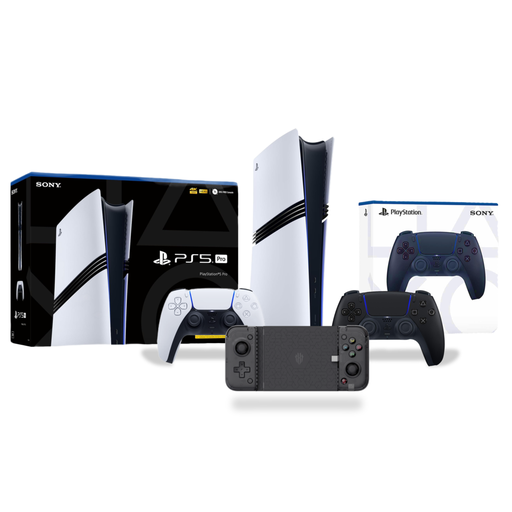 No image available
A PS5 Pro bundle for a setup focused on games that support Pro features; Sony specifies 2 TB SSD storage for the Pro console.
Physical-disc use requires a compatible separately purchased drive. The bundle description also names a DualSense Wireless Midnight Controller and REDMAGIC Shadow Blade Gamepad.
A disc-capable PS5 can play supported PS4 games on Blu-ray Disc. A Digital Edition or PS5 Pro needs a compatible separately sold drive first; check the individual game’s compatibility rather than assuming every title or feature transfers.
No. Sony specifies its CFI-ZDD1 drive for Digital Edition CFI-2000 slim and CFI-2100 consoles, as well as PS5 Pro. Check the console model before buying; initial pairing requires an internet connection.
No. Sony says newly released PlayStation games will be available digitally only from January 2028, while previously released discs remain playable on compatible consoles. A disc drive remains relevant for supported existing games and film discs.
Not as supplied: PS5 Pro does not include a disc drive. For physical game or film discs, add Sony’s compatible drive and check the setup requirements before buying.
Sony Support UK specifies a separately installed M.2 PCIe Gen4x4 NVMe SSD with a capacity of 250 GB–8 TB and effective heat dissipation; its recommended sequential read speed is 5,500 MB/s or faster. Check the required physical dimensions and system software requirements, as Sony does not guarantee every third-party SSD that meets the listed specifications.