
24/7 Customer Support

Free returns

Same-day & Next-day Delivery

Quality Guaranteed

Unlock Your Welcome Offers: FREE Delivery | Up to 80% OFF | Free 30-day JoyPlus trial
Download the APP
Whether your original controller has seen better days, you are gearing up for multiplayer sessions or you simply want to personalise your gaming setup, choosing a new PS5 DualSense controller can feel like a bigger decision than it should be. The market is filled with options, from official colour variants to third-party alternatives and it is easy to make a choice you might later regret.
As the Joybuy Product Recommendation Officer, my role is to help you navigate these choices. We will look past the marketing jargon and focus on the practical details that ensure you get a controller that delivers the full PlayStation 5 experience without any unwelcome surprises.
Before you add a controller to your basket, be aware of these common traps that can lead to disappointment and wasted money.
To ensure you are getting the genuine article, focus on these non-negotiable specifications.
These two features are what set the official PlayStation 5 controller apart from standard gamepads. It is important to understand what they actually do.
The DualSense is a versatile wireless PS5 controller that connects seamlessly to your console via Bluetooth. However, its utility does not end there. It can be connected to a PC or Mac via a USB-C cable or Bluetooth, and platforms like Steam offer extensive support for it. This means you can enjoy its premium feel and precision for your PC game library, making it a great all-in-one investment.
Instead of a generic list, we have matched official DualSense controllers to different types of users. This helps you find the right fit based on your specific needs and preferences.
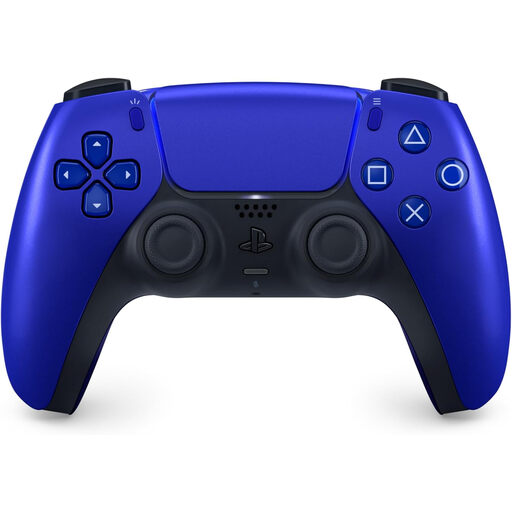
Why This Fits Their Persona: This user wants their gaming setup to reflect their personal style. The vibrant, metallic finish of the Cobalt Blue PS5 controller provides a premium look that stands out from the standard white, allowing for a personalised and cohesive aesthetic.
It confirms that style does not mean sacrificing substance. As an official Sony product, it guarantees the full, uncompromised haptic feedback and adaptive trigger experience, steering clear of the functionality-vs-colour myth.
Delivers the complete, immersive DualSense feature set in a striking, premium colourway. It is built to official Sony quality standards for durability and performance.
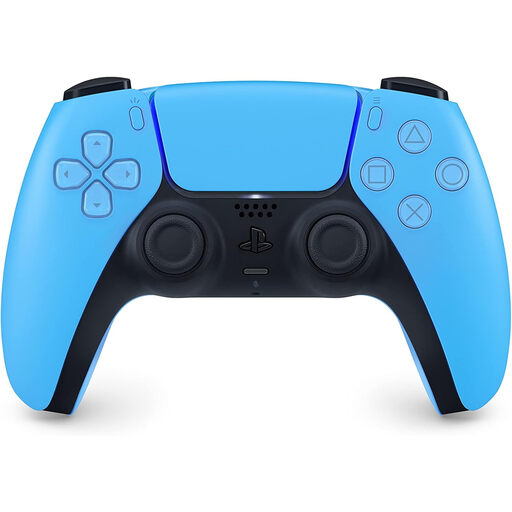
Why This Fits Their Persona: This user needs a reliable second controller for local multiplayer or as a dependable backup. The Starlight Blue DualSense offers a subtle touch of colour while prioritising the official quality and functionality needed for a seamless gaming experience with friends and family.
By choosing an official controller, they completely sidestep the "too good to be true" price trap. This ensures their second player has the same high-quality experience, avoiding the frustration of a cheap pad with poor battery or missing features.
Guaranteed Sony quality and full feature set for flawless multiplayer sessions. Its refined ergonomics ensure comfort for any player, whether they are a guest or a family member.
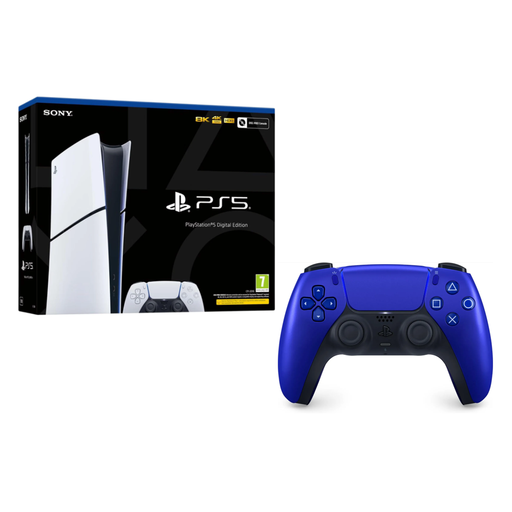
Why This Fits Their Persona: This person is starting their PS5 journey from scratch or undertaking a major upgrade. This bundle provides the new slim console and a stylish extra controller straight out of the box, making it a convenient and cost-effective way to get fully set up for both solo and multiplayer gaming.
Purchasing an official bundle guarantees that all components are genuine and designed to work together perfectly. This eliminates the risk of accidentally pairing a new console with an unreliable, low-quality third-party controller.
A complete, official package that includes the latest slim console and a premium-coloured controller. It is the most straightforward way to establish a two-player setup from day one.
We have compiled a complete, real-time list of products that fully satisfy these strict selection criteria and UK safety regulations.
1. How long does a PS5 DualSense controller battery last, and how can I extend it? The battery life of a DualSense controller typically ranges from 6 to 12 hours, depending heavily on the game and how intensively it uses features like haptic feedback. To prolong the charge, you can go into your PS5's settings and lower the vibration and trigger effect intensity, dim the controller's light bar and set the controller to turn off automatically after a shorter period of inactivity.
2. Can I use the PS5 DualSense controller on my PC? Yes, the PS5 controller for PC is an excellent choice. You can connect it via a USB-C cable for a wired connection or pair it via Bluetooth for wireless play. Gaming platforms like Steam provide native support, which means many PC games will recognise the controller and may even support its advanced features, though full haptic and adaptive trigger support is not universal across all PC titles.
3. Are the coloured DualSense controllers different from the standard white one? No, the internal technology and performance are identical across all official DualSense colour variants. Whether you choose the classic white, Starlight Blue, Cobalt Blue or any other official colour, you are getting the same high-quality haptic feedback controller with the same adaptive triggers and build quality. The only difference is the aesthetic.