Players keeping more PS5 games ready to launch
PlayStation says a compatible internal M.2 SSD can store and launch PS5 games. Choose this route when you do not want to transfer a game back from USB storage before playing.


Choose a PS5-compatible internal M.2 NVMe SSD with suitable cooling if you want more PS5 games installed and ready to launch. USB extended storage can hold PS5 games, but you must transfer them back before playing; it can play PS4 games directly. For captures or supported saved-data uses, check the separate USB-drive and PlayStation Plus cloud-storage routes rather than treating them as extra space for installed PS5 games.
PlayStation says a compatible internal M.2 SSD can store and launch PS5 games. Choose this route when you do not want to transfer a game back from USB storage before playing.
PlayStation says USB extended storage can play PS4 games directly and hold PS5 games for transfer back when needed. It suits a library with games you do not need to launch immediately.
Choose storage by file type, not just capacity. PlayStation distinguishes game storage from PlayStation Plus cloud storage for saved data; its US support guidance also describes a separately formatted USB drive for captures and supported PS4 saved-data files. Check the relevant options in your UK console menus before relying on a particular file workflow.
Start with what you need to play directly, then check the drive requirements or file workflow for that choice.
| Priority | What to check | Your needs |
|---|---|---|
| Direct PS5 play | PlayStation requires a supported PCI-Express Gen4x4 M.2 NVMe SSD with Key M for internal expansion. Check the exact model, capacity, form factor and fitted cooling dimensions against its PS5 requirements. | I want additional PS5 games installed and ready to launch, without moving them back from another drive first. |
| M.2 fit and cooling | PlayStation requires effective heat dissipation and a compliant installed size, including the cooling structure. Its UK guidance recommends sequential read speed of 5,500 MB/s or faster; that recommendation alone does not establish that a drive fits. | I can open the M.2 bay for installation, but need to know that the complete drive and cooling arrangement fit before buying. |
| USB game storage | For USB extended storage, PlayStation specifies SuperSpeed USB and 250 GB–8 TB capacity, and says not to use a USB hub. PS5 games need transferring back to console or compatible M.2 storage before play; PS4 games can play from the external drive. | Some PS5 games can wait in an archive, while I would like my PS4 games available from the USB drive. |
| Captures and saves | Keep the file workflow separate from a drive formatted as USB extended storage. PlayStation Plus cloud storage requires membership and is for saved data, not installed games. PlayStation’s US support guidance describes FAT or exFAT USB use for captures and supported PS4 saved data; check the UK console options for your intended files. | My priority is keeping screenshots or supported save files, rather than making room for another playable PS5 game. |
PlayStation does not support M.2 SATA SSDs for PS5 expansion. An NVMe drive can also miss the console’s requirements once its capacity, form factor or fitted cooling structure is considered.
Compare the exact drive and its complete installed dimensions with PlayStation’s current M.2 requirements before purchase.
According to PlayStation, PS5 games held on USB extended storage must be transferred back to console or compatible M.2 storage before they can be played.
Choose internal M.2 expansion for direct PS5 play; use USB extended storage when transferring archived games back suits you.
A drive formatted as USB extended storage serves a different purpose from a normal USB drive used for supported files such as captures. Reformatting can erase files already on a drive.
Decide whether the drive is for game storage or files, and back up anything you need before changing its format. Check your UK console menus for the intended file workflow.
PlayStation says it cannot guarantee that every third-party M.2 SSD appearing to meet its specifications will work. A compatibility statement also does not replace a check of the exact capacity and fitted cooling dimensions.
Check the model or MPN, its cooling structure, complete installed size and PlayStation’s current system-software requirements before installation.
Seagate has PS5-oriented internal NVMe and external Game Drive lines; the two types serve different game-storage workflows.
The 990 PRO with Heatsink is a PCIe 4.0 M.2 line to assess for internal expansion.
The MP600 PRO LPX range is relevant to buyers assessing an M.2 drive with pre-installed, low-profile cooling.
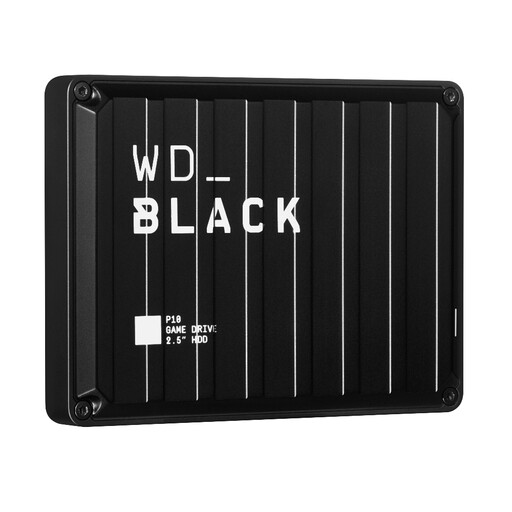
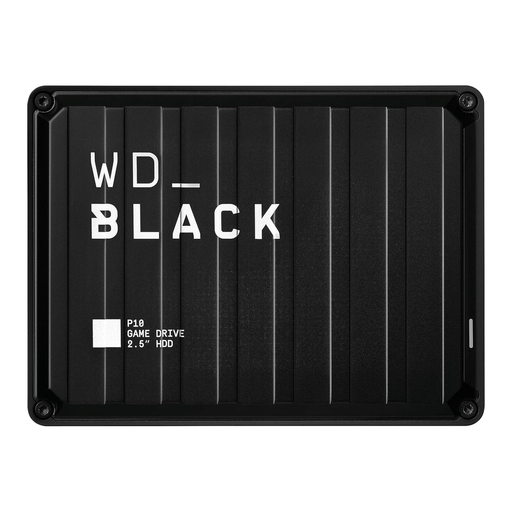
These external-drive options address USB game storage, particularly keeping PS5 games for later transfer. They are not internal M.2 upgrades for launching PS5 games directly.
 No image available
A USB drive to consider for keeping PS5 games until you transfer them back and for playing PS4 games from extended storage. The product name specifies 5 TB; check the PS5 extended-storage setup before use.
 No image available
The named 2 TB variant offers a USB storage route for a mixed game library. PS4 games can play from suitable USB extended storage; PS5 games must be transferred back before play. Confirm the exact variant and console setup when selecting it.
 No image available
The portable 1 TB SSD is an option for moving less-used PS5 games off console storage. They still need transferring back before play; if direct PS4 playback matters, confirm the drive’s intended console setup.
No image available
This named 2 TB portable variant suits a PS5 archive-and-transfer workflow when you want more stated capacity than the 1 TB variant. It does not make PS5 games playable from USB; check the console setup if you also intend to play PS4 games from it.
 No image available
This 2 TB external SSD is another option to assess for console game storage. Its name specifies USB 3.2 Gen 2; confirm the PS5 formatting and intended PS4 use. PS5 games stored on USB must be transferred back before play.
No. PlayStation says a PS5 game stored on USB extended storage must be transferred back to console storage or a compatible internal M.2 SSD before play. A supported M.2 SSD can launch PS5 games directly.
Yes. PlayStation says PS4 games can be played directly from a suitable external USB drive on PS5. Check that the drive is set up for the intended game-storage use.
PlayStation UK specifies a supported PCI-Express Gen4x4 M.2 NVMe SSD with Key M, 250 GB–8 TB capacity, a supported form factor and effective cooling within its installed-size limits. It recommends sequential read speed of 5,500 MB/s or faster and does not support M.2 SATA SSDs. Check the exact drive and cooling arrangement against the current requirements.
PlayStation’s guidance specifies SuperSpeed USB support and capacity from 250 GB to 8 TB. It says an extended-storage drive cannot be connected through a USB hub. Remember that this route stores PS5 games for transfer back, not direct play.
Not for installed games. PlayStation describes cloud storage as a PlayStation Plus member route for saved data; it does not add local capacity from which to launch another PS5 game.