Players who want PS5 games ready to launch
If you regularly switch between installed PS5 games, consider a compatible internal M.2 SSD. PlayStation says PS5 games can launch from M.2 storage, provided the drive meets its installation requirements.


Choose a compatible internal M.2 SSD with suitable cooling if you want more PS5 games installed and playable directly from the added storage. USB extended storage can hold PS5 games, but you must copy them back before playing; it can also run PS4 games. If space runs short only occasionally, check what you can move or delete before buying a drive.
If you regularly switch between installed PS5 games, consider a compatible internal M.2 SSD. PlayStation says PS5 games can launch from M.2 storage, provided the drive meets its installation requirements.
If you can wait to copy a paused PS5 game back before replaying it, USB extended storage offers a place to keep it. PlayStation also allows PS4 games to be installed and played from USB extended storage.
If a large download or update is the main cause of the shortage, inspect your installed games first. PlayStation’s storage controls let you delete games or move eligible game data, which may resolve a temporary problem without another drive.
Choose it when: you need PS5 games to launch from the added storage.
Trade-off: installation means opening the console and checking the complete drive and cooling assembly against PlayStation’s requirements.
Choose it when: you want to keep paused PS5 games elsewhere or play PS4 games from an external drive.
Trade-off: PlayStation requires PS5 games to be copied to console or M.2 storage before play.
Try it when: the shortage follows a one-off download or you have games you no longer play.
Trade-off: deleting or moving games frees space now but can mean downloading or copying them again later.
| Concern | What to check | Who this matters to |
|---|---|---|
| Direct PS5 play | For an internal drive, check Sony’s current M.2 interface, capacity, size and cooling requirements, including the fitted heatsink dimensions. Update the console’s system software before installation. | If I switch between PS5 games often, I want the added storage to keep them ready to launch; around 50% of consumers put direct PS5 play first. |
| Archive and PS4 use | For USB extended storage, check for SuperSpeed USB 5 Gbps or later, 250 GB to 8 TB capacity and a direct console connection rather than a USB hub. | When I pause PS5 games for a while, I can copy them back later, but I may also want to play PS4 games from the external drive. Around 30% of consumers prioritise this archive-and-PS4 use. |
| Occasional space pressure | Look at free space in Settings > Storage and identify games you could move or delete before choosing extra hardware. | If a recent download has filled my console, I would rather clear space than add a drive straight away; avoiding a purchase is the primary concern for around 20% of consumers. |
PlayStation allows PS5 games to be stored on USB extended storage, not played directly from it. An external drive therefore will not keep an expanded PS5 library immediately playable.
If direct play from added storage matters, assess a compatible internal M.2 SSD instead. Choose USB storage when copying games back is acceptable.
Copying an archived PS5 game back adds a transfer step before you can play.
PlayStation’s requirements also cover the interface, supported form factor, capacity, physical fit and effective heat dissipation. Its recommended sequential read speed of 5,500 MB/s or faster does not guarantee that every third-party drive will work or match the console’s internal SSD performance.
Compare the exact model and its complete fitted cooling dimensions with PlayStation’s current PS5 requirements before buying.
PlayStation says formatting a drive as USB extended storage erases the data already on it and that erased data cannot be recovered.
Copy anything you need elsewhere before formatting the drive for your PS5.
Warranty terms vary by model. GOV.UK explains that consumers have statutory remedies when goods are faulty, misdescribed or do not do what they are supposed to; a voluntary manufacturer warranty does not replace those rights.
Check the exact model’s warranty terms and the retailer’s process, and keep your order confirmation if you need to raise a problem.
Seagate’s Game Drive PS5 NVMe SSD is an internal M.2 line with a custom heatsink and an official PlayStation licence.
Samsung’s 990 PRO with Heatsink is a PCIe 4.0 M.2 line to compare with PlayStation’s internal-expansion requirements.
Crucial markets its T500 with heatsink as a PCIe Gen4 M.2 option for PS5 use.
These external USB drives are choices for storing PS5 games to copy back later, rather than for launching PS5 games from added storage. Check each drive’s intended console use and remember that a compatible internal M.2 SSD is the route to assess if direct PS5 play is your priority.
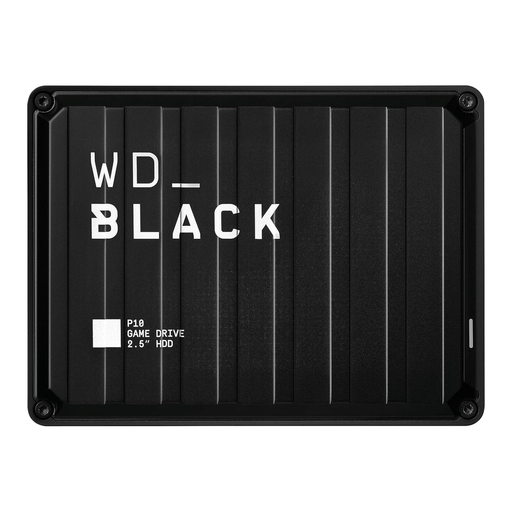 No image available
Consider this USB drive if you want space for archived PS5 games and plan to copy them back before playing. It has 2TB capacity; PlayStation does not allow PS5 games to launch directly from USB extended storage.
 No image available
This 1 TB USB 3.2 Gen 2 external SSD is a choice for keeping PS5 games in archive storage. Copy a PS5 game to console or compatible M.2 storage before playing it.
 No image available
Its 2TB capacity may suit a PS5 library whose paused games you want to retain externally. Archived PS5 games must be transferred back to playable storage before launch.
No image available
This 1TB variant is another option for archiving PS5 games you can transfer back later. It is not a way to play PS5 games directly from USB storage.
 No image available
If you are considering this drive for PS5 storage, confirm that its intended console use matches your plans before buying. The title specifies 2TB and USB 3.2 Gen 2; PS5 games cannot launch directly from USB extended storage.
No. PlayStation allows PS5 games to be stored on USB extended storage, but you must copy them to PS5 console storage or compatible M.2 SSD storage before playing.
Check the exact drive against PlayStation’s current interface, capacity, form-factor, fitted-dimensions and heat-dissipation requirements, and update your PS5 system software before installation. PlayStation recommends sequential reads of 5,500 MB/s or faster but does not guarantee every third-party drive or performance identical to the console’s internal SSD.
Yes. PlayStation says formatting a drive as USB extended storage erases its existing data and that erased data cannot be recovered. Save important files elsewhere before formatting.
No. For goods bought from a trader, GOV.UK explains that statutory remedies apply when an item is faulty, misdescribed or does not do what it is supposed to. Check the seller’s process for raising the problem; a manufacturer warranty is separate from those rights.