Players keeping several PS5 games ready
An internal M.2 SSD suits a library you want to keep installed and launch from expanded storage, provided the drive meets PlayStation’s installation requirements.


Choose a compatible internal M.2 NVMe SSD if you want more PS5 games installed and ready to launch. USB extended storage lets you keep PS5 games locally, but PlayStation says you must move them back to built-in or M.2 storage before playing; if space runs short only occasionally, managing the games already installed may be enough. For an internal SSD, check the interface, assembled fit and cooling rather than relying on a compatibility label alone.
The choice depends chiefly on whether your PS5 games need to launch from the added storage or can wait while you transfer them.
An internal M.2 SSD suits a library you want to keep installed and launch from expanded storage, provided the drive meets PlayStation’s installation requirements.
USB extended storage lets you retain PS5 game data locally. PlayStation says PS5 games must be moved back to built-in or M.2 storage before play, while compatible PS4 games can run from the USB drive.
If you are considering the expansion bay, check the drive’s M.2 NVMe interface, connector, capacity and complete dimensions with its cooling hardware against PlayStation’s requirements before ordering.
Choose it when: You want added storage that can launch installed PS5 and PS4 games.
Trade-off: Installation means opening the expansion bay and checking the complete drive and cooling assembly against PlayStation’s requirements.
Choose it when: You would rather keep PS5 games on a local drive than delete and download them again.
Trade-off: PlayStation requires PS5 games to be moved back to built-in or M.2 storage before play.
Choose it when: The shortage is occasional and you can remove or move games you are not currently playing.
Trade-off: A deleted game has to be downloaded or installed again before you can return to it.
Decide how you will use the space first, then check the requirements of the route you choose.
| Priority | What to check | Your needs |
|---|---|---|
| Ready-to-play games | PlayStation allows PS5 and PS4 games to launch from a compatible internal M.2 SSD. PS5 games held on USB storage need transferring back before play; compatible PS4 games can run from USB. | I switch between PS5 games often and want the ones I keep installed ready to launch. |
| Internal-drive compatibility | For M.2 expansion, PlayStation specifies PCIe Gen4 x4 M.2 NVMe with Socket 3/Key M and a capacity of 250 GB to 8 TB. M.2 SATA drives are not supported. | I want to check the exact drive variant before opening the console, rather than rely on an M.2 label. |
| Cooling and fit | PlayStation requires effective heat dissipation and sets limits for the installed assembly. Check the dimensions with the heatsink or other cooling hardware fitted; its recommended sequential read speed is 5,500 MB/s or faster. | A supplied heatsink would simplify my shopping, but I still need to know whether the complete assembly fits. |
| USB storage use | For PS5 extended storage, check for a drive supporting SuperSpeed USB. Allow for the transfer back to built-in or M.2 storage whenever you want to play a stored PS5 title, as PlayStation requires. | I can wait for a transfer if it means keeping a local copy of games I play less often. |
| Exact model details | Compare the manufacturer part number and the cooling arrangement with the listing. If warranty matters to you, check the terms for that exact variant rather than a similarly named model. | I want to know which version I am ordering and what its stated cover applies to. |
PlayStation specifies a PCIe Gen4 x4 M.2 NVMe drive with Socket 3/Key M for internal expansion; M.2 SATA drives are not supported.
Check the exact interface and connector in the manufacturer specification before considering capacity or advertised speed.
PlayStation says a PS5 game stored on a USB extended drive must be moved back to built-in or M.2 storage before play.
Use USB for storage and transfers, or choose a compatible internal M.2 SSD if launching stored PS5 games directly matters more.
PlayStation recommends a sequential read speed of at least 5,500 MB/s, but also requires effective heat dissipation and a drive assembly that fits the expansion slot.
Compare the complete SSD-plus-cooling dimensions with PlayStation’s limits, not just the bare board dimensions.
A short compatibility label may not give you the drive variant, cooling arrangement and assembled dimensions needed for an installation decision.
Match the exact model number to the manufacturer’s specifications and PlayStation’s requirements before ordering.
These examples show details worth comparing for a particular M.2 drive; a brand name alone does not establish that every variant fits the PS5.
Seagate’s Game Drive PS5 NVMe SSD documentation describes a model with a custom heatsink.
The MP600 Elite 1 TB is a PCIe NVMe 4.0 x4 drive labelled compatible with PS5.
The P310 M.2 2280 1 TB variant has a heatsink and PS5 compatibility wording.
Samsung UK lists a 1 TB 990 PRO with Heatsink PCIe 4.0 NVMe M.2 variant.
These external-drive options suit keeping PS5 games locally for later transfer, without installing an internal SSD. PlayStation says PS5 games cannot be launched directly from USB extended storage.
 No image available
For keeping PS5 games on an external drive until you are ready to transfer them back. The product name specifies USB 3.2 Gen 2; PS5 games cannot launch directly from USB extended storage.
 No image available
A portable option for retaining PS5 game data outside the console. Move a stored PS5 game back to built-in or M.2 storage before playing it.
 No image available
For storing PS5 titles you do not need ready to launch. PlayStation allows compatible PS4 games to run from USB extended storage, but PS5 titles must be transferred back before play.
 No image available
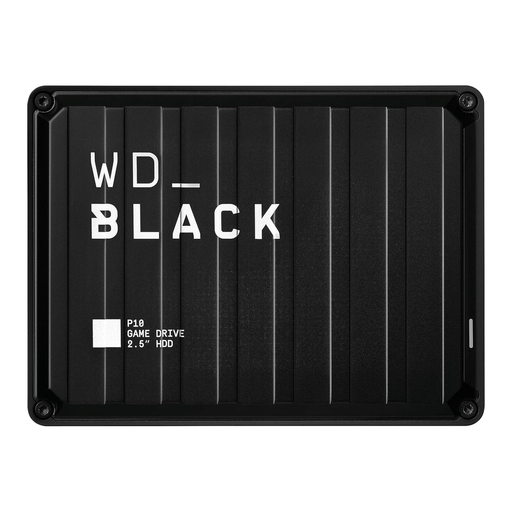
The higher-capacity P10 variant here suits keeping more game data on USB storage. A stored PS5 title still needs to move back to built-in or M.2 storage before you play it.
No. PlayStation says PS5 games stored on a USB extended drive must be moved back to built-in console storage or an installed M.2 SSD before play. Compatible PS4 games can be played directly from USB extended storage.
PlayStation specifies a PCIe Gen4 x4 M.2 NVMe SSD with Socket 3/Key M, a capacity of 250 GB to 8 TB, supported assembled dimensions and effective heat dissipation. It recommends a sequential read speed of 5,500 MB/s or faster; M.2 SATA SSDs are not supported.
No. Match the exact model and variant to PlayStation’s requirements, including the interface and the dimensions with cooling hardware installed. Check the manufacturer’s specification if the retailer’s label does not give those details.
Yes. PlayStation advises installing the latest system software update before fitting a compatible M.2 SSD. Then follow its installation instructions for the expansion bay.