Players keeping more PS5 games ready
An internal M.2 SSD is the route for launching PS5 games from expanded storage. Check the exact drive and its cooling assembly against PlayStation’s requirements.


Choose a compatible internal M.2 SSD if you want to launch PS5 games from the added storage. A USB extended-storage drive can hold PS5 games and play PS4 games directly, but you must copy PS5 games back to console or M.2 storage before playing them. For either route, check the drive against PlayStation’s connection, capacity and setup requirements before buying.
The deciding question is whether your PS5 games need to remain ready to launch from the added drive.
An internal M.2 SSD is the route for launching PS5 games from expanded storage. Check the exact drive and its cooling assembly against PlayStation’s requirements.
USB extended storage can hold infrequently played PS5 games, provided you are willing to copy them back before playing. PlayStation also allows PS4 games to play directly from USB extended storage.
Keeping PS4 games on a USB extended-storage drive can leave console or M.2 space for PS5 games you currently play. PS5 titles stored on USB still need copying back before launch, according to PlayStation.
Decide where you need to launch games first, then check the requirements for that storage route. An external SSD and an external hard drive both follow PlayStation’s USB playback rule.
| Priority | What to check | Your needs |
|---|---|---|
| PS5 game access | PlayStation allows PS5 games to launch from compatible internal M.2 storage. Games held on USB extended storage must be copied back to console or M.2 storage before play. | I want the PS5 games I play regularly to launch without a copy-back step, or I am happy to keep less-used titles on USB. |
| M.2 compatibility | For internal expansion, check PCI-Express Gen4x4 M.2 NVMe, Key M, and PlayStation’s 250 GB–8 TB capacity range. Confirm the supported form factor and the dimensions of the complete drive and cooling assembly; M.2 SATA is not supported. | An internal drive needs to fit the PS5 expansion bay with effective cooling, not merely have a suitable capacity. |
| USB setup | PlayStation specifies SuperSpeed USB 5 Gbps or later and 250 GB–8 TB for USB extended storage. Connect the drive directly rather than through a hub; only one USB extended-storage drive can be used at a time. | I need room for a rotating library and can use a direct USB connection without expecting PS5 games to launch from it. |
| Existing files | PlayStation says formatting a drive as USB extended storage erases its existing data. Back up files you need before formatting. | If I am reusing a drive, I want to keep its existing files somewhere else before setting it up for the PS5. |
PlayStation permits PS5 games to be stored on USB extended storage, but not played directly from it. An external SSD does not change that rule.
If immediate PS5-game access matters, choose the compatible internal M.2 route; otherwise, allow for copying a USB-stored game back before play.
Copying a game back adds a step whenever you return to a PS5 title held on USB.
The drive must meet PlayStation’s interface and physical requirements, including effective heat dissipation. A suitable bare SSD specification does not establish that its assembled cooling solution fits.
Check the exact model, supported form factor and complete drive-plus-cooling dimensions against PlayStation’s PS5 guidance before ordering.
PlayStation says formatting as USB extended storage erases existing data and that erased data cannot be recovered.
Back up anything you need before selecting the PS5’s USB extended-storage format option.
These examples illustrate different drive types; a product-line name alone does not confirm that a particular configuration meets every PS5 requirement.
Samsung’s 990 PRO with Heatsink is a PCIe 4.0 M.2 SSD line; Samsung UK identifies its 1 TB heatsink model as MZ-V9P1T0GW.
Kingston describes the KC3000 as a PCIe 4.0 x4 NVMe M.2 SSD line, with capacities including 512 GB, 1 TB, 2 TB and 4 TB.
A 5 TB Seagate PlayStation-branded external hard drive with a USB 3.0 connection is among the options.
These portable SSDs and external hard drives are options to consider for USB overflow storage. They do not replace an internal M.2 SSD when the aim is to launch PS5 games directly from expanded storage; check the exact drive’s USB suitability before setup.
 No image available
This USB 3.2 Gen 2 external SSD is an option for keeping a PS5 overflow library. PlayStation requires USB-stored PS5 games to be copied back to console or M.2 storage before play.
 No image available
A 1 TB external SSD to consider for games kept off the console between sessions. A PS5 game stored on USB extended storage must be copied back before it can be played, according to PlayStation.
No image available
This 2 TB variant offers a different stated capacity for a USB overflow library. It cannot launch PS5 games directly while they remain on USB extended storage.
 No image available
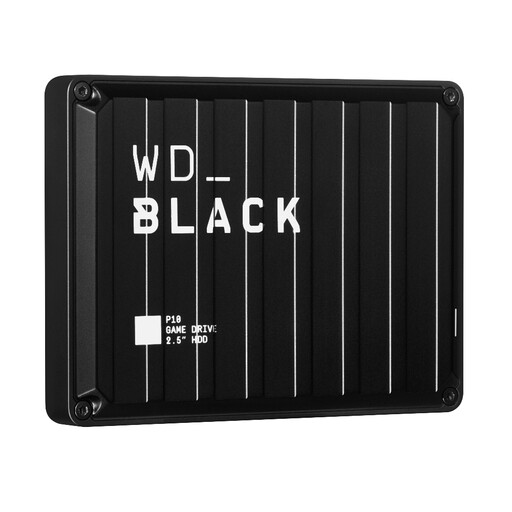
This external hard drive is an option for a larger rotating library. PlayStation allows PS4 games to play from USB extended storage, while PS5 games held there must be copied back before play.
 No image available
This USB 3.2 Gen 2 external SSD is another 2 TB option for overflow storage. Its stated read and write speeds do not change PlayStation’s requirement to copy USB-stored PS5 games back before playing.
No. PlayStation says a PS5 game on USB extended storage must be copied back to console or M.2 storage before play. PS4 games can play directly from USB extended storage.
Check PlayStation’s PCI-Express Gen4x4 M.2 NVMe Key M requirement, its 250 GB–8 TB capacity range, supported form factors and the fit of the complete drive and cooling assembly. PlayStation recommends a sequential read speed of 5,500 MB/s or faster; that figure alone does not establish compatibility.
PlayStation specifies SuperSpeed USB 5 Gbps or later and a capacity of 250 GB–8 TB. Connect the drive directly, not through a USB hub, and use only one USB extended-storage drive at a time.
Yes. PlayStation says formatting as USB extended storage erases existing data and that erased data cannot be recovered. Back up files you need before formatting.