What should you check before buying?
Decide which games must launch from the added drive before comparing capacity: PlayStation and Xbox Support set different playback rules for current-generation games, older games and USB storage.
PS5 internal M.2 SSD
Choose it when: PS5 games need to launch from the added storage.
Allow for: Installation in the expansion bay and checks against Sony’s interface, size and cooling requirements.
Xbox Series X|S Storage Expansion Card
Choose it when: Optimised Xbox Series X|S games need to stay playable from added storage.
Allow for: A console-specific card that is not a general-purpose USB drive.
PS5 USB storage
Choose it when: You want to play PS4 games from USB or keep PS5 games locally until you copy them back.
Allow for: PS5 games cannot launch directly from USB extended storage.
Xbox USB storage
Choose it when: You need storage for transfers or for older Xbox games that support USB playback.
Allow for: Optimised Series X|S games generally need eligible internal storage or an expansion card to play.
PS4 USB extended storage
Choose it when: A PS4 needs more space for installed PS4 applications.
Allow for: Sony’s drive and system-software requirements; extended storage does not hold PS4 saved data, themes or captures.
| Concern |
What to check |
Who this matters to |
| Direct current-generation play |
For PS5, compare the exact M.2 SSD with Sony’s requirements. For Xbox Series X|S, check that the card is made for that console generation. |
I want my PS5 or Optimised Xbox Series X|S games ready to launch without copying them back first. Around 40% of consumers would put direct current-generation play first. |
| Local game archive |
Check the console’s USB standard and capacity limits, then confirm where an archived game must be copied to play. |
If I rarely revisit a game, I would rather keep a local copy than give it space on the console’s active-play storage. For around 30% of consumers, archiving would be the primary need. |
| Older-game playback |
Confirm the game’s generation and version, particularly whether an Xbox game is Optimised for Series X|S. |
My PS4 or compatible older Xbox library matters more than keeping current-generation games on the added drive. Older-game playback would come first for around 20% of consumers. |
| Saved-game continuity |
For an Xbox move, check account sign-in and save synchronisation separately from the storage needed to reinstall games. |
When I change Xbox consoles, keeping my progress matters more to me than adding space for installed files. Around 10% of consumers would prioritise save continuity. |
Joybuy USB storage choices
These external USB hard drives and SSDs are choices for keeping console games on added storage. Check your console’s requirements and each game’s playback rules: these USB products are not substitutes for a PS5 M.2 SSD or an Xbox Series X|S Storage Expansion Card when current-generation games must launch from the added drive.
 No image available
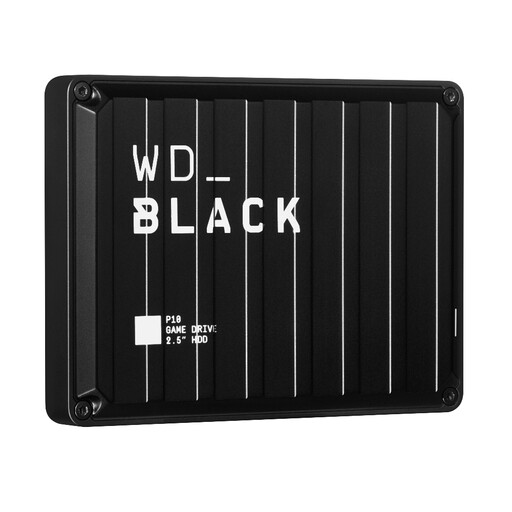
Western Digital WD BLACK P10 Game Drive 6TB, black
Consider this external hard drive if you want to keep a larger local game archive or play eligible older-generation games from USB.
Capacity: 6TB. PS5 games and Optimised Xbox Series X|S games need eligible console storage for play rather than direct playback from this USB drive.
View on Joybuy
 No image available
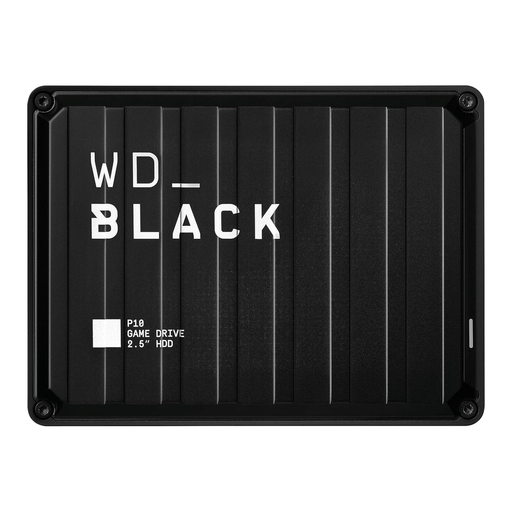
Western Digital WD BLACK P10 Game Drive 5TB
This external hard drive suits a local archive or eligible older-generation games played from USB.
Capacity: 5TB. Plan to move PS5 and Optimised Xbox Series X|S games to eligible storage before playing them.
View on Joybuy
 No image available
Samsung T7 Shield Portable SSD 1 TB, blue
Consider this external SSD for PS4 games played from compatible PS5 USB extended storage or for keeping PS5 games until you copy them back.
Its title specifies USB 3.2 Gen 2 connectivity. PS5 games cannot launch directly from USB extended storage.
View on Joybuy
 No image available
Western Digital WD BLACK P10 Game Drive 2TB
This external hard drive is an option for an older-generation game library or for storing games you will transfer back later.
Capacity: 2TB. Check the individual game version; PS5 and Optimised Xbox Series X|S games do not generally play directly from USB storage.
View on Joybuy
 No image available
SANDISK Extreme 2TB Portable SSD for PlayStation 5 Console and PC
Consider this external SSD if you want to keep PS5 games locally for later transfer to console storage.
Capacity: 2TB. PS5 games cannot launch from USB extended storage, regardless of the drive’s stated transfer speed.
View on Joybuy
Common questions
Can I play PS5 games directly from a USB drive?
No. PlayStation says PS5 games stored on PS5 USB extended storage must be copied back to console storage before play. Compatible PS4 games can play directly from USB extended storage.
What is the difference between a PS5 M.2 SSD and a USB SSD?
A compatible internal M.2 SSD can launch PS5 and PS4 games on PS5; a USB SSD cannot launch PS5 games directly. For an M.2 SSD, check Sony’s interface, capacity, dimensions and cooling requirements for the exact drive.
Can an Xbox USB drive run Optimised Series X|S games?
Generally not: Xbox Support says Optimised Xbox Series X|S games need the internal SSD or a Storage Expansion Card to play, while USB storage can hold and transfer them. Check the individual title’s version because Xbox notes limited exceptions.
Will formatting a drive for PS5 extended storage erase its files?
Yes. PlayStation says formatting a USB drive as PS5 extended storage erases its existing data, so keep any files you need elsewhere before formatting it.
Do cloud saves replace extra Xbox game storage?
No. Xbox Support says saved games and preferences sync online when you sign in, but installed games still require eligible local storage for play.


