Choose the console that plays the adventures you want, then decide whether your priorities are enhanced visuals on a compatible TV, physical discs or play away from the TV. PS5 Pro offers visual enhancements in supported games, a disc-equipped PS5 or Xbox Series X suits physical-media use, and Nintendo Switch 2 offers handheld as well as TV play; display features and game compatibility need checking for individual titles.
Who each route suits
4K story-game enthusiasts
If you mainly play on a TV, compare the games you want with each console’s supported image and frame-rate features. PlayStation describes enhancements for PS5 Pro-enhanced games, while Microsoft describes native 4K output for Xbox Series X; the game and display still matter.
Physical-media keepers
If you want to use compatible game discs or watch UHD Blu-ray discs, check the exact console configuration for a drive. The PS5 Disc Console has one, and Microsoft identifies a UHD Blu-ray player on the disc-equipped Xbox Series X.
Play-anywhere adventure players
If you want to move a story game between the TV and a handheld screen, Nintendo Switch 2 offers handheld, tabletop and docked play. Check that the particular adventures you want are available and compatible before making portability the deciding factor.
What matters when choosing
Start with the games you intend to play, then check how you will access them and where you will play. A console’s display capability alone does not tell you what a particular adventure will deliver.
| Concern |
What to check |
Who this matters to |
| Visuals on a 4K TV |
Check each game’s supported modes and your TV’s 4K, HDR, refresh-rate and HDMI capabilities. |
If scenery and motion are my priority, I want to know what my chosen games can actually display on my TV. Around 31% of consumers put visual fidelity first. |
| Physical discs |
Confirm that the exact configuration has a drive and that your existing or intended discs are compatible. |
I would rather retain the option to use physical games than commit to downloads alone; physical-media flexibility comes first for around 31% of consumers. |
| Game access |
Check the availability of your wanted games, subscription terms and the storage capacity of the configuration you choose. |
If I expect to try several long adventures, I need to know which games I can access and whether a changing catalogue suits me. Around 23% of consumers prioritise game access and ongoing commitments. |
| Play away from the TV |
Check handheld play for your intended games and compatibility with any existing Nintendo Switch titles you want to continue. |
Being able to carry on an adventure when the main TV is in use matters more to me than a fixed-screen setup; around 15% of consumers put portable play first. |
Buying pitfalls
-
Assuming 4K or 120 fps applies to every game
PlayStation’s PS5 Pro enhancements apply to supported games. Nintendo’s Switch 2 docked 4K and HDR depend on the game and display, while Microsoft specifies display requirements for Xbox Series X gaming at 4K and 120 Hz.
Check the publisher’s information for each game you want, alongside your TV’s resolution, HDR, refresh-rate and HDMI capabilities.
-
Choosing a digital-only console when discs matter
A console without a disc drive cannot use your physical game collection. Microsoft describes Series S as disc-free, and the Joybuy PS5 Pro Digital Edition listing identifies an all-digital configuration.
List the discs you intend to use, then check both the drive and disc compatibility of the exact console configuration.
-
Treating a subscription catalogue as permanent ownership
Microsoft says Game Pass titles and features vary by plan, region and time. Access through a subscription is not the same as retaining a purchased copy.
Check whether your intended games are in the plan you would use, and whether the recurring subscription suits how long you expect to play them.
-
Assuming every existing Switch game will work on Switch 2
Nintendo says some Nintendo Switch games may not be supported or fully compatible with Switch 2.
Check your particular games and any accessories or save transfers you intend to rely on before choosing Switch 2 for an existing collection.
Relevant brands to consider
PlayStation
Consider the PS5 Disc Console if compatible physical games matter, or PS5 Pro if you want its enhancements in supported games.
- PlayStation identifies a disc drive on the PS5 Disc Console and describes advanced ray tracing and enhanced image clarity for PS5 Pro-enhanced games.
- Those PS5 Pro enhancements are game-dependent. Check the drive configuration if you want to use discs; the Joybuy PS5 Pro Digital Edition listing describes an all-digital console.
Xbox
Consider a disc-equipped Series X for native 4K output and physical media, or Series S if a disc-free, 1440p-focused route suits you.
- Microsoft describes native 4K output and a UHD Blu-ray player for the disc-equipped Series X; Series S is designed for 1440p with 4K upscaling.
- Series S cannot use game discs. Game Pass availability varies by plan, region and time, and its subscription continues unless cancelled.
Nintendo
Consider Switch 2 when playing an adventure in handheld or tabletop mode matters as much as using the TV.
- Nintendo specifies a 7.9-inch 1080p HDR screen and docked output of up to 4K under compatible conditions.
- Docked 4K and HDR require compatible games and displays, 4K output is limited to 60 fps, and some existing Nintendo Switch games may not be fully compatible.
Joybuy console choices
These choices include TV-focused PlayStation and Xbox configurations alongside Nintendo Switch 2 for handheld and TV play. Compare the exact game, disc and display requirements that matter to you.
 No image available
Sony PlayStation 5 Disc Edition Slim
Consider this PS5 if you play on a TV and want the option to use compatible physical games.
The Disc Edition has a drive; check your intended games and display before relying on a particular visual mode.
View on Joybuy
 No image available
Nintendo Switch 2 Console (UK Version)
Consider Switch 2 if you want to continue compatible adventures away from the TV as well as play docked.
Nintendo specifies a 7.9-inch 1080p HDR screen and docked output up to 4K; docked 4K requires a compatible game and display and is limited to 60 fps. Check individual existing Switch games for compatibility.
View on Joybuy
 No image available
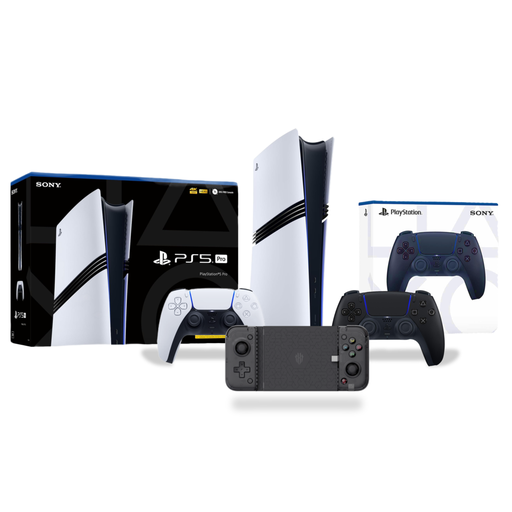
PlayStation 5 Pro with DualSense Edge Wireless Midnight Controller and REDMAGIC Shadow Blade Gamepad
Consider this PS5 Pro bundle if supported PlayStation visual enhancements matter to you and you also want the named controllers.
PlayStation describes enhanced image features for PS5 Pro-enhanced games, not every title. Confirm the console’s exact disc configuration before buying if you need to use physical games.
View on Joybuy
 No image available
Xbox Series S 1TB
Consider this configuration if a digital Xbox library suits you and native 4K output is not a requirement.
It has 1TB of storage. Microsoft describes Series S as disc-free and designed for 1440p with 4K upscaling, rather than native 4K.
View on Joybuy
 No image available
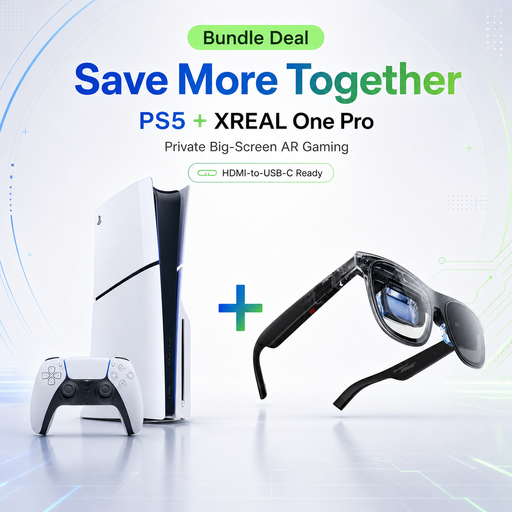
Sony PlayStation 5 Digital Edition Slim with XREAL One Pro M AR Glasses
Consider this bundle only if you want a digital PS5 alongside the named glasses and can confirm that the setup works for how you plan to play.
The Digital Edition is not a choice for using game discs. Check the glasses’ connection, compatibility and required accessories for this console before buying.
View on Joybuy
Common questions
Do I need a 4K 120 Hz TV to play cinematic adventures?
No; those display capabilities matter only if you want to use supported modes in compatible games. Microsoft specifies an HDMI 2.1-capable TV and an appropriate Ultra High Speed HDMI cable for Xbox Series X gaming at 4K and 120 Hz. Nintendo’s Switch 2 docked 4K and HDR require a compatible game and TV, and 4K output is limited to 60 fps.
Should I choose a console with a disc drive if I already own physical games?
Choose a disc-equipped configuration if you want to keep using compatible physical games. The PS5 Disc Console has a drive, and Microsoft identifies a UHD Blu-ray player on the disc-equipped Xbox Series X; Xbox Series S is disc-free. Check your specific discs and the exact console configuration rather than assuming every model in a family has a drive.
Will my Nintendo Switch games work on Switch 2?
Some will, but compatibility is not automatic for every game. Nintendo says some Nintendo Switch games may not be supported or fully compatible with Switch 2, so check each title you intend to continue playing.
How can I check whether a cinematic adventure is suitable for a child?
Check the individual game’s PEGI age rating and content descriptors. PEGI says its rating addresses age suitability, not gameplay difficulty; parental controls can provide additional limits on games and online activity.


