What should you check before choosing?
Start with the console and the games you want ready to launch. Then check the exact expansion or USB drive against that console’s requirements.
| Priority | What to check | Your needs |
|---|
| PS5 direct play |
Check the exact M.2 SSD against PlayStation’s interface, capacity, physical-fit and heat-dissipation requirements. A USB drive is not direct-play expansion for PS5 games. |
I want additional PS5 games installed and ready to launch without moving them back from an archive drive. |
| Xbox direct play |
For Optimised for Xbox Series X|S titles, Xbox specifies internal storage or a Storage Expansion Card. Check that any card is intended for Xbox Series X|S. |
The games I play most are Optimised titles, and I do not want to transfer them before launching them. |
| PS5 USB storage |
Check PlayStation’s USB extended-storage requirements and the drive’s connection. PS5 games need a move back to console or compatible M.2 storage before play; PS4 games can run from USB. |
I can keep less-used PS5 games on a drive and transfer them when needed, or I want space for PS4 games. |
| Xbox USB storage |
Check Xbox’s external-drive connection and capacity requirements. Xbox says USB storage can hold and transfer Optimised titles, but they need internal storage or an Expansion Card to play. |
I would rather keep games available for transfer than delete them when the console fills up. |
| PS5 SSD fit |
Check the complete drive-and-cooling assembly, not just its advertised capacity or read speed. PlayStation requires a supported M.2 NVMe interface and effective heat dissipation. |
I am choosing an internal PS5 upgrade and need the exact model, including its heatsink arrangement, to fit the expansion bay. |
| Saved data |
PlayStation Plus cloud storage is for supported PS5 and PS4 saves, not installed game files, and requires membership. |
I want to protect or move my saves; I will choose local storage separately if installed games are filling the console. |
Relevant brand lines
These brand lines illustrate different console-specific formats; a brand name alone does not establish that a particular listing meets your console’s requirements.
Seagate
Seagate lists a Game Drive PS5 M.2 NVMe SSD line and a separate Storage Expansion Card line for Xbox Series X|S.
- Seagate’s UK PS5 drive data sheet identifies an M.2 2280 model with a heatsink and a PCIe Gen4 x4 NVMe 1.4 interface.
- The PS5 M.2 drive and Xbox Expansion Card serve different console slots; check the exact model and capacity before choosing.
Samsung
Samsung’s 990 PRO with Heatsink is a PCIe 4.0 NVMe M.2 line to assess against PS5 requirements.
- Samsung UK lists the 2 TB model with a heatsink and sequential read and write speeds of up to 7,450 MB/s and 6,900 MB/s respectively.
- Speed and the presence of a heatsink alone do not settle physical clearance; check the exact drive-and-heatsink dimensions against PlayStation’s requirements.
WD_BLACK / SanDisk
SanDisk presents the WD_BLACK SN850P as an M.2 SSD for PS5 consoles and the WD_BLACK C50 as a Storage Expansion Card for Xbox.
- SanDisk describes the SN850P as tested and certified for PS5 consoles; the C50 is a distinct Xbox card, not a PS5 M.2 drive.
- Check the exact WD_BLACK model and capacity on the listing, particularly where SanDisk also presents successor product lines.
Joybuy USB storage options
These portable USB drives suit the archive-and-transfer side of a full-console library. PlayStation requires PS5 games on USB extended storage to be moved back before play, while Xbox requires Optimised for Xbox Series X|S games to run from internal storage or a Storage Expansion Card. Check each drive against your console’s USB storage requirements before use.
 No image available
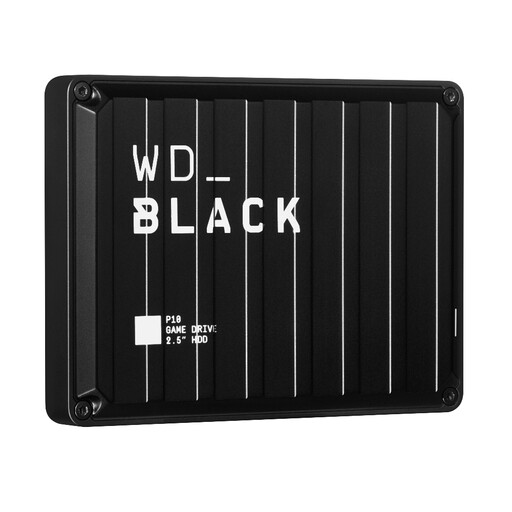
Western Digital WD_BLACK P10 Game Drive 5 TB
A 5 TB USB drive to consider for keeping console games for later transfer. PS5 games and Optimised for Xbox Series X|S games cannot be played directly from USB archive storage; check the drive’s connection against your console’s requirements.
 No image available
Western Digital WD_BLACK P10 Game Drive 6 TB, black
This 6 TB P10 variant is an option if you want USB space for games kept between play sessions. On PS5, archived PS5 games must be moved to playable storage; Xbox Optimised titles likewise need internal storage or an Expansion Card before play.
 No image available
SANDISK Extreme 2 TB Portable SSD for PlayStation 5 and PC
Consider this 2 TB portable SSD for keeping PS5 games on USB extended storage between sessions. The PlayStation 5 wording does not make it direct-play storage for PS5 games: PlayStation requires a transfer back to console or compatible M.2 storage before play.
 No image available
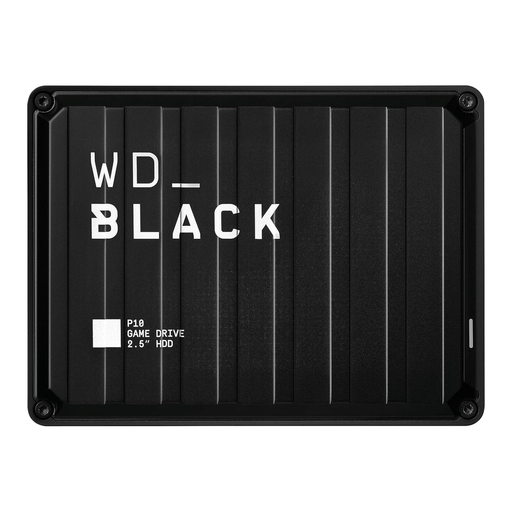
Western Digital WD_BLACK P10 Game Drive 2 TB
The 2 TB P10 is another USB storage option for a library you are willing to manage through transfers. PS5 games cannot launch from USB extended storage, and Xbox Optimised games must be moved to internal storage or an Expansion Card to play.
 No image available
Samsung T7 Shield Portable SSD 1 TB, USB 3.2 Gen.2, blue
This 1 TB portable USB 3.2 Gen.2 SSD is an option for archiving PS5 games between play sessions. PlayStation says those games must be moved from USB extended storage to console or compatible M.2 storage before they can be played.
Common questions
Can I play PS5 games from a USB external drive?
No. PlayStation says USB extended storage can hold PS5 games, but you must move them to PS5 console storage or a compatible M.2 SSD before play. PS4 games can be played directly from PS5 USB extended storage.
Can an Xbox USB SSD run Optimised for Xbox Series X|S games?
No. Xbox says those games need to be installed on the console’s internal SSD or a Storage Expansion Card to play. A compatible USB drive can hold them for later transfer.
What should I check before buying a PS5 M.2 SSD?
Check the exact drive against PlayStation’s published interface, capacity, form-factor, assembled-size and heat-dissipation requirements. Do not rely on capacity or advertised speed alone, especially if you will add a separate heatsink.
Will formatting a drive for PS5 USB extended storage erase it?
Yes. PlayStation says formatting erases data already on the drive. Copy off anything you want to keep before setting it up as PS5 USB extended storage.
Will PlayStation Plus cloud storage free space for installed games?
No. PlayStation Plus cloud storage is for supported saved data, not installed PS5 game files. It requires PlayStation Plus membership; use local console, compatible M.2 or USB archive storage to manage game files.


