Choose storage for your console and for whether games must be playable from the added drive or merely kept there. PlayStation says a compatible PS5 M.2 SSD can hold playable PS5 and PS4 games; Xbox Support says Series X|S Optimised games must be on the internal SSD or a compatible Storage Expansion Card to play. USB storage can archive those current-generation games, but you will need to move them back to playable storage before launching them.
Who needs which kind of storage?
PS5 players keeping several current games installed
If you want to launch PS5 games from added storage, PlayStation’s M.2 route is relevant. Check the drive’s interface, capacity, dimensions and cooling, as well as your console’s system software, before fitting it.
Xbox Series X|S players keeping Optimised games ready
If copying an Optimised game back from USB would interrupt your plans, Xbox Support identifies the compatible Storage Expansion Card as the direct-play expansion route.
Players archiving older or infrequently played games
USB storage can keep games available for later transfer. PlayStation allows supported PS4 games to play directly from PS5 USB extended storage, while PS5 games stored there must be moved before play.
What matters when choosing storage?
Decide which console you are expanding, then separate games you want to launch from added storage from games you are content to archive.
PS5 M.2 SSD
Choose when: You want PS5 games playable from added internal storage.
Allow for: Opening the expansion bay and checking the exact drive and cooling assembly against PlayStation’s requirements.
Xbox Series X|S Storage Expansion Card
Choose when: You want Series X|S Optimised games playable from expanded storage.
Allow for: A console-specific card rather than a standard M.2 or USB drive; check the exact card and capacity.
USB external drive
Choose when: You mainly want to keep a larger library stored and can move current-generation games before playing them.
Allow for: PS5 games and Xbox Series X|S Optimised games cannot launch directly from ordinary USB storage.
| Concern |
What to check |
Who this matters to |
| Direct play on PS5 |
Check PlayStation’s M.2 interface and capacity requirements, plus the installed dimensions and cooling. |
If I keep switching between PS5 games, I want the added storage to launch them without moving files back. Around 33% of consumers may put direct PS5 play first. |
| Direct play on Xbox Series X|S |
Check that it is a compatible Series X|S Storage Expansion Card, not an ordinary USB drive, and choose the capacity for your library. |
When my Optimised games are ready to launch, I do not want a transfer step before playing. Around 33% of consumers may make direct Xbox play their primary concern. |
| Archive space |
Check the console’s USB requirements and capacity, then identify which games will need moving before play. |
I would rather keep infrequently played games stored than delete them, and I can wait while current-generation titles are moved back. For around 20% of consumers, archive space may come first. |
| Portable storage and older games |
Check the drive’s capacity and connection against your console’s requirements; distinguish older games that can play from USB from current-generation games that cannot. |
If I move my game library or often return to older titles, a portable USB drive suits that need even with the current-generation play limits. Around 14% of consumers may prioritise this use. |
Storage mistakes to avoid
-
Assuming an external SSD plays every console game directly
PlayStation says PS5 games cannot run from USB extended storage. Xbox Support likewise requires Series X|S Optimised games to be on the internal SSD or a Storage Expansion Card for play.
Use USB for archiving those games; choose a compatible PS5 M.2 SSD or Xbox Storage Expansion Card if direct play is the priority.
-
Choosing a PS5 M.2 drive by capacity or speed alone
PlayStation also specifies the interface, supported physical dimensions and heat dissipation, and does not guarantee every third-party SSD that meets its listed specifications.
Compare the exact drive and its fitted heatsink with PlayStation’s current requirements before ordering.
-
Connecting PS5 extended storage through a USB hub
PlayStation says USB extended storage must connect directly and only one such drive can be active at a time.
Plan for a direct connection and safely remove the drive before unplugging it.
-
Buying an Xbox expansion card for another device
Xbox identifies its Storage Expansion Card as an Xbox Series X|S accessory, not a general-purpose storage upgrade.
Confirm your console model before choosing a card; for USB archiving, check the storage requirements of the device you intend to use.
Relevant brands to consider
Seagate
Seagate offers an Xbox Series X|S Storage Expansion Card as well as external game drives for storage uses.
- Seagate says its expansion card can store and play both legacy and Series X|S games directly.
- Distinguish the dedicated expansion card from a Seagate USB drive: ordinary USB storage does not make Optimised games directly playable.
WD_BLACK / SanDisk
Its SN850P line addresses PS5 M.2 expansion, while its C50 line addresses the Xbox Series X|S expansion-card route.
- SanDisk describes the SN850P as licensed for PS5 and the C50 as an Xbox Storage Expansion Card.
- Check the exact model and capacity: similar family names do not make the PS5 and Xbox products interchangeable.
Kingston FURY
Kingston FURY offers PCIe 4.0 NVMe M.2 drives, including variants with cooling, that can be assessed for PS5 expansion.
- Kingston lists the FURY Renegade as an M.2 2280 PCIe 4.0 x4 NVMe drive.
- Check the exact variant’s complete installed dimensions and cooling against PlayStation’s requirements.
Samsung
Samsung’s 990 PRO with Heatsink is an M.2 SSD to assess against PS5 expansion requirements.
- Samsung identifies a heatsink-equipped 990 PRO variant; confirm that the listing is for the variant you intend to fit.
- A rated speed or heatsink label alone does not establish that the complete assembly fits the PS5 bay.
Joybuy USB storage choices
These external hard drives and SSDs suit USB library storage, particularly archiving games or keeping supported older titles accessible. They are not PS5 M.2 drives or Xbox Series X|S Storage Expansion Cards for direct play of current-generation games.
 No image available
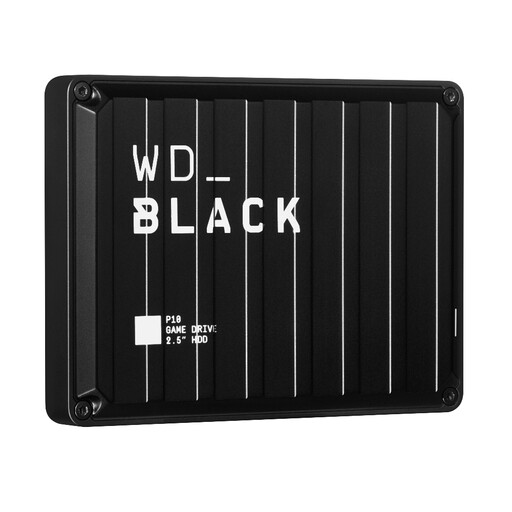
Western Digital WD BLACK P10 Game Drive 6TB, black
A USB hard drive for keeping a console game archive. Its stated capacity is 6TB; PS5 games and Xbox Series X|S Optimised games must be moved to playable storage before launch.
View on Joybuy
 No image available
Western Digital WD BLACK P10 Game Drive 5TB
A 5TB USB hard drive for storing games you do not need to launch immediately. On PS5 or Xbox Series X|S, current-generation games archived on USB need moving to playable storage first.
View on Joybuy
 No image available
SanDisk Extreme 2TB Portable SSD for PlayStation 5 and PC
A 2TB portable USB SSD for storing PS5 games until you move them back to playable storage. PlayStation does not allow PS5 games to launch directly from USB extended storage.
View on Joybuy
 No image available
Samsung T7 Shield Portable SSD 1 TB, blue
A portable USB SSD for a PS5 archive and supported PS4 games. The listed variant has 1 TB capacity and USB 3.2 Gen.2 connectivity; PS5 games stored on it cannot launch directly from USB.
View on Joybuy
No image available
SanDisk Extreme 1TB Portable SSD for PlayStation 5 and PC
A 1TB portable USB SSD for keeping PS5 games in an archive. Move a PS5 game to console storage or a compatible M.2 SSD before playing it.
View on Joybuy
Common questions
Can I play a PS5 game directly from a USB SSD or hard drive?
No. PlayStation says PS5 games can be stored on USB extended storage but must be moved to console storage or a compatible M.2 SSD to play; supported PS4 games can play directly from PS5 USB extended storage.
Will a USB SSD play Xbox Series X|S Optimised games?
No. Xbox Support says Optimised games must be installed on the console’s internal SSD or a compatible Storage Expansion Card to play. A compatible USB drive can hold them until you transfer them back.
What should I check before fitting an M.2 SSD in a PS5?
Check PlayStation’s current requirements for a PCI-Express Gen4x4 M.2 NVMe SSD (Key M), 250 GB–8 TB capacity, supported form factor, installed dimensions and heat dissipation. PlayStation does not support M.2 SATA SSDs and advises installing the latest system software before fitting the drive.
Does formatting a USB drive for PS5 extended storage erase its contents?
Yes. PlayStation says formatting erases the drive’s data and that erased data cannot be recovered, so copy anything you need elsewhere before formatting.


