For a PS5, choose a compatible internal M.2 NVMe SSD if you want to play PS5 games from the added storage; a USB drive can hold those games, but they must be moved back before play, according to PlayStation. For Optimised for Xbox Series X|S games, Xbox specifies the console’s internal SSD or a Storage Expansion Card for play, while compatible USB storage serves other supported storage and game uses. Check the exact console, drive requirements and capacity before choosing a route.
Who needs which kind of storage?
The useful distinction is whether you need to launch a game from the added drive or are content to move it back when you want to play.
PS5 players needing more playable PS5-game space
Choose an internal M.2 NVMe SSD that meets PlayStation’s PS5 requirements. Unlike USB extended storage, a compatible M.2 drive can hold PS5 games for direct play; check its interface, fit and cooling as well as its capacity.
PS5 players keeping an archive
USB extended storage can hold PS5 games that you are not currently playing. PlayStation says PS5 games must be copied back to console or compatible M.2 storage before play, while PS4 games can be played directly from USB extended storage.
Xbox Series X|S owners with Optimised games
For added space that can run Optimised for Xbox Series X|S games, choose a Storage Expansion Card. Xbox says those games must be installed on the internal SSD or a Storage Expansion Card to play; a compatible USB drive is not a substitute for that use.
What should you check before buying?
Start with the games you want to play from the added storage, then check the connection, fit and capacity for your console.
| Priority | What to check | Your needs |
|---|
| Play or archive |
PlayStation allows PS5 games to run from compatible internal M.2 storage, not USB extended storage. Xbox requires internal SSD or a Storage Expansion Card to play Optimised for Xbox Series X|S games. Check each game’s console generation before choosing USB storage. |
I want to launch current-generation games without moving them back first. If I mainly keep games for later, an archive drive may meet that need instead. |
| PS5 M.2 fit |
PlayStation specifies PCIe Gen4 x4 M.2 NVMe with Key M, 250 GB to 8 TB capacity, a supported form factor and effective cooling. Check the complete drive and heatsink dimensions; PlayStation recommends sequential read speed of 5,500 MB/s or faster. |
A drive’s speed figure alone does not tell me whether the complete M.2 assembly will fit my PS5. |
| USB setup |
Confirm the drive meets the console’s USB storage requirements and follow its formatting instructions. PlayStation’s PS5 USB extended storage rules and Xbox’s external-game-storage rules differ; Xbox specifies USB 3.1 and at least 128 GB for external game storage. |
I need room for games I can transfer or otherwise use through a supported USB connection, without assuming every stored game will launch from the drive. |
| Capacity |
Check free space on the console and the sizes of games you plan to keep installed. Compare capacities within the supported range for your chosen storage route, and leave room for updates and other files. |
I would rather size the drive around the games I keep than assume its stated capacity will all be free for new installs. |
| Existing data |
Check whether setup requires formatting and move files you need before proceeding. Follow the console’s safe-removal process for USB storage. |
If I am reusing a drive, I need to protect the files already on it before setting it up for a console. |
Storage mistakes to avoid
-
Expecting a USB drive to run every new game
PlayStation says PS5 games cannot run directly from USB extended storage. Xbox says Optimised for Xbox Series X|S games need its internal SSD or a Storage Expansion Card for play. A USB archive therefore leaves a transfer step before those games can be launched.
Separate the games you want ready to play from those you only need to keep stored, then choose the console’s supported route for each use.
-
Choosing a PS5 M.2 drive by read speed alone
A read-speed figure does not establish the required interface, Key M connection, physical fit or cooling. PlayStation also cautions that an M.2 drive need not perform exactly like the PS5’s internal SSD.
Compare the exact drive variant, including any fitted heatsink, with PlayStation’s full PS5 M.2 requirements before ordering.
-
Formatting a drive that still holds needed files
Setting up a drive for console storage can erase its existing contents. That matters particularly when repurposing a drive used for captures, backups or other files.
Move files you need elsewhere before formatting, and use the console’s safe-removal procedure when disconnecting USB storage.
-
Planning around the entire stated capacity
The space available for games can differ from a stated capacity once storage is set up and other files occupy it. Xbox notes that some console storage is reserved for system functions.
Check your console’s storage meter and the games you intend to retain, allowing room for future installs and updates.
Relevant brand references
These model lines illustrate different storage routes; brand inclusion does not establish that a particular drive fits your console.
Samsung
Samsung’s 990 PRO with Heatsink is an M.2 option to assess against PlayStation’s PS5 interface, dimension and cooling requirements.
- Samsung UK states a sequential read speed of up to 7,450 MB/s for the 990 PRO with Heatsink; that manufacturer figure is not a PS5 performance result.
- Confirm the dimensions and PS5 compatibility of the exact capacity variant and fitted heatsink before buying.
Seagate
Seagate has a Game Drive PS5 NVMe SSD with a pre-installed heatsink and separate Storage Expansion Card models for Xbox Series X|S.
- Seagate’s PS5 NVMe installation guide gives dimensions of 80.15 mm × 24.22 mm × 11.10 mm for its drive with heatsink.
- Choose by exact console and model: an Xbox Storage Expansion Card and a PS5 internal M.2 SSD serve different installation routes.
Joybuy USB storage options
These external USB drives are options for supported game storage and transfer uses, including PS5-game archiving. They do not replace a compatible PS5 internal M.2 SSD or an Xbox Series X|S Storage Expansion Card when you need to play current-generation games from added storage.
 No image available
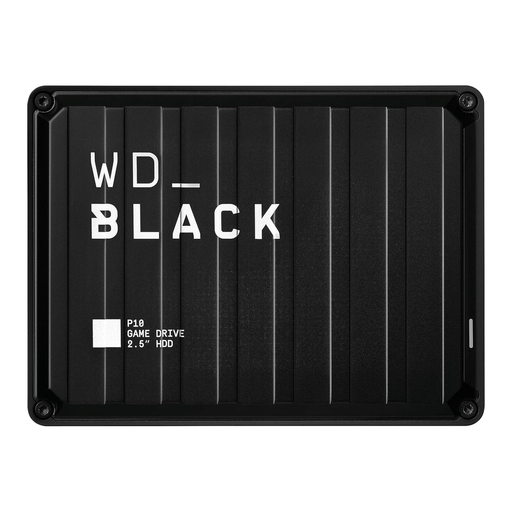
Western Digital WD BLACK P10 Game Drive 2TB
A 2TB external game drive to consider for a supported USB archive. PS5 games stored on USB extended storage must be moved back to console or compatible M.2 storage before play; Optimised Xbox Series X|S games need internal SSD or a Storage Expansion Card to run.
View on Joybuy
 No image available
Western Digital WD BLACK P10 Game Drive 6TB, black
This 6TB variant offers a different stated archive capacity from the 2TB P10. It remains an external storage choice: PS5 games and Optimised Xbox Series X|S games cannot be played directly from a USB archive.
View on Joybuy
 No image available
SanDisk Extreme 1TB Portable SSD for PlayStation 5 and PC
A 1TB portable SSD for a PS5 USB archive-and-transfer setup. PlayStation says PS5 games kept on USB extended storage must be copied back to console or compatible M.2 storage to play.
View on Joybuy
No image available
SanDisk Extreme 2TB Portable SSD for PlayStation 5 and PC
This 2TB variant suits the same PS5 USB archive-and-transfer use as the 1TB model when you want a different stated capacity. It does not allow direct play of PS5 games from USB extended storage.
View on Joybuy
 No image available
Lexar ES4 Portable SSD with Magnetic Set 2TB
A 2TB portable USB 3.2 Gen 2 SSD to consider for compatible external storage use. Its product name states read speeds of up to 1,050 MB/s and write speeds of up to 1,000 MB/s; those figures do not change PlayStation’s rule that PS5 games cannot be played from USB extended storage.
View on Joybuy
Storage questions answered
Can I play PS5 games directly from a USB SSD or HDD?
No. PlayStation says PS5 games can be kept on USB extended storage but must be copied back to console or compatible M.2 storage before play. PS4 games can be played directly from PS5 USB extended storage.
What matters when choosing an internal PS5 SSD?
Check the exact drive against PlayStation’s requirements: PCIe Gen4 x4 M.2 NVMe with Key M, 250 GB to 8 TB capacity, supported physical dimensions including cooling, and effective heat dissipation. PlayStation recommends sequential read speed of at least 5,500 MB/s; an M.2 SATA SSD is not supported.
Can Xbox USB storage run Optimised for Xbox Series X|S games?
No. Xbox says Optimised for Xbox Series X|S games must be installed on the console’s internal SSD or a Storage Expansion Card to play. Compatible USB storage can hold games; Xbox specifies USB 3.1 and a minimum of 128 GB for external game storage.
Will an Xbox Series X|S Storage Expansion Card work in an Xbox One or Windows PC?
No. Xbox’s support guidance identifies the Storage Expansion Card as compatible with Xbox Series X|S, not Xbox One or Windows devices. Check the exact console before buying a card for direct-play storage.
Should I move files before formatting a console storage drive?
Yes. Formatting a drive for console storage can erase files already on it. Move anything you need to keep before setting up a reused drive, particularly if it contains your only copy of captures or other personal files.


