Choose a PS5 with a built-in disc drive if you expect to use physical PS4 or PS5 games, borrow or resell discs, or play Blu-ray and DVD media. A Digital Edition suits a download-first library, while an optional drive adds flexibility only on compatible models; PS5 Pro is a digital-first route whose enhanced features vary by game, according to Sony Interactive Entertainment.
Who each format suits
Physical-game and movie-disc users
Choose a disc-equipped PS5 if you buy used games, borrow or resell discs, already own PS4 or PS5 discs, or want supported Blu-ray and DVD playback from the console. Sony Interactive Entertainment distinguishes this built-in-drive route from the all-digital model.
Download-first PS5 buyers
A Digital Edition can suit a PlayStation Store-based library when you do not need physical games or disc media. Before downloading, check the edition and account carefully: Sony Interactive Entertainment says cancellation conditions change once downloading or streaming has started.
Performance-focused 4K TV owners
PS5 Pro is worth considering when 2TB storage and supported-game enhancements matter to your setup. Confirm that the games you play are PS5 Pro enhanced, as Sony Interactive Entertainment says those features vary by title.
What to check before choosing
Start with how you will obtain games, then check media playback, future disc-drive compatibility and the terms that apply to digital purchases.
| Priority |
What to check |
Your needs |
| Physical game access |
Check whether the console has a built-in drive. For a Digital Edition, confirm the exact model group before relying on a separately sold compatible drive. |
I want to use existing PS4 or PS5 discs, buy second-hand games, lend games or resell them later. |
| Film and TV discs |
Confirm support for the disc formats you use. A drive-free Digital Edition cannot play disc-based games or media as sold. |
I want the console to complement or replace a Blu-ray or DVD player for compatible discs. |
| Digital-first setup |
Check storage, PlayStation account use and whether a disc drive is included. Sony Interactive Entertainment states that compatible optional drives require internet pairing during setup. |
I am happy to build a download library, but may want a route to physical media later. |
| Purchase flexibility |
Confirm the game edition, platform and account before starting a download. Read the applicable PlayStation Store terms for games, add-ons, subscriptions and pre-orders separately. |
I want to avoid downloading the wrong digital game or add-on. Sony Interactive Entertainment says ordinary cancellation for games and add-ons generally requires that downloading or streaming has not started, unless an item is faulty. |
Common buying mistakes
-
Assuming every Digital Edition can accept your existing discs later
The Digital Edition has no disc drive as sold, and Sony Interactive Entertainment limits optional-drive compatibility to specified later console model groups. The original CFI-1000 Digital Edition does not support disc-based games or media.
Check the exact console model group before purchasing an accessory. If physical games or disc films are already essential, compare that route with a console that includes the drive.
-
Comparing only the console format, not the setup you will actually use
A lower-entry digital console may not remain the more suitable route if you later need a separately purchased drive for physical games or films.
Compare like-for-like listings for storage, included games or controllers, drive inclusion, delivery and optional accessories. Check the current retailer listing before you buy, as bundles and availability can change.
-
Treating a downloaded game like an unstarted purchase
Sony Interactive Entertainment says a game or add-on can generally be cancelled within 14 days only when downloading or streaming has not started, unless the item is faulty.
Confirm the game edition, platform and account before starting the download, and check separate terms for subscriptions, pre-orders and add-ons.
-
Assuming every game gains the same benefit from PS5 Pro
PS5 Pro enhanced features vary by game, according to Sony Interactive Entertainment, so a particular library may not benefit in the same way across every title.
Check whether the games you play are PS5 Pro enhanced and whether your TV setup makes this digital-first route suitable. Include a compatible disc drive in your planning if physical media matters.
Relevant brand references
PlayStation / Sony Interactive Entertainment
The direct brand for PS5 Disc, Digital Edition, optional Disc Drive and PS5 Pro choices in this format decision.
- Sony Interactive Entertainment distinguishes a 1TB disc PS5, an 825GB all-digital PS5 and a 2TB PS5 Pro.
- Its compatible drive route supports PS5 and PS4 game discs plus compatible movie discs on eligible hardware.
- PS5 Pro enhanced features vary by game, so do not assume the same result across your whole library.
Xbox / Microsoft
A relevant alternative ecosystem when your existing game library, preferred games or subscription priorities are not tied to PlayStation.
- Microsoft states that Series X has disc-drive variants, while Series S is designed for disc-free gaming.
- Game Pass offers a library-based alternative for shoppers who prefer a subscription route.
- Choose the ecosystem for the games, services and social connections you want, rather than treating Xbox as a direct substitute for every PS5 format.
Joybuy PS5 console options
Joybuy product options for the PS5 disc-versus-digital decision, including built-in-drive consoles, digital models and a PS5 Pro route.
 No image available
Sony PlayStation 5 Console Disc Edition Slim
A built-in Ultra HD Blu-ray drive suits physical PS5 and PS4 game collections and keeps the disc-media route straightforward. The listing states support for physical PS5 and PS4 game discs.
Joybuy
 No image available
PlayStation 5 Disc Edition Console with Marvel’s Wolverine Bundle
This disc-console bundle is for buyers who want physical Blu-ray game access alongside an included game. Check the PEGI 18 age rating and confirm the bundle contents before purchase.
Joybuy
 No image available
Sony PlayStation 5 Digital Edition Slim Console
A download-first option with 825GB storage for buyers who use PlayStation Store purchases. This CFI-2100 Slim model has no included disc drive; a compatible drive is a separate purchase.
Joybuy
 No image available
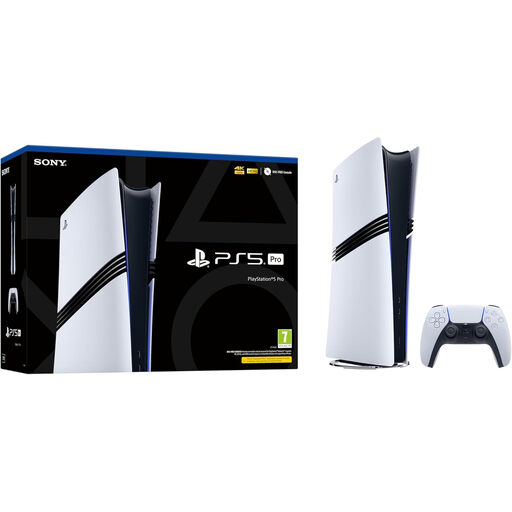
Sony PlayStation 5 Pro Digital Edition Console
A digital-first PS5 Pro route with stated 2TB SSD storage for larger download libraries. Check your intended games individually, as PS5 Pro enhanced features vary by title; a compatible disc drive is separate if you need physical media.
Joybuy
 No image available
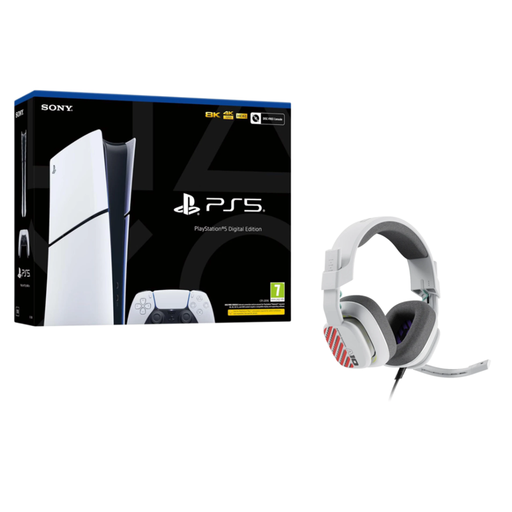
Sony PlayStation 5 Digital Edition Slim with Logitech Astro A10 Headset
A digital-console bundle for a PlayStation Store-based setup, supplied with a wired Logitech Astro A10 Gen 2 headset. Confirm the console model group and any future disc-drive compatibility if physical media may become important.
Joybuy
PS5 format questions
Can a PS5 Digital Edition play physical PS5 or PS4 games?
Not as sold, because it has no disc drive. Sony Interactive Entertainment says later compatible Digital Edition models in the CFI-2000 and CFI-2100 groups can use the separately sold CFI-ZDD1 Disc Drive, while the original CFI-1000 Digital Edition does not support disc-based games or media.
Can the PS5 play Blu-ray and DVD films?
A PS5 with a disc drive can play supported Ultra HD Blu-ray, Blu-ray and DVD formats. A compatible separately purchased drive can add this capability to applicable later Digital Edition and PS5 Pro models, but a drive-free Digital Edition cannot play disc media.
Do I need an internet connection to attach the optional PS5 Disc Drive?
Yes. Sony Interactive Entertainment states that an internet connection is required to pair the Disc Drive with a compatible PS5 console during setup.
Can I refund a digital PS5 game after downloading it?
Usually no under Sony Interactive Entertainment’s UK cancellation policy: a game or add-on can generally be cancelled within 14 days only if downloading or streaming has not started. Once it has started, it is not eligible for a refund unless faulty.


