Who each route suits
Start with the games and discs you expect to use. A display or storage preference matters, but it does not replace the need to decide whether your console must accept physical media.
Households with games or films on disc
If you own physical games, expect to buy pre-owned titles or want disc-film playback, the PS5 Slim Disc has a built-in drive. PlayStation says its separate Disc Drive works only with specified Digital Edition model groups and PS5 Pro, so adding one later requires a compatibility check.
Download-first players
If you plan to get games through PlayStation Store and do not need to use discs, the PS5 Slim Digital Edition fits that approach. PlayStation lists the current Digital Edition with 825GB of storage; check the exact console model if you might add a drive later.
Players considering PS5 Pro enhancements
PS5 Pro may suit you if the games you play have Pro enhancements and your display supports the features you want to use. PlayStation lists 2TB of storage and describes visual and frame-rate enhancements for compatible games, not an identical improvement across every title. The console has no built-in disc drive.
What to check before choosing
Decide whether disc access is essential, then weigh download habits, installed-game storage and game-specific Pro features.
| Concern |
What to check |
Who this matters to |
| Physical games and films |
Look for a built-in drive, or confirm both console-model compatibility and initial internet pairing for PlayStation’s separate Disc Drive. |
If I already own games on disc or want to use pre-owned titles and film discs, physical-media access shapes my console choice. About 36% of consumers put that access first. |
| Flexible game purchasing |
Decide whether you want both disc and download options from the outset. PlayStation lists the current disc console with 1TB of storage. |
For a first PS5, I may not yet know whether I will favour discs or downloads, so keeping both routes open matters most. About 29% of consumers prioritise that flexibility. |
| Pro features and storage |
Check whether your games have PS5 Pro enhancements and whether your display supports the relevant features; PlayStation lists 2TB of storage for Pro. |
If I play supported games on a capable display, I care most about the enhancements and room for installed titles. Roughly 14% of consumers make those their primary concern. |
| Download-only use |
Confirm that you will not need discs immediately and consider the Digital Edition’s listed 825GB storage. |
When I intend to get my games digitally and have no disc collection to use, a download-first setup is my main requirement. About 21% of consumers put that preference first. |
PS5 Disc and Digital listings on Joybuy
These listings cover a slim PS5 with a built-in drive and slim Digital Edition consoles, including two accessory bundles. Decide whether you need discs first; for a digital bundle, check the console configuration and what the bundle contains.
 Image unavailable
Sony PlayStation 5 Slim Disc Edition
Consider this console if you want to use physical PS5 games or supported PS4 game discs as well as digital games. Its built-in drive avoids a later drive-compatibility decision; check the exact storage configuration on the listing.
View on Joybuy
 Image unavailable
Sony PlayStation 5 Slim Digital Edition
This download-first console does not include a disc drive. If you may want physical games later, check the console model group against PlayStation’s Disc Drive compatibility requirements and confirm the storage configuration shown on the listing.
View on Joybuy
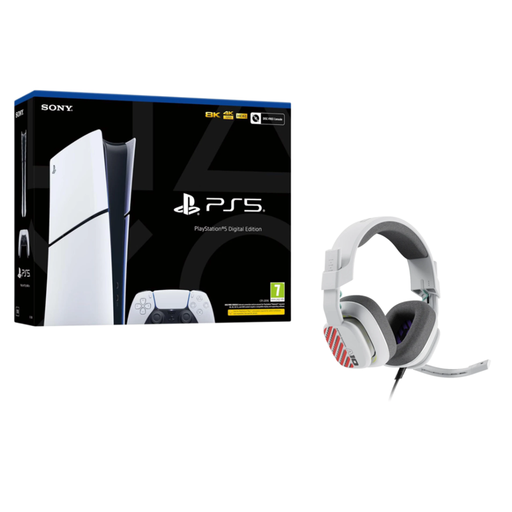 Image unavailable
Sony PlayStation 5 Slim Digital Edition + LOGITECH ASTRO A10 Gen 2 wired headset, white
This bundle pairs a download-first PS5 with a wired headset. Check the headset contents and the console’s exact model group and storage on the listing, particularly if a compatible disc drive might matter later.
View on Joybuy
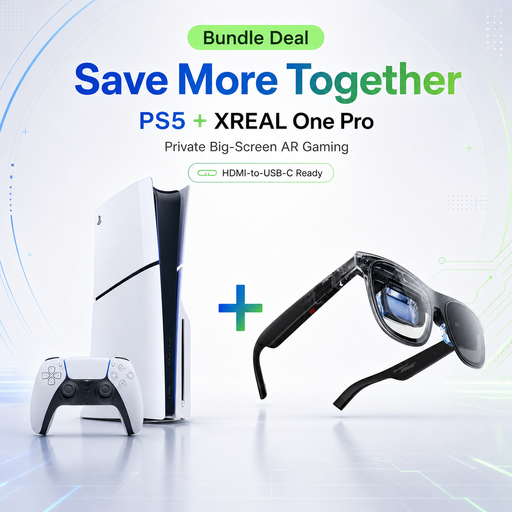 Image unavailable
Sony PlayStation 5 Slim Digital Edition + XREAL One Pro M AR glasses
This bundle combines a download-first console with AR glasses. Check the bundle contents and the glasses’ connection requirements for your intended setup; confirm the console model group and storage before relying on later disc-drive compatibility.
View on Joybuy
Questions about discs, downloads and PS5 Pro
Can a PS5 Slim Digital Edition play physical games?
Not on its own: it has no disc drive. PlayStation specifies its separate Disc Drive for PS5 Pro and Digital Edition consoles in the CFI-2000 slim and CFI-2100 model groups. Check the console model before choosing that route for PS5 games or supported PS4 games on disc.
Can the removable PS5 Disc Drive play films?
Yes. PlayStation says the compatible drive plays 4K Ultra HD Blu-ray, Blu-ray and DVD discs. You need an eligible console, and internet access is required to pair the drive during setup.
Does PS5 Pro include a disc drive?
No. PlayStation describes PS5 Pro as an all-digital console. If physical games or films matter to you, its compatible Disc Drive is a separate accessory.
Do PS5 games need PlayStation Plus for online multiplayer?
PlayStation says most PS4 and PS5 games require PlayStation Plus for online multiplayer. Check the individual game’s requirements, as some games do not require the subscription.
What should I check before downloading a digital game?
Check the edition and compatibility, then review PlayStation Store’s UK cancellation policy before starting the download. Its usual cancellation window for games and add-ons applies only before downloading or streaming begins, with an exception for faulty content; statutory rights remain separate from the store policy.


