Physical-library builders
If you already own PS4 or PS5 discs, expect to buy used games or want to use supported movie discs, a PS5 with a built-in drive avoids a separate accessory and its setup. Check that individual PS4 titles are supported.


Choose a PS5 with a built-in disc drive if you need to use existing or second-hand game discs from day one; choose a Digital Edition if you intend to buy and download games instead. Sony's optional CFI-ZDD1 drive provides a later route to discs only for specified Digital Edition models and PS5 Pro, and needs an internet connection for initial pairing. PS5 Pro is sold without a drive, so its 2TB storage and enhancements in supported games are separate reasons to consider it.
If you already own PS4 or PS5 discs, expect to buy used games or want to use supported movie discs, a PS5 with a built-in drive avoids a separate accessory and its setup. Check that individual PS4 titles are supported.
If you plan to buy through PlayStation Store and do not need discs, the Digital Edition matches that buying pattern. You will need to manage downloads and the space available for your game library.
PS5 Pro is worth considering if its 2TB nominal storage and enhancements in supported PS5 Pro Enhanced games matter to you. PlayStation says those enhancements vary by game; the Pro does not include a disc drive.
Decide whether discs are essential now, optional later or unnecessary. Then consider storage and whether you play games with PS5 Pro enhancements.
| Concern | What to check | Who this matters to |
|---|---|---|
| Physical-game access | Choose a built-in drive for discs from day one, or check the console model against Sony's CFI-ZDD1 compatibility list. | If I own game discs or expect to buy used copies, I need a way to play them without relying on downloads. Around 42% of consumers would put physical-game access first. |
| Download-only library | Confirm you are comfortable buying through PlayStation Store and managing downloads within the console's available storage. | When all my game purchases will be downloads, a built-in drive is not my priority. For about 33% of consumers, a straightforward digital library would come first. |
| Pro features and storage | Check whether the games you play have PS5 Pro enhancements; compare the stated 2TB nominal storage with your needs. | If supported-game enhancements and more built-in storage matter most to me, I would assess the Pro on those grounds, not for disc access. That would be the main concern for roughly 17% of consumers. |
| Adding discs later | Check the exact model group for CFI-ZDD1 compatibility and allow for internet pairing during setup. | I may buy digitally now but want a confirmed way to use discs later, without needing them immediately. Around 8% of consumers would make that flexibility their primary concern. |
PlayStation limits the CFI-ZDD1 drive to PS5 Pro and specified CFI-2000 and CFI-2100 Digital Edition model groups. PlayStation Support says the original CFI-1000 Digital Edition cannot play disc-based games or media.
Check the console's exact model group before choosing a drive, and arrange internet access for initial pairing.
PlayStation states that some console storage is reserved for system software and functions. The advertised 825GB, 1TB and 2TB figures therefore are not the space available for games.
Leave room when planning downloads, particularly if you expect to keep several games installed.
Keeping more games available may mean managing installations or considering storage expansion later.
PlayStation describes its Pro enhancements as game-dependent. PS5 Pro is also sold without a disc drive, so choosing it does not itself provide access to physical games.
Look for PS5 Pro enhancements in games you intend to play, and decide separately whether you need a compatible drive.
The PS5 configurations in this decision belong to Sony's PlayStation range: a disc-equipped console, Digital Edition models and PS5 Pro.
These selections cover disc-equipped PS5 consoles and Digital Edition consoles, including bundles. Check the exact console configuration and bundle contents against the way you intend to buy games.
 Image unavailable
For a download-first game library, this Slim Digital Edition has no built-in disc drive. If adding discs later matters, confirm the console's exact model group and compatible drive before ordering.
 Image unavailable
For buyers who want physical-game access from the start, this Slim Disc Edition has a built-in drive and also offers digital game purchases. Confirm the exact storage configuration before choosing it.
 Image unavailable
This bundle pairs a disc-equipped PS5 with Marvel's Wolverine. Check that the included game suits its intended player, and confirm the console's model group and storage configuration before ordering.
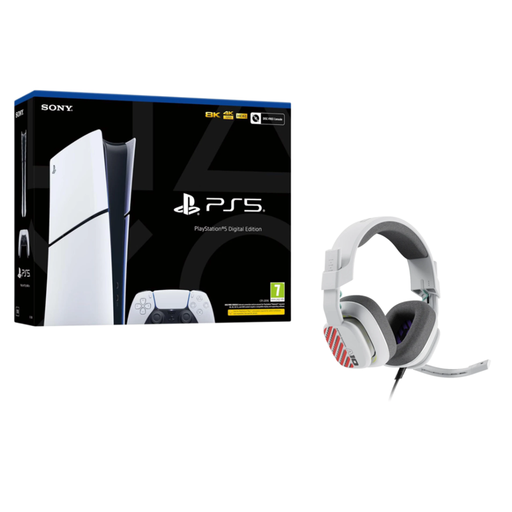 Image unavailable
This download-first console bundle includes a Logitech ASTRO A10 Gen 2 wired headset. Confirm the console's storage and model group if you are also considering a compatible disc drive later.
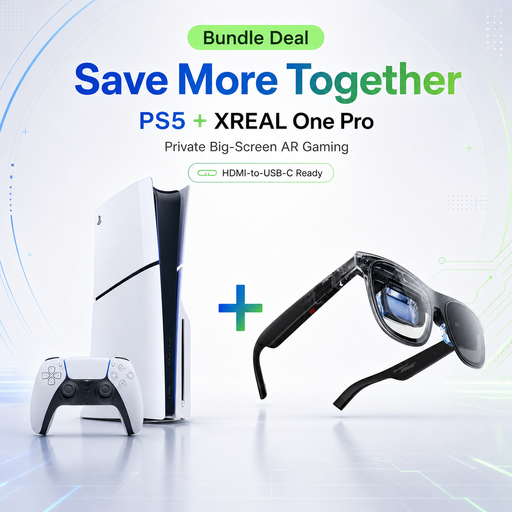 Image unavailable
This bundle combines a disc-free PS5 Slim Digital Edition with XREAL One Pro M AR glasses. The glasses do not change how the console accepts games; check its model group and storage if those details affect your choice.
Yes, if it is a Digital Edition in a model group supported by Sony's separately sold CFI-ZDD1 drive. PlayStation lists the specified CFI-2000 and CFI-2100 groups, as well as PS5 Pro, and says internet access is required for initial pairing. Check the exact console model rather than relying on the Digital Edition name alone.
A disc-equipped PS5 can play supported PS4 games on disc. A Digital Edition needs a compatible attached drive to use discs where its model supports one; PlayStation Support says the original CFI-1000 Digital Edition cannot play disc-based games or media.
No. PlayStation sells PS5 Pro as an all-digital console, with a compatible disc drive available separately. Consider the Pro's storage and enhancements in supported games separately from the question of disc access.
GOV.UK says the Consumer Rights Act provides repair or replacement rights for faulty digital content, including games. This concerns a fault, rather than simply changing your mind about a download; contact the seller or platform with the purchase details and describe the problem.