What matters when choosing
Decide where the second screen needs to be before comparing laptop configurations: built-in displays address work away from a desk, while external displays make more sense when the equipment can stay in place.
Two built-in screens
Choose this when: You need the booklet layout and a grid, image or answer list visible while working away from a desk. ASUS specifies two built-in displays for the Zenbook DUO UX8406.
Allow for: A specialised screen and keyboard arrangement; check that the exact configuration and supplied accessories suit how you work.
Laptop with external displays
Choose this when: Most editing and proofing happens at a desk where monitors can remain connected.
Allow for: Desk space and compatible connections. Dell’s stated display modes for its SD25TB4 dock do not establish what every laptop and monitor combination can run.
| Concern |
What to check |
Who this matters to |
| Two screens on the move |
Confirm two active built-in displays and a keyboard arrangement you can use in your intended workspace. |
If I edit booklet pages in different places, I want my grid or answer list visible without packing a monitor. Around 42% of consumers put that mobile two-screen need first. |
| Displays at a desk |
Match the laptop’s display outputs with the dock, cables and monitors at the resolution and refresh rate you intend to use. |
With a regular desk for layout and PDF proofing, I can leave external screens connected rather than carry them. Around 33% of consumers prioritise that desk-based display setup. |
| Software and precise input |
Check your application’s operating-system and memory requirements; if you draw or annotate, check pen compatibility and whether the pen is supplied. |
Before choosing the screen arrangement, I need my layout software and preferred way of making corrections to fit the laptop. For around 25% of consumers, that software-and-input need comes first. |
Joybuy laptops for these setups
These choices include one laptop listed with two built-in screens and conventional laptops to consider for a setup with an external display. For each conventional model, check the intended monitor connection and your booklet software before buying.
 No image available
ASUS Zenbook DUO UX8406CA-QL135W 14-inch Dual OLED Touch
Consider this configuration if you need two built-in work areas while editing a booklet away from a desk.
Its product name specifies an Intel Core Ultra 7 255H, 16 GB LPDDR5X RAM and a 1 TB SSD. Confirm the exact display resolution and screen arrangement before ordering.
View on Joybuy
 No image available
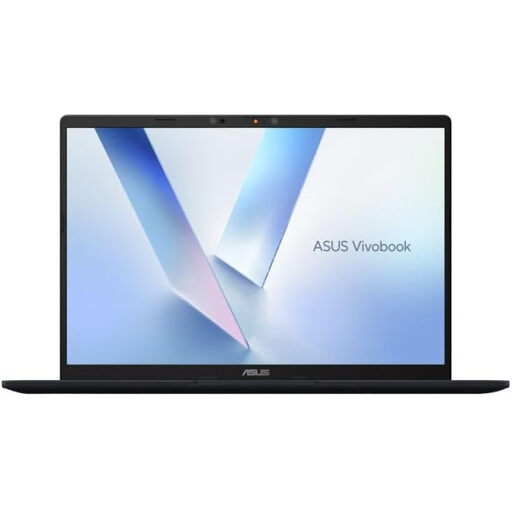
ASUS Vivobook 14 X1407QA-LY003W, Quiet Blue
Consider this conventional laptop if your second booklet workspace will be on an external display.
Its product name specifies a Snapdragon X processor, 16 GB RAM and a 512 GB SSD. Check external-display support for your intended connection and whether your booklet software runs on the chosen configuration.
View on Joybuy
 No image available
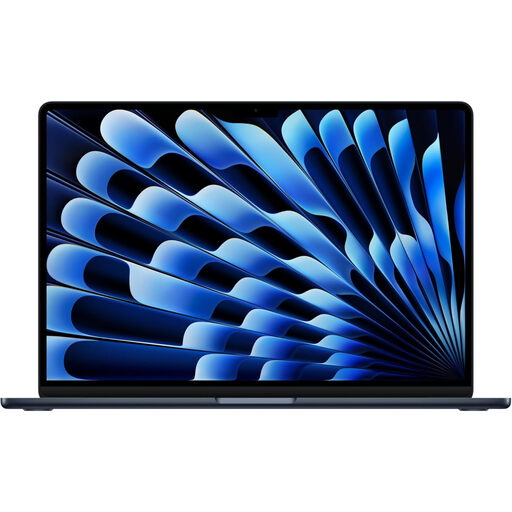
Apple 13-inch MacBook Air (2026), M5, 24 GB, 1 TB SSD, Midnight
Consider this model if you prefer a conventional laptop and plan to add an external screen for references or proofing.
Its product name specifies an M5 chip with a 10-core CPU and 10-core GPU, 24 GB memory and a 1 TB SSD. Check support for your intended display arrangement and booklet software before choosing it.
View on Joybuy
 No image available
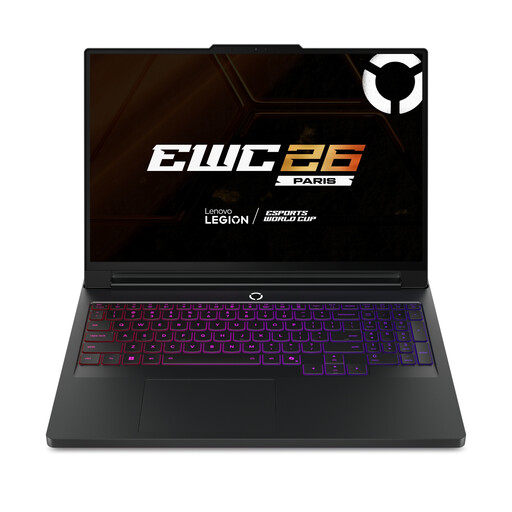
Lenovo Legion Pro 7 16IAX10H, 83F5000UUK
Consider this 16-inch conventional laptop for booklet work at a desk if you intend to connect a separate display.
Its product name specifies an Intel Core Ultra 9, 64 GB RAM, a 2 TB SSD and NVIDIA GeForce RTX 5090. Confirm the external-display arrangement and whether its carrying weight suits where you work.
View on Joybuy
 No image available
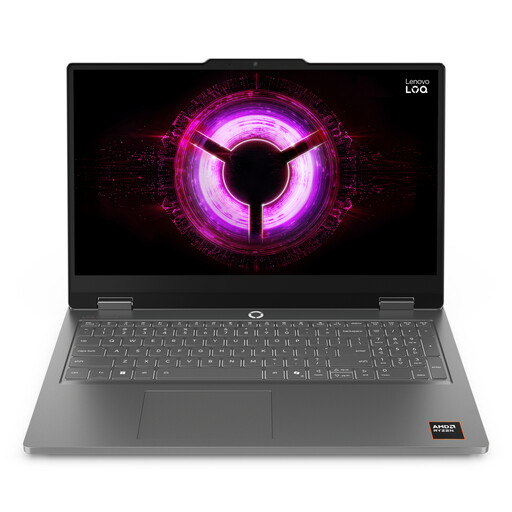
Lenovo LOQ Essential 15ARP11, 15.6-inch 144 Hz FHD
Consider this conventional laptop if you will connect an external screen for a second booklet work area.
Its product name specifies an AMD Ryzen 7 170, 16 GB RAM, a 1 TB SSD and GeForce RTX 5050. Check the intended monitor connection and whether this memory configuration meets your software needs.
View on Joybuy
Questions about two-screen booklet work
Do I need a laptop with two built-in screens?
No: two built-in screens are most relevant when you need both work areas away from a desk. At a fixed workstation, a conventional laptop and compatible external display can provide separate spaces for the booklet and reference material; Microsoft explains how to arrange connected displays in Windows.
Is 8 GB RAM enough for making a puzzle booklet in InDesign?
Adobe lists 8 GB as the minimum and recommends 16 GB RAM for InDesign on Windows. If InDesign is your chosen application, use the recommendation as a starting point and check the requirements for the version you will install.
Will any USB-C port run two external monitors?
No: a USB-C connector alone does not establish support for your intended two-monitor arrangement. Check the laptop’s documented display outputs alongside the dock, cables, monitor inputs and target display settings; Dell’s SD25TB4 display specification applies to the dock, not automatically to every connected laptop.
What if a laptop bought in the UK is faulty or misdescribed?
GOV.UK says a seller must offer a full refund when an item is faulty, not as described or does not do what it is supposed to do. That is distinct from returning a laptop simply because you change your mind; check the applicable terms for that separate situation.
Can I hand in an old laptop when buying a new one in the UK?
GOV.UK states that, when you buy a new electrical product, the retailer must accept an old one free of charge on a like-for-like basis. Ask the retailer how to arrange the handover for your old laptop.


