Players facing strong daylight
If you play near terminal windows or outdoor boarding areas, compare the display brightness conditions stated by Samsung and Lenovo rather than judging a screen by size alone.


Choose the Samsung Galaxy Tab S10 FE if bright waiting areas and water-and-dust protection are priorities: Samsung specifies up to 800 nits in High Brightness Mode and an IP68 rating. Lenovo lists a larger 12.1-inch display for the Tab Plus Gen 2, while Apple lists a 477 g Wi-Fi iPad (A16) for those focused on carrying weight. Whichever route suits you, check your puzzle games, offline play and saved progress on the operating system before buying.
If you play near terminal windows or outdoor boarding areas, compare the display brightness conditions stated by Samsung and Lenovo rather than judging a screen by size alone.
If you will keep the tablet with you through check-in and boarding, weigh screen size against the device, case and charger you plan to carry. Apple lists its Wi-Fi iPad (A16) at 477 g.
A larger board may be your priority during a long wait. Compare the exact Lenovo Tab Plus configuration and make sure your games and purchases work on its operating system.
Check game and save compatibility first, then decide how much screen readability and carrying convenience matter during your journey.
| Concern | What to check | Who this matters to |
|---|---|---|
| Daylight readability | Compare brightness for the exact model and stated display mode; view the screen in bright light if possible. | If I play beside a bright window, I want to make out small puzzle tiles without relying on screen size alone; around 45% of consumers would put daylight readability first. |
| Carrying convenience | Check the chosen variant’s mass and dimensions, allowing for any case and charger. | Moving from check-in to boarding, I would rather carry a manageable tablet than the largest screen available. Carrying convenience would come first for around 33% of consumers. |
| Screen space and game access | Compare screen size and storage on the exact variant; check each game’s operating-system, offline and save requirements. | For detailed puzzle boards, I want enough space to see the game while keeping access to my downloads and progress; roughly 22% of consumers would prioritise this combination. |
Samsung specifies up to 800 nits for the Galaxy Tab S10 FE in High Brightness Mode. That figure alone cannot tell you how reflections or battery life will affect play in your terminal.
Compare the stated brightness conditions and screen finish, and view the display in bright light if you can.
Lenovo lists an 11.5-inch Tab Plus with a 400-nit specification and a distinct 12.1-inch Tab Plus Gen 2 with an 800-nit specification. The family name does not identify which screen you are buying.
Check the full model number, storage, connectivity and included accessories on the product listing.
Depending on the bundle, a case, pen or charger may need to be obtained separately.
A terminal is a shared space, so an unattended bag can raise a security concern. ProtectUK advises reporting an item that appears suspicious to staff or security rather than touching it.
Keep your tablet and bag with you as you move through the terminal and follow staff instructions if you encounter a suspicious item.
Consider the Galaxy Tab S10 FE when a stated bright-display mode and travel protection matter more than choosing by screen area alone.
Consider iPad (A16) if the listed mass of its Wi-Fi version is useful to your carrying decision.
The Tab Plus family offers different screen configurations for players considering a larger puzzle board.
These Android tablets offer different stated screen sizes for puzzle play while waiting and travelling. Check the games you use and the carrying or display details that matter to you on the exact listing.
 No image available
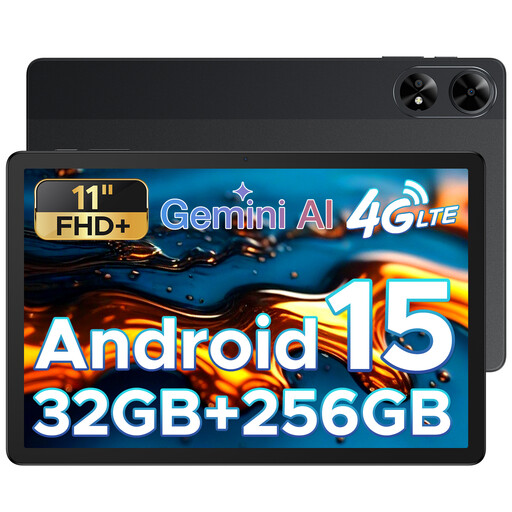
Consider this size if you want an 11-inch board rather than a larger tablet to carry through the terminal.
The title states an FHD+ display, 256GB storage and an 8000mAh battery. Check screen brightness and your games’ offline behaviour for the way you plan to play.
 No image available
The 12-inch screen is worth considering if seeing more of a puzzle board matters more to you than choosing an 11-inch format.
The title states Android 15, a 90Hz display, a SIM card slot and an 8800mAh battery. Confirm the storage configuration, screen brightness and requirements for mobile service before buying.
 No image available
This larger format may appeal if you want room for detailed puzzle boards and would also use the included stylus for other activities.
The title states a 2K display, 256GB storage, Android 15 and a 10,000mAh battery. Check brightness and carrying dimensions if you expect to move around the terminal with it.
 No image available
Choose between this 11-inch format and the larger E3+ by considering where you will hold or prop the tablet while waiting.
The title states Android 15, a 90Hz display, dual SIM slots and an 8800mAh battery. Confirm the exact storage option and whether your puzzle games work offline.
 No image available
The 13.4-inch format suits a preference for a large stated puzzle-board area, provided you are comfortable carrying a tablet of that size.
The title states a 120Hz display, Android 15, 128GB storage and dual-SIM 4G connectivity. Check display brightness, carrying dimensions and the games you intend to use.
A Wi-Fi tablet can suit you if your games work after downloads and updates, or if you can use a phone hotspot when a connection is needed. Choose a cellular variant only if you need its independent mobile connection, and confirm the exact model and service requirements.
Install and update your games, open each one, and check offline play before travelling. Make sure saves and paid purchases are linked to the account you intend to use, and check which charging accessories your tablet bundle includes.
A faulty tablet may qualify for a short-term right to reject under the Consumer Rights Act 2015; the Act’s section 22 explanatory notes specify a minimum 30-day period, with its start subject to the applicable delivery and ownership conditions. This is separate from a change-of-mind return, so tell the seller about the fault and check which statutory remedy applies.
Keep them with you, including when you move towards boarding. ProtectUK advises reporting an unattended item that appears suspicious to staff or security rather than touching it.