Multi-device puzzle players
If you move between a console, computer or phone, check the controller’s supported devices and connection methods against each setup. Confirm gamepad support for each puzzle game separately.


Choose a controller that supports your device, then check whether the particular puzzle game accepts gamepad input; Steam notes that gamepad-only controls work only in games with gamepad support. Once those requirements are met, consider directional controls, button placement and connection options. If a conventional layout is difficult to use, assess an adaptive controller for your platform and specific access needs.
If you move between a console, computer or phone, check the controller’s supported devices and connection methods against each setup. Confirm gamepad support for each puzzle game separately.
If you mainly play Nintendo Switch puzzle games in TV or tabletop mode, you may want a traditional full-size controller. Nintendo lists USB-C charging and an estimated battery life of approximately 40 hours for its Switch Pro Controller; actual duration varies with use.
If fixed button positions or a conventional grip make play difficult, consider controls that can be arranged or connected around your needs. Sony’s PS5 Access controller and Microsoft’s Xbox Adaptive Controller take different, platform-specific approaches.
Start with the device and game you intend to use. Then decide which control layout, session setup or accessibility requirement matters most to you.
| Concern | What to check | Who this matters to |
|---|---|---|
| Device and game compatibility | Match the controller to your console, computer or phone, its connection method and the individual game’s gamepad support. | I need the controller to work with both my device and the puzzle game I plan to play. Around 36% of consumers put that compatibility first. |
| Directional and button layout | Consider D-pad position and feel, button placement and whether mapping works on your chosen platform. | Repeated directional moves make the layout important to me, and I want key actions within comfortable reach; roughly 29% of consumers prioritise those controls. |
| Connection and charging | Check the wireless method, charging or power arrangement, and the conditions attached to any battery-life figure. | I want a connection and power routine that fits how I play without interrupting a session. For about 21% of consumers, that practicality comes first. |
| Adaptable controls | Identify the controls you need to reposition or replace, then check platform fit and any compatible switches or other accessories required. | A fixed grip or button position makes a standard pad difficult for me to use, so a configurable setup is my main concern; around 14% of consumers put adaptable access first. |
A controller can connect to a device while the puzzle game still lacks gamepad input. Steam says gamepad-only input styles work only with games that support gamepads.
Check the exact game’s controller information before choosing a layout or connection method.
Sony says DualSense haptic feedback and adaptive triggers may require USB and are available when the game supports them.
Confirm support in the puzzle title and connection you intend to use; otherwise base the choice on device compatibility and the controls you need.
Nintendo describes the Switch Pro Controller’s battery figure as an estimate that varies with use. 8BitDo identifies its Ultimate 2C figures as ideal-environment laboratory data.
Compare the stated conditions and power or charging method rather than relying on a headline duration alone.
Controllers contain electrical parts and may contain batteries. Oxfordshire County Council says electrical equipment should not be disposed of with general waste.
Check your local authority’s recycling instructions or an applicable retailer take-back route, including any instructions for removable batteries.
Worth considering if you play on Xbox, Windows PC, Android or iOS, or need an Xbox or Windows adaptive-control setup.
Relevant to PS5-first players considering DualSense, and to PS5 players assessing an adaptable control layout.
Relevant if you want a traditional wireless controller for Nintendo Switch puzzle games in TV or tabletop mode.
Relevant to Windows and Android players considering the Ultimate 2C Wireless Controller’s directional controls and mapping options.
These controllers cover several of the device setups discussed above, including console, computer and phone play. Choose by your actual device and the puzzle game’s input support, then check the details that matter to your layout and connection.
 No image available
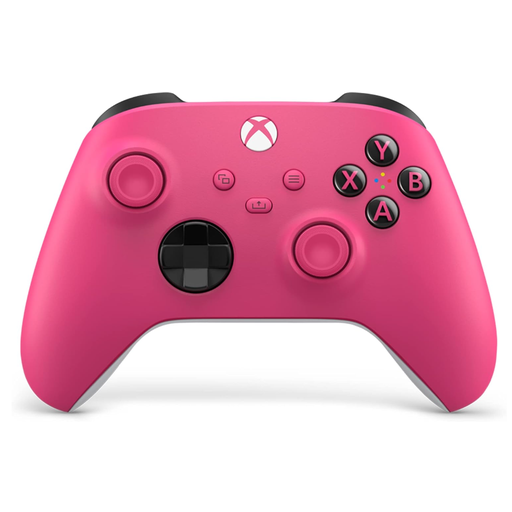
Consider this controller if you play on one of the devices supported by the Xbox Wireless Controller family and prefer its directional layout.
Microsoft lists Xbox consoles, Windows PC, iOS and Android support, plus Bluetooth, a hybrid D-pad and button mapping for this controller family. Check your game’s input support and confirm this variant’s power arrangement before buying.
 No image available
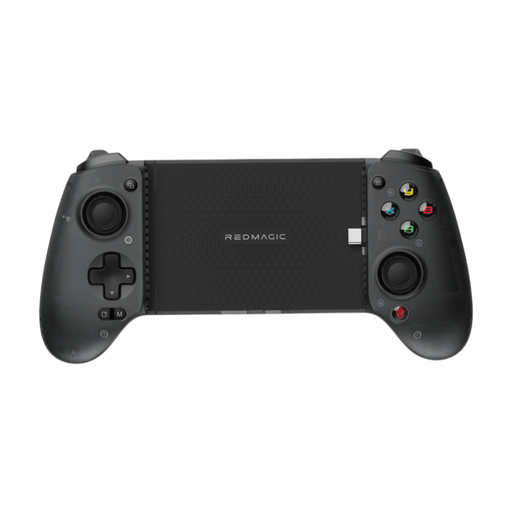
Consider this phone gamepad if you want physical controls for a puzzle game that accepts controller input.
The product name specifies a Type-C port and iPhone and Android compatibility. Check your phone’s port and the particular game’s controller support.
 No image available
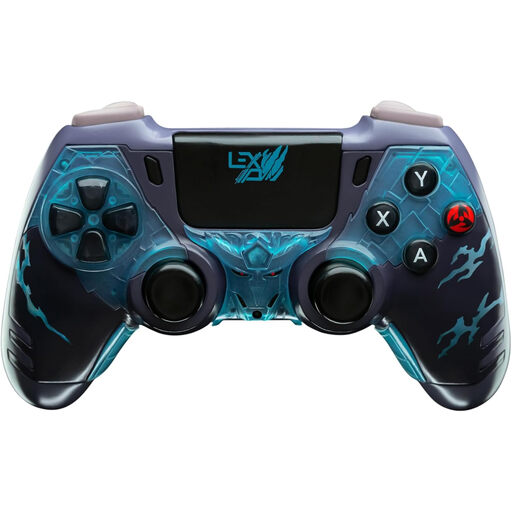
Consider this model if your puzzle-game setup is on PC or Nintendo Switch, the platforms named in its product title.
Confirm the connection method for this exact variant and check that your chosen game accepts controller input.
 No image available
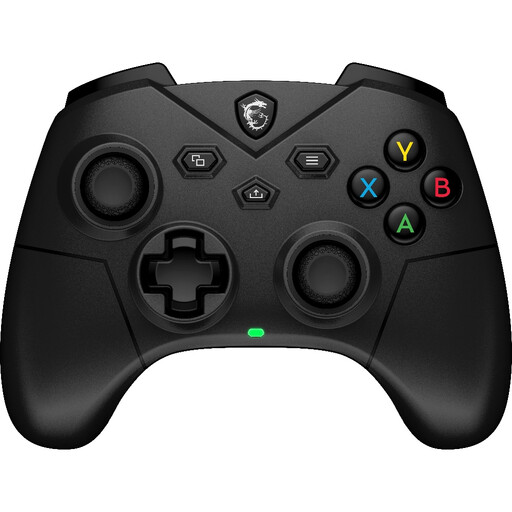
Consider this model for a Windows or Android puzzle-game setup if its controls and connection options meet your requirements.
Check the exact device and game compatibility, the available mapping options and the conditions attached to any stated battery duration.
No image available
Consider this variant for PS5-first puzzle play or use with a supported PC, Mac or mobile device.
Those devices are named in the product title and Sony’s DualSense compatibility information. Sony says haptic feedback and adaptive triggers may require USB and a supporting game; check your puzzle title if those features matter to you.
No: the game must accept gamepad input, and the controller must connect to your PC. Steam states that gamepad-only input styles work only with games that support gamepads, so check the individual title as well as the controller’s PC compatibility.
No. Sony says haptic feedback and adaptive triggers may require a USB connection and are available when supported by the game. Confirm both conditions for the title you intend to play rather than choosing on those features alone.
Compare the stated conditions and charging method, not just the number of hours. Nintendo calls the Switch Pro Controller’s approximately 40-hour figure an estimate that varies with use, while 8BitDo identifies its Ultimate 2C figures as ideal-environment laboratory data.
Check your local authority’s electrical-equipment recycling instructions or an applicable retailer take-back route. Oxfordshire County Council says equipment with electrical parts or batteries should not go in general waste; follow local instructions for any removable battery.