What matters when choosing?
Confirm device and game support before judging how a controller feels or fits your dark-room setup. Then consider the controls you use repeatedly and how you will power the pad during a session.
| Concern | What to check | Who this matters to |
|---|
| Device and game compatibility |
Match the exact variant and connection method to your device; confirm that your puzzle game accepts controller input. |
I need a pad that works with the device and game I actually use, rather than one with a familiar-looking layout. Around 39% of consumers put compatibility first. |
| Dark-room distractions |
Check indicator-light behaviour and the sound and vibration settings available for that model and platform. |
When I play in a dark room, a nearby light or unwanted feedback can interrupt my concentration. Keeping those distractions manageable is the main concern for around 23% of consumers. |
| Directional controls and comfort |
Compare the directional-pad arrangement and button reach for the inputs your game uses repeatedly. |
Repeated grid movement or menu choices make me care about how the directional controls sit under my thumb. Around 23% of consumers make control comfort their primary concern. |
| Power and seating setup |
Check the battery or charging arrangement and whether a wired connection would reach your playing position safely. |
I do not want charging needs or a cable across the room to disrupt a puzzle session. For around 15% of consumers, that practical setup comes first. |
Joybuy controllers for these setups
These controllers cover PC, PS5 and Switch playing setups. Choose by your own platform first, then check the controls, connection and dark-room details that matter to you.
 No image available
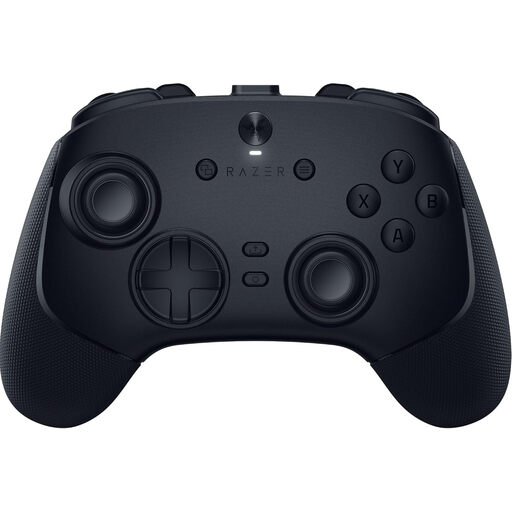
Razer Wolverine V3 Pro Wireless (PC)
For PC puzzle play if you want a wireless controller; confirm that your game supports controller input.
If nearby light is distracting, check the exact controller's lighting behaviour before choosing it.
Joybuy
 No image available
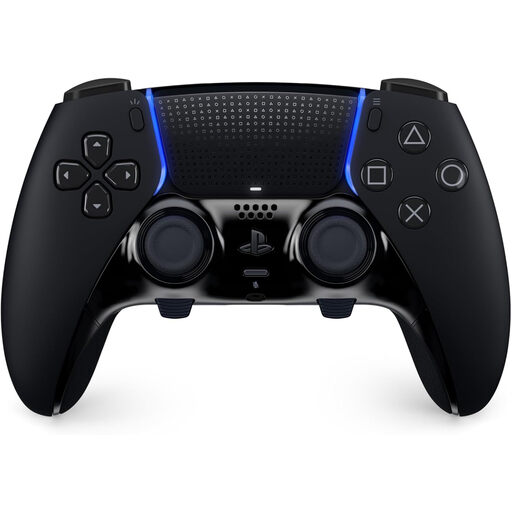
Sony DualSense Edge Midnight Black (PS5)
For PS5 puzzle players who need configurable button assignments, PlayStation documents custom profiles and vibration-intensity controls for DualSense Edge.
This is the Midnight Black wireless variant. Check its indicator behaviour if visible light nearby affects your play.
Joybuy
 No image available
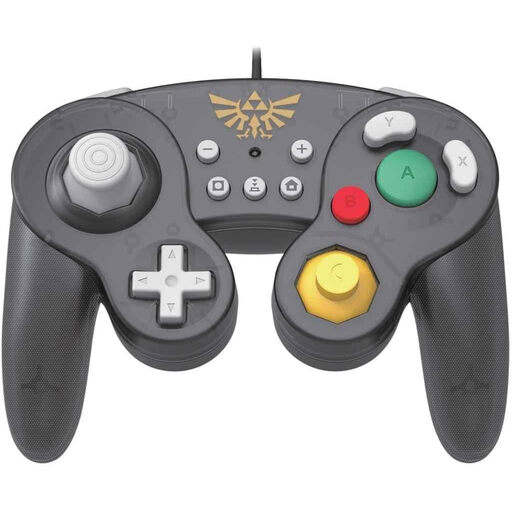
HORI Battle Pad GameCube Style Zelda (Switch)
For Switch puzzle players considering a GameCube-style layout; check whether its directional controls suit the inputs in your game.
Plan a safe cable route from your playing position. Confirm device compatibility rather than assuming the layout also supports PC.
Joybuy
 No image available
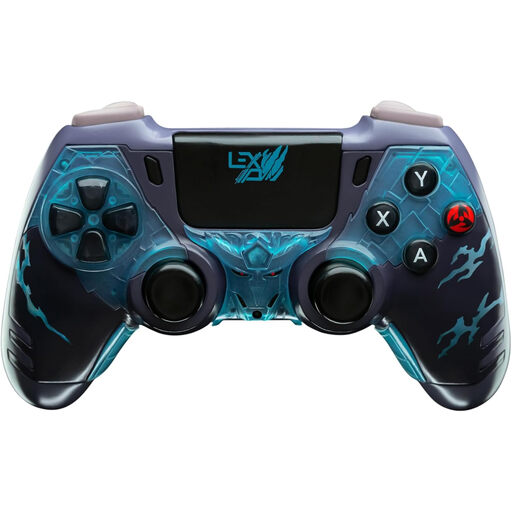
LEXIP Kakashi Kamui (PC, Switch)
For players considering a controller labelled for both PC and Switch; confirm that the puzzle game on your chosen device accepts controller input.
Check the connection method for this exact version before deciding where you will sit or whether you need a cable.
Joybuy
 No image available
Sony DualSense V3 Midnight Black (PS5)
For PS5 puzzle players considering a standard wireless DualSense; PlayStation documents PS5 settings for controller speaker volume and vibration intensity.
Check this V3 variant's indicator behaviour if light near the screen would distract you.
Joybuy
Questions about dark-room controllers
Will any Bluetooth controller work with my console or puzzle game?
No. Bluetooth alone does not establish device or game compatibility: check the exact variant, its connection method and the game's controller support. For instance, 8BitDo specifies the Ultimate 2C Wireless for Windows and Android, and the Ultimate 2C Bluetooth for Switch and Switch 2.
Can I make a controller less distracting in a dark room?
You may be able to reduce sound or vibration, but lighting controls depend on the exact setup. PlayStation documents PS5 settings for controller speaker volume and vibration intensity; check the controller's own documentation before assuming an indicator can be dimmed or switched off.
Should I choose wired or wireless for puzzle games?
Choose based on your seating position and willingness to manage charging or batteries. Wireless avoids a cable across your playing space, while wired use calls for a practical, safe cable route; check the exact controller's connection requirements rather than assuming either option is available.
How should I dispose of an old controller?
Check your local council's electrical-item collection or recycling instructions instead of treating the controller as general household rubbish. GOV.UK identifies UK regulations covering waste electrical and electronic equipment, while Slough Borough Council classifies battery- or plug-powered items as electrical; arrangements for collection or drop-off depend on your area.


