What matters when choosing?
For a quest-map desk, settle the two-screen layout and computer connections first. Colour requirements and physical placement then help determine which monitor features are worth prioritising.
| Concern |
What to check |
Who this matters to |
| Workspace consistency |
Compare each screen’s native resolution, size and scaling options; confirm that the computer can drive both at the intended settings. |
If I keep the map open while working from assets and notes, I want similarly sized work areas that are easy to use together. Roughly 31% of consumers put the two-screen workspace first. |
| Predictable colour |
Check the exact model’s stated colour-space coverage and modes, plus calibration information and support for display profiles in your software. |
When artwork is shared or prepared for print, I need a controlled starting point rather than assuming a wide gamut will make devices match. For around 31% of consumers, colour predictability is the primary concern. |
| Laptop connections |
Confirm the laptop’s two-display limit, video-capable ports and charging needs; check the proposed cables or dock as a complete chain. |
If I dock a laptop at my design desk, I want fewer separate charging and peripheral connections without losing the second screen. About 23% of consumers place laptop connectivity first. |
| Screen placement |
Measure usable desk width and depth, then compare stand adjustment and mounting requirements for both displays. |
For long sessions at a shallow or crowded desk, I need to position both screens without an awkward layout. Placement is the leading need for roughly 15% of consumers. |
Joybuy products for a two-screen desk
These individual 4K monitors are options for a map canvas and a second screen for references or tools. If you plan to buy a pair, check both displays’ settings, the available desk space and whether your computer can drive them together.
 No image available
iiyama ProLite XUB2792UHSU-B6 27-inch 4K UHD
Consider this model when a 27-inch 4K work area suits the map canvas or reference screen. If colour matching is important, check its available colour modes and calibration details before pairing two units.
View on Joybuy
 No image available
ASUS ProArt PA27DCE-K OLED 4K UHD
Consider this 4K OLED model if your map artwork calls for a closer look at colour-workflow choices. Confirm the colour modes and connections required by your software and computer before making it part of a pair.
View on Joybuy
 No image available
BenQ MA270UP 27-inch Nano Glossy IPS 4K USB-C
Its 27-inch 4K format and USB-C connection may suit a laptop-based map desk. Check the exact computer’s video and charging compatibility, as well as how the Nano Glossy finish will work in your room.
View on Joybuy
 No image available
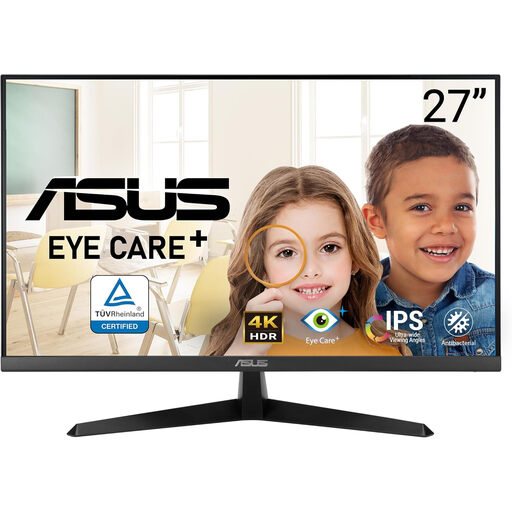
ASUS Eye Care VY27UQ 4K UHD 60 Hz
This 4K, 60 Hz model is another option for the canvas or reference side of a two-screen desk. Confirm the supplied stand and mounting arrangement before planning where both monitors will sit.
View on Joybuy
 No image available
LG 27UP650K 27-inch 4K IPS, White
Consider this 27-inch display if you want a 4K canvas with HDMI or DisplayPort connections. Its product name specifies 60 Hz and 95% DCI-P3 coverage; check the colour mode you will use and the connections available for the second screen.
View on Joybuy
Frequently asked questions
Do two quest-map monitors need to be identical?
No, but matching their size and native resolution can make a two-screen layout easier to arrange. If you mix models, compare scaling and colour modes side by side; Adobe notes that devices can reproduce the same image differently.
Is 27-inch 4K a sensible starting point for both screens?
Yes, if you want a detailed map canvas beside a separate space for references or tools and have room for two displays. Dell, BenQ and ASUS document 27-inch 4K models, but your desk dimensions, preferred scaling and computer’s external-display support still determine whether a pair will work for you.
Does factory calibration replace colour management?
No. Factory calibration describes a starting condition for a particular monitor, while Adobe explains that colour management uses profiles to account for differences between devices. Choose an appropriate monitor mode and keep profiles consistent with your artwork’s intended output.
Can one USB-C connection handle a laptop and two monitors?
It can in some compatible setups, but a monitor’s USB-C port alone does not establish two-display support. Check the laptop’s external-display limit and video output, then confirm the monitor, cable and any dock or daisy-chain arrangement support the resolution you intend to use on both screens.


