A 27-inch 4K creator monitor is a sensible starting point if small map labels, fine linework and colour-managed assets matter most. Choose a QHD or ultrawide screen instead when docking convenience, smoother desktop motion or room for side-by-side references matters more than 4K detail; for a quiet study, check model-specific acoustic evidence before assuming any monitor will be unobtrusive.
Who is this for?
Detail-first quest-map designers
If you regularly inspect small labels, routes, icons and terrain textures, a sharp canvas may matter more to you than a high refresh rate. Compare native resolution alongside the size at which you can comfortably read your editing tools.
Colour-managed world builders
If your assets move between colour-managed applications or into print, compare each monitor’s stated colour spaces and calibration claim with your intended output. A wide-gamut figure alone cannot tell you how a finished map will reproduce.
Quiet-study laptop creators
If the map, references and tool panels share a small desk, screen positioning and laptop connections deserve attention alongside display size. If audible electronic noise would interrupt your work, assess that separately from the monitor’s visual specifications.
What matters when choosing?
Decide how much detail you need on the map itself before trading a 4K canvas for a wider workspace or a docking-focused setup.
27-inch 4K creator monitor
Consider it when: You inspect fine labels and textures and use a colour-managed workflow; ASUS UK specifies a 27-inch 4K panel for the ProArt PA279CRV.
Trade-off: Wide-gamut specifications help only when the relevant colour space is used throughout your workflow, and a single-cable laptop setup still depends on computer compatibility.
27-inch QHD hub monitor
Consider it when: Laptop docking and smoother desktop motion take priority; Dell UK lists its UltraSharp U2724DE at QHD and 120 Hz.
Trade-off: At the same screen size, QHD provides fewer pixels than 4K for inspecting dense map content.
34-inch ultrawide monitor
Consider it when: You keep references or tool panels beside a large map; Dell UK specifies its U3425WE at 34.1 inches and 3440 × 1440.
Trade-off: The wider format needs more desk space and does not provide a conventional 4K 16:9 canvas.
| Concern | What to check | Who this matters to |
|---|
| Fine map detail |
Compare native resolution and screen size, then check whether your preferred interface scaling leaves labels and tools readable. |
If small place names and contour lines need close inspection, I would prioritise a sharp canvas over extra desktop width. Around 36% of consumers put map detail first. |
| Consistent colour |
Match the exact model’s colour modes and calibration claims to your intended digital or print output. |
When faction colours and terrain assets move through a colour-managed workflow, I need the working colour space to suit the destination. Predictable colour is the primary concern for roughly 29% of consumers. |
| Laptop and desk setup |
Check the laptop’s USB-C video capability and charging requirements against the monitor’s connections; measure the available desk space. |
If I move a laptop into the study, I want the screen positioned comfortably without an awkward collection of connections. Around 21% of consumers prioritise desk integration. |
| Long sessions in a quiet room |
Review stand adjustment and model-specific visual features; seek acoustic evidence if audible noise would be unacceptable. |
For long periods of reading and editing, I need a workable viewing position and do not want an unexpected sound to become distracting. Quiet-study comfort comes first for approximately 14% of consumers. |
Buying pitfalls
-
Choosing by gamut percentage alone
A wide gamut does not by itself make exported map colours predictable; the display mode, application and intended output must work together.
For mainly sRGB output, check the model’s sRGB mode and accuracy information. For other colour spaces, confirm that your workflow and destination use them.
-
Assuming USB-C means one-cable docking
A monitor’s USB-C charging rating does not establish that your laptop sends video through its USB-C port or accepts enough power from that connection.
Compare the laptop’s video-output and charging specifications with the monitor’s ports and power-delivery rating before relying on one cable.
-
Ordering an ultrawide without measuring
More horizontal workspace helps only if the screen, stand and viewing position fit your study desk.
Measure usable width and depth, and check arm clearance if you plan to mount the display.
-
Assuming an office monitor will be silent
Creator-oriented features and visual-comfort claims do not establish whether a particular unit produces audible electronic noise in a quiet room.
If silence is essential, look for model-specific acoustic evidence and check the retailer’s applicable return terms before evaluating a unit at home.
Brands to consider for these monitor types
BenQ
BenQ’s DesignVue and Creative Pro models offer points of comparison for a 27-inch 4K creator setup.
- BenQ UK specifies 99% sRGB and 99% Rec.709 coverage for the PD2705U, and lists creator-oriented display modes on relevant models.
- Compare the exact model’s gamut and calibration claims; they are not identical across the range.
ASUS ProArt
The PA279CRV is a model to examine if a 27-inch 4K creator screen, adjustable stand and USB-C connection suit your desk.
- ASUS UK specifies 99% DCI-P3, 99% Adobe RGB, factory pre-calibration to Delta E < 2 and 96W USB-C power delivery for the PA279CRV.
- Those model-specific claims need to match your output workflow, and one-cable use depends on your laptop.
Dell UltraSharp
Dell’s U2724DE and U3425WE illustrate different choices: a 27-inch QHD hub screen or a wider ultrawide workspace.
- Dell UK lists the U2724DE at QHD and 120 Hz; the U3425WE has a 34.1-inch 3440 × 1440 format, an integrated hub and 90W power delivery.
- Neither format should be treated as a substitute for 27-inch 4K detail without considering how you arrange and inspect your map.
LG UltraFine
LG’s 27UL850 provides a reference point for a conventional 27-inch 4K IPS screen with USB-C and stand adjustment.
- LG UK lists sRGB 99% typical coverage, 60W USB-C power delivery and height, pivot and tilt adjustment for the 27UL850.
- LG marks that exact model discontinued; check the specifications of any current model separately.
Joybuy monitor choices for detailed map work
These 4K monitors offer different starting points for inspecting detailed maps. Compare their stated colour features, connections and stand options against your workflow; none should be assumed acoustically silent.
 No image available
BenQ MA270UP Nano Glossy 27-inch 4K Mac Monitor
Consider this for detailed map work in a Mac-based setup if its connections suit your computer.
The product title specifies an IPS panel, USB-C, HDR, P3 and a height-adjustable stand. Confirm your computer’s USB-C video and charging requirements, and check acoustic suitability if silence is essential.
View on Joybuy
 No image available
ASUS ProArt PA27DCE-K 4K UHD OLED Monitor
Consider this for fine map artwork when an OLED display fits your colour workflow.
Its title identifies a 4K UHD OLED model. Check the exact model’s calibration information and your connection and charging needs before making colour-critical or one-cable plans.
View on Joybuy
 No image available
iiyama ProLite XUB2792UHSU-B6 27-inch 4K Monitor
Consider this for detailed map editing on a conventional 16:9 screen.
The product title specifies a 27-inch 4K UHD LED display. If laptop docking matters, confirm the exact USB-C video and charging functions before relying on a single connection.
View on Joybuy
 No image available
LG 27UP650K 27-inch 4K IPS Monitor
Consider this for a detailed map canvas if its stated colour coverage matches the space you use.
The product title specifies 60 Hz, DCI-P3 95%, DisplayHDR 400, built-in speakers, HDMI and DisplayPort. Check model-specific calibration information if predictable colour output is a priority.
View on Joybuy
 No image available
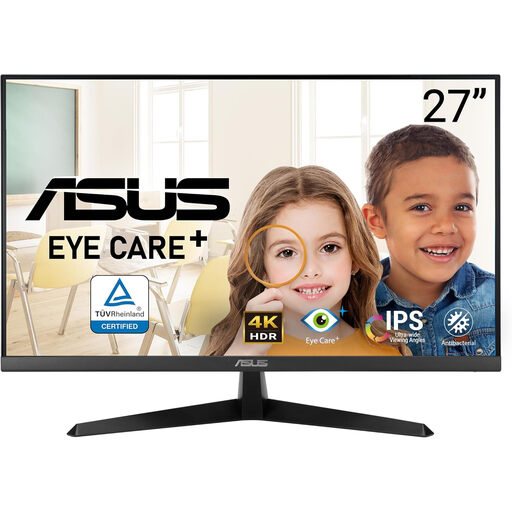
ASUS Eye Care VY27UQ 4K UHD 60 Hz Monitor
Consider this for close inspection of map detail if its positioning options work at your desk.
The product title specifies 4K UHD and 60 Hz. Check the stand’s adjustment range, required connections and model-specific colour information rather than assuming they match a creator-focused display.
View on Joybuy
Common questions
Is 27-inch 4K a sensible starting point for quest-map design?
Yes, if close inspection of small labels, linework and textures matters more to you than extra horizontal workspace. Check that your preferred interface scaling leaves editing controls readable; a wider screen may suit a map-and-reference layout better.
Will a USB-C monitor charge my laptop and carry video through one cable?
It can, provided the laptop supports video over USB-C and its charging needs match the monitor’s power delivery. ASUS UK lists 96W USB-C power delivery for the PA279CRV, while BenQ UK lists 65W for the PD2705U; check your laptop’s specifications against the exact monitor.
Do I need a wide-gamut monitor for a map intended mainly for the web?
Not necessarily: if sRGB is your intended output, prioritise a suitable sRGB mode and relevant model-specific accuracy information. P3 or Adobe RGB coverage matters more when your colour-managed workflow and destination use those spaces.
What should I do with an old monitor when replacing it?
Treat an old monitor as electrical waste rather than general rubbish. GOV.UK explains that retailers subject to electrical-waste take-back obligations must offer to take back waste of the same type as an item you buy; check the retailer’s arrangements for handing over or collecting your old monitor.


