What to check before buying
Check your software’s official requirements before comparing configurations, then work out how the screen and input devices will sit at standing height.
| Concern | What to check | Who this matters to |
|---|
| Standing-desk setup |
Check the display connection for your monitor or dock, and plan space for a separate keyboard and mouse. |
If I design for long sessions, I need to position the screen without leaving the laptop keyboard too high to use comfortably. Around 34% of consumers put workstation setup first. |
| Map-design workload |
Compare the exact GPU, processor and memory with the official requirements of your chosen application or game engine. |
When my maps involve more demanding assets or several creative tools at once, I need a configuration suited to that workload. For around 33% of consumers, application demands are the primary concern. |
| Portability |
Compare built-in screen sizes and confirm how you would reconnect a compact laptop to your desk display. |
If I revise maps away from my desk, I want a compact machine, even though its built-in screen leaves less room for panels and references. Portability comes first for around 25% of consumers. |
| Memory and storage |
Check the full SKU’s installed RAM, SSD capacity and stated memory upgrade options. |
If I keep project assets and applications locally, I do not want to assume I can expand a configuration later. Around 8% of consumers make exact memory and storage configuration their first priority. |
Joybuy laptops for this setup
These laptops include larger-screen choices for a mostly fixed standing desk and a compact 14-inch choice for working away from it. Compare each exact configuration with your software requirements and intended display setup.
 No image available
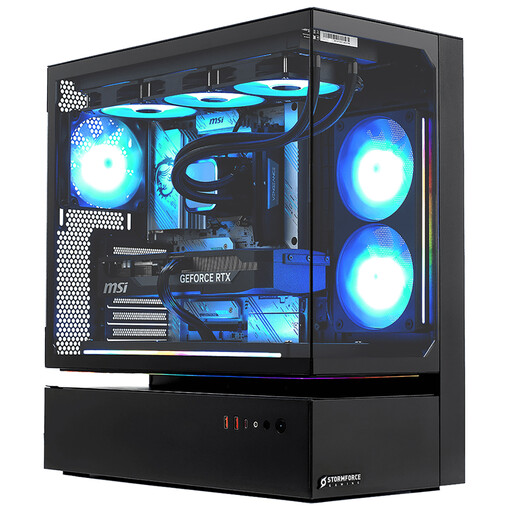
Stormforce Cyclone Intel Core i7, 32GB RAM, 2TB SSD, RTX 5080
Consider this configuration if you want the stated memory and local storage for map projects at a desk. Confirm the exact graphics configuration on the product page before comparing it with your software requirements.
View on Joybuy
 No image available
Lenovo LOQ Essential 15ARP11, Ryzen 7 170, 16GB RAM, 1TB SSD, RTX 5050
The 15.6-inch Full HD 144Hz screen gives you a built-in display for desk work; check whether its stated 16GB maximum memory meets your application and multitasking needs. Confirm that its display connection fits your intended monitor.
View on Joybuy
 No image available
Lenovo Legion Pro 5, Ryzen 9, 32GB RAM, 2TB SSD, RTX 5060
For a desk-centred setup, this configuration pairs a 16-inch WQXGA screen with the stated memory and storage. Check the exact processor configuration and your chosen software’s requirements before buying.
View on Joybuy
 No image available
Lenovo Legion Pro 7 16IAX10H, 83F5000UUK, 64GB RAM, 2TB SSD, RTX 5090
The 16-inch 2560 × 1600 OLED screen and stated memory may interest buyers comparing larger built-in workspaces and substantial local project capacity. Confirm that the exact configuration can output to your intended monitor or dock; a listed Thunderbolt 4 connection alone does not establish that setup.
View on Joybuy
 No image available
ASUS ROG Zephyrus G14 GA403WR-QS088W, 32GB RAM, 2TB SSD, RTX 5070 Ti
This 14-inch WQXGA+ configuration is worth considering if you take map work away from your standing desk but want the stated 32GB memory and 2TB storage. Check its exact display ports and connection to your desk monitor before buying.
View on Joybuy
Common questions
Do I need an external monitor to design maps at a standing desk?
Not necessarily: for prolonged laptop use, the Health and Safety Executive advises either raising the laptop screen while using a separate keyboard and mouse, or using a separate display. Choose the arrangement that lets you position the screen and input devices appropriately at your desk.
Does a standing desk remove the need to assess the workstation?
No. In the UK, the Health and Safety Executive says employers must assess workstations for employees who use display screen equipment daily as part of normal work for continuous periods of an hour or more. The assessment considers the workstation as a whole, not just whether the desk rises.
Can I upgrade the RAM in any gaming laptop later?
No; upgrade options depend on the exact configuration. ROG UK lists a Zephyrus G14 GA403 version with 16GB onboard memory, a 16GB maximum and no expansion slot, alongside a separate 32GB configuration. Check the full SKU if your map-design workflow may need more memory.
What should I do with an old laptop when replacing it in the UK?
Check the seller’s same-type electrical-waste take-back arrangement or use an appropriate collection service. GOV.UK describes retailer take-back duties for qualifying purchases, including online purchases, with scheme arrangements and exemptions to consider. Securely erase personal data before handing over the device.


