For detailed quest-map work at a standing desk, start with a 4K screen you can position comfortably at both desk heights, then choose the screen size and colour features your workflow needs. A 27-inch display takes up less space and packs the same 4K resolution more densely; a 32-inch display gives you a larger physical canvas but calls for more desk depth. If you change desk height often, check the stand’s range or the fit of a compatible arm, and confirm laptop video and charging compatibility before relying on USB-C.
Who this setup suits
Standing-desk map illustrators
If you switch between sitting and standing, you need to reset the screen position without losing a comfortable view of small labels and icons. The Health and Safety Executive advises placing the top of the screen level with your eyes and the screen about an arm’s length away.
Colour-conscious digital cartographers
If your maps are delivered as digital assets, check coverage of the colour space you use, such as sRGB or Rec.709. BenQ and ASUS publish colour-coverage specifications for the creative-monitor models discussed here; those figures do not, by themselves, establish how every finished file will look on another device.
Laptop-first creative workers
If you want display, data and charging through one connection, check both ends of the setup. DisplayPort describes video over USB-C through DisplayPort Alt Mode, but your laptop and cable must support the intended connection, and the monitor’s power delivery must suit the laptop.
What to prioritise
Set the screen position and viewing distance first; then decide whether a compact, denser 27-inch view or a larger 32-inch canvas better fits your map layout and desk.
| Concern |
What to check |
Who this matters to |
| Screen position |
Check the stand’s height range; for a separate arm, check its mount, load limit and desk-clamp fit. Aim for the eye-level screen position and arm’s-length distance advised by the Health and Safety Executive. |
If I regularly change desk height, I need the screen to reach a comfortable position each time. Around 33% of consumers put positioning first. |
| Map colours |
Match stated sRGB or Rec.709 coverage to your delivery format, and check calibration features on the exact model. |
When palette distinctions matter in the files I deliver, I want to know which colour space the display is specified to cover. For around 25% of consumers, colour reliability is the primary concern. |
| Canvas and detail |
Compare 27-inch and 32-inch 4K dimensions against your desk depth and preferred viewing distance; the smaller screen packs the same pixel count more densely. |
With labels, layers and reference panels open, I need a workspace I can inspect comfortably without crowding my desk. Workspace and detail come first for around 25% of consumers. |
| Laptop connection |
Check laptop USB-C video output, cable capability and the monitor’s stated power delivery against the laptop’s charging requirement. |
If I move my laptop when changing the desk setup, a compatible one-cable connection would make reconnection simpler. Around 17% of consumers prioritise that laptop workflow. |
Buying pitfalls
-
Choosing 32 inches without measuring the desk
A larger panel takes up more physical space, while screen size alone does not establish a comfortable viewing position. The Health and Safety Executive advises an eye-level screen top and roughly arm’s-length viewing distance.
Measure desk depth and standing eye height, then check whether the supplied stand, a suitable clamp or a compatible arm can place the screen accordingly.
Rearranging the workspace or using a separate arm may be necessary to achieve that position.
-
Assuming every USB-C port carries video and suitable charging
The connector alone does not establish laptop video output or adequate charging. DisplayPort’s USB-C video route depends on supported host and connection capabilities.
Check the laptop’s video-output specification, the cable and the monitor’s power delivery against the laptop’s requirements.
A different cable, dock or laptop power adapter may still be needed.
-
Treating HDR, wide gamut and calibration claims as equivalents
These specifications describe different characteristics. A DCI-P3 figure or HDR feature does not replace checking the sRGB or Rec.709 requirement for your map files.
Start with the colour space required for delivery, then examine the exact model’s stated coverage and calibration controls.
-
Assuming any adjustable stand reaches standing eye level
Adjustment ranges vary by model: BenQ specifies 110 mm for the PD2705U and 150 mm for the PD2705UA. Whether either range works depends on your desk and seated and standing eye heights.
Work out the screen-top positions you need and check the exact stand range. If you plan to add an arm, confirm the monitor’s mounting pattern and the arm’s limits.
A separate arm adds another component to fit and adjust.
Brands to consider
BenQ
The PD2705U and PD2705UA are 27-inch 4K options to examine when standard-gamut specifications and screen adjustment matter.
- BenQ specifies 99% sRGB and 99% Rec.709 coverage for both models, with 110 mm stand adjustment on the PD2705U and 150 mm on the PD2705UA.
- Check which model and mounting arrangement can reach your required screen position; the PD2705UA’s arm should not be assumed to fit every desk.
ASUS ProArt
The PA329CV is a 32-inch 4K IPS option for a larger physical map canvas.
- ASUS specifies 100% sRGB and Rec.709 coverage, USB-C, a C-clamp and an ergonomic stand for the PA329CV.
- Its larger panel needs sufficient desk depth and a suitable screen position; ASUS’s colour-accuracy and calibration claims are model specifications, not a guarantee for every workflow.
Dell UltraSharp
The U2725QE is a 27-inch 4K Thunderbolt hub monitor to examine for a laptop-centred desk.
- Dell lists IPS Black, a 3000:1 contrast ratio, an ambient-light sensor and a 120 Hz refresh rate for this model.
- Confirm the exact stand travel or compatibility with your intended arm before planning its standing-desk position.
LG UltraFine
The 27UP850K-W offers a 27-inch 4K IPS format with USB-C and an adjustable stand.
- LG specifies height, pivot and tilt adjustment and typical 95% DCI-P3 coverage for the 27UP850K-W.
- If your map delivery calls for sRGB or Rec.709, check the corresponding specification rather than treating its DCI-P3 figure as interchangeable.
Joybuy monitor choices
These 27-inch and larger 4K monitors offer different screen sizes and listed features for a quest-map desk. Check the fit and connection details of each model against your own standing setup.
 No image available
Dahua 32-inch 4K 165 Hz Curved OLED Gaming Monitor
Consider this larger curved screen if your desk has room for a comfortable map-design viewing distance. Its product title specifies 3840 × 2160 resolution, 165 Hz, DCI-P3 99% and Type-C 65W; check the colour standard required for your exports and whether your laptop supports the intended video and charging connection.
View on Joybuy
 No image available
BenQ MA320UP Nano Glossy IPS 4K Mac Monitor
This larger-format option is worth considering if you want a height-adjustable screen for map work and its Mac-focused features suit your computer. The product title specifies a 32-inch IPS 4K display, USB-C and a height-adjustable stand; confirm the connection functions you need and the space available on your desk.
View on Joybuy
 No image available
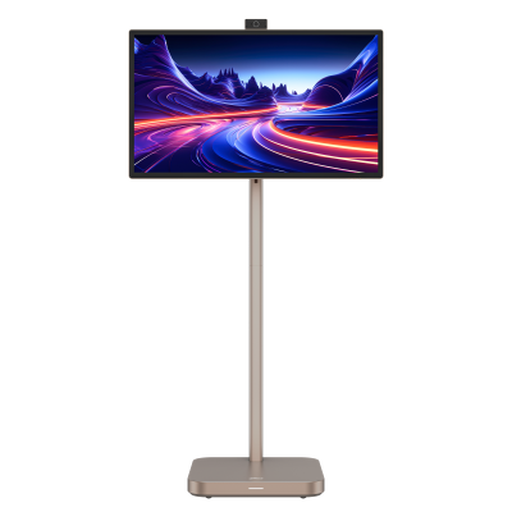
Dahua 31.5-inch 4K Explorer Portable Smart Monitor, Android 11, 8GB+128GB
Consider this larger screen if its portable smart-monitor features also fit your intended use, rather than choosing it on 4K resolution alone. Its product title specifies an IPS panel, built-in battery and up to four hours of battery life; check desk dimensions and the connection needed for your map-design computer. Do not assume a separate VESA arm will fit this model.
View on Joybuy
 No image available
iiyama ProLite XUB2792UHSU-B6 27-inch 4K UHD Monitor
The 27-inch 4K format suits a desk where a more compact screen is important for detailed map work. Check the stand’s positioning against your standing eye height, and confirm video and charging capabilities before planning a one-cable laptop connection.
View on Joybuy
 No image available
ASUS ProArt Display PA32UCG-K 32-inch 4K HDR IPS Mini LED Monitor
Consider this 32-inch display if a larger map canvas and its stated colour-workflow features match your work. Its product title specifies hardware calibration and Thunderbolt 3; check the stand’s usable height range, desk depth and laptop charging requirements before choosing it for a standing setup.
View on Joybuy
Common questions
How should I position a monitor for map work while standing?
Set the top of the screen level with your eyes and place the display about an arm’s length away, as the Health and Safety Executive advises. Check that your stand or arm can achieve that position at your actual desk height, with the screen and keyboard in front of you.
Should I choose a 27-inch or 32-inch 4K screen for quest maps?
Choose a 27-inch 4K screen if a smaller footprint and denser pixels matter most; choose 32 inches if you prefer a larger physical canvas and have room to position it comfortably. Both formats need sufficient viewing distance and a suitable screen height at your standing desk.
Will USB-C run the display and charge my laptop?
Only if the laptop, monitor and cable support the connection you intend to use, and the monitor’s power delivery meets the laptop’s needs. Check laptop support for USB-C video output, such as DisplayPort Alt Mode, Thunderbolt or USB4 where applicable, rather than relying on the connector shape alone.


