What matters when choosing?
Start with the noise and space constraints at your desk, then check the connection method and the keys your feedback workflow requires.
| Concern |
What to check |
Who this matters to |
| Typing noise |
Check the exact model’s switch type and quiet-key claim; seek independent sound measurements if disturbance is decisive. RTINGS.com notes that scissor and rubber-dome switches are generally among the quieter types, while clicky mechanical switches can be much louder. |
When I write feedback beside other people, I want to avoid drawing attention with every keystroke. Around 33% of consumers put low typing noise first. |
| Desk space |
Check physical dimensions, mouse space and whether the layout keeps the navigation keys or numpad you use. |
If the desk must also hold my mouse and papers, I need a keyboard that leaves usable working room. Roughly 27% of consumers prioritise desk space. |
| Device connection |
Confirm available ports, permitted wireless methods and compatibility with each device you intend to use. |
I may need to change between approved devices, or I may prefer a cable to avoid pairing at a fixed desk. About 20% of consumers make connection needs their first concern. |
| Typing layout |
Check the UK key layout, arrow and navigation keys, shortcuts and whether frequent number entry calls for a numpad. |
For long stretches of written feedback, I want familiar key positions and access to the functions I use regularly. Around 20% of consumers put typing layout first. |
Joybuy product choices
These keyboards offer different layout and connection choices for shared-desk feedback writing. Check key layout, desk fit and school IT rules against your own setup before choosing.
 No image available
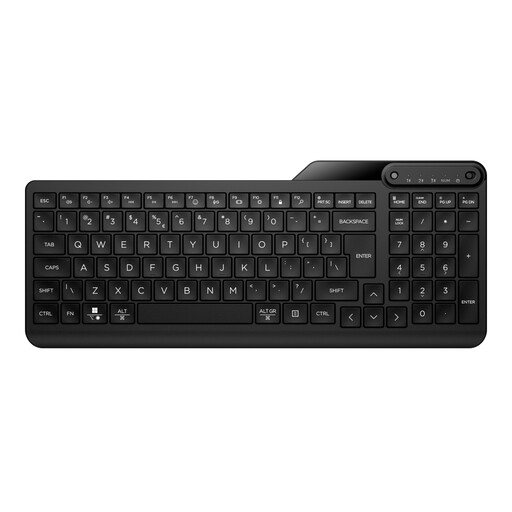
HP 460 Multi-Device BT KBD
Consider this Bluetooth keyboard if your feedback workflow involves switching between approved devices. Joybuy describes switching between up to three devices. Confirm the exact key layout, desk fit and permission to pair with school equipment.
View on Joybuy
 No image available
Rapoo E9050L 75% Wireless Membrane Keyboard, US layout, White
Consider the 75% layout if desk width is a priority and a US key layout suits your typing. This 78-key model lists Bluetooth 5.0/4.0 and 2.4 GHz connection options. Check its physical dimensions and whether the chosen wireless method is permitted at school.
View on Joybuy
 No image available
HP 960 Ergonomic Split Layout Wireless Keyboard with Padded Wrist Rest
Consider this split-layout option if you are assessing a different key arrangement for sustained typing. Its product title specifies a padded wrist rest. Check the exact layout, total desk space needed and permitted wireless connection before choosing it; a keyboard alone does not establish a comfortable workstation.
View on Joybuy
 No image available
MACHENIKE KG87 80% Mechanical Tri-Mode Keyboard, US layout, Latte Switch-Pink
Consider the 80% layout if you want a smaller mechanical keyboard and can accommodate its US key layout. Check the sound of this exact switch variant before using it near colleagues, as well as its physical dimensions and permitted connection method.
View on Joybuy
Common questions
Do UK display screen equipment rules require a particular keyboard?
No particular consumer keyboard model is prescribed by the Health and Safety Executive guidance. If you use display screen equipment daily for continuous periods of an hour or more as part of normal work, your employer must assess the workstation and reduce risks, taking account of equipment, furniture, working conditions and individual requirements.
Does moving between shared desks affect workstation assessment?
Yes, it can. The Health and Safety Executive says display screen equipment rules can apply to hot-desking and advises workers who change desks regularly to carry out a basic risk assessment. If your work meets the daily, continuous-use threshold, ask your employer which assessment process to follow.
Does a quiet keyboard have to be non-mechanical?
No. RTINGS.com describes membrane and scissor switches as generally among the quieter options, while mechanical switch sound varies. Check the exact keyboard and switch variant, and look for independent sound measurements if noise is a deciding factor.
Should I give up the numpad to save desk space?
A tenkeyless layout is worth considering if you rarely enter numerical marks or spreadsheet data. CHERRY’s STREAM KEYBOARD TKL, for example, omits the numpad to reduce width; if number entry is frequent, check a layout that retains one.
What should I check before choosing a wireless keyboard?
Confirm that school IT permits its connection method and that it works with each device you use. Also check whether it needs replaceable batteries or charging, which accessories are supplied and whether its switching controls suit your workflow.


