What to check before choosing
For catalogue work beside colleagues, start with the fitted switch, then balance desk space against the keys needed for editing and repeated number entry. Device switching matters most when you regularly use more than one computer or tablet.
| Concern |
What to check |
Who this matters to |
| Typing disturbance |
Confirm the switch fitted to the exact variant and any stated sound-dampening features. A mechanical label alone does not establish how quiet it will sound. |
When colleagues work beside me, I want to limit typing disturbance, even if I give up an audible click. Around 29% of consumers would put quieter typing first. |
| Desk space |
Compare the physical layout and check for dedicated arrow keys and a function row. A 75% layout typically has no integrated numpad. |
With proofs and a laptop on the desk, I need working room without losing the editing keys I use. For roughly 29% of consumers, preserving desk space would be the primary concern. |
| Editing and number entry |
Check the position of navigation keys and whether repeated numeric work calls for an integrated numpad. Confirm the physical UK-ISO or US layout on the selected variant. |
If I enter inventory or quantity figures repeatedly, I need comfortable number entry, even if the keyboard takes more room. Around 24% of consumers would prioritise editing and numeric keys. |
| Device switching |
Match the stated connection modes, paired-device limit and operating-system compatibility to the devices you use. |
Moving between a desktop, laptop and tablet makes straightforward switching valuable to me. Roughly 18% of consumers would make multi-device flexibility their first priority. |
Joybuy keyboards for catalogue work
These keyboards offer different layouts and connection types for catalogue work at a shared desk. Each listed variant states a US layout, so check whether its physical keys and legends suit your UK workflow.
 No image available
Ticktype DP104, 108-key, Gecha Gray, Silent Tactile Switches
Consider this full-size option if you enter catalogue figures regularly and have room for a wider keyboard.
The listed Gecha Gray variant specifies 108 keys, a US layout, hot-swappable switches and an 8000mAh battery. Its Silent Tactile name describes the switch option, not a measured sound level; check whether it meets your shared-desk needs.
Joybuy
 No image available
AULA F75, 75%, US QWERTY layout
The 75% format is worth considering when proofs and other materials need desk space; check the key arrangement if you enter numbers frequently.
The title specifies wired, Bluetooth and 2.4 GHz modes and PBT keycaps. Check the fitted switch and its sound rather than relying on the listing’s sound description.
Joybuy
 No image available
AULA F99, Light Blue/Reaper Switch, US QWERTY
Consider its key arrangement if catalogue work involves repeated numeric entry, but check the exact layout before deciding whether it saves enough desk space.
The title lists wired, Bluetooth and 2.4 GHz modes. Switch information differs between the title and description, so confirm which switch is fitted before choosing it for work beside colleagues.
Joybuy
 No image available
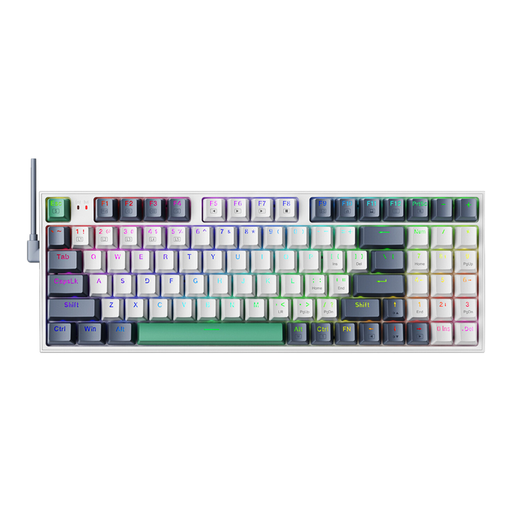
MACHENIKE K500-B94, Red Switch, White, US QWERTY
If you mainly edit catalogue copy, check this keyboard’s footprint and key arrangement against the room available at your shared desk.
The listed variant specifies a wired connection and a red switch. Confirm its typing sound and whether its number-key arrangement suits your work.
Joybuy
 No image available
MACHENIKE KT84-B84W, 75%, Black, Gateron White Switch
Its 75% layout is an option when desk space is tight and catalogue work does not call for frequent use of an integrated numpad.
The listed variant specifies a US QWERTY layout, a Gateron White Switch and tri-mode connectivity. Check the fitted switch’s sound and the precise key layout for your workflow.
Joybuy
Questions about shared-desk keyboards
Should I choose a clicky mechanical keyboard for a shared desk?
A clicky switch is a poor starting point if limiting disturbance to colleagues is your priority. Choose a specifically labelled quiet or silent variant and assess its sound where possible: Logitech lists both Clicky and Tactile Quiet options for the MX Mechanical Mini, while Razer describes silent switches on the Pro Type Ultra, but these manufacturer descriptions are not comparable sound measurements.
When should I choose a UK-ISO layout?
Choose UK-ISO if you want a familiar UK physical key arrangement and legends while preparing catalogue copy. Keychron lists a UK-ISO option for the K3 Max; check the exact configured variant, as a keyboard family name alone does not identify its layout.
Does a keyboard sold in Great Britain always need UKCA marking?
No: Department for Business and Trade guidance dated 31 March 2026 lists UKCA or CE marking for electrical equipment placed on the Great Britain market. Northern Ireland has different CE and UKNI requirements, so check the rules applicable to the product and destination rather than applying the Great Britain position unchanged.
What should I do with an old wired or wireless keyboard?
Use an appropriate electrical reuse or recycling route rather than putting the keyboard in ordinary household rubbish. UK guidance on waste electrical and electronic equipment addresses recovery, reuse and recycling; Recycle Your Electricals can help you look for local repair, donation or recycling options. Follow local instructions for any removable battery.


