Dense-results reviewers
If you repeatedly compare tables, charts, statistical output and source documents, consider how much detail must remain legible at once, as well as how large it appears on screen.


Start with a monitor whose screen size, resolution and position suit both your results and your desk. A 27-inch 4K screen is worth considering for dense tables in limited space; a larger 4K screen gives those elements more physical room, while a QHD docking monitor may suit a compatible laptop setup when maximum detail is less important. Check reflections, stand fit and USB-C capabilities on the exact model before deciding.
If you repeatedly compare tables, charts, statistical output and source documents, consider how much detail must remain legible at once, as well as how large it appears on screen.
If you spend extended periods at one desk, give screen-position adjustment and reflection control attention alongside resolution. The Health and Safety Executive’s workstation guidance treats screen placement as part of the wider setup.
If you want one connection for the display, charging and peripherals, check what your laptop can send over USB-C and how much charging power it needs.
Choose the screen layout around the material you check most often, then make sure its stand, finish and connections work at your study desk.
Consider it when: Dense tables, plots and documents need to fit on a relatively compact desk; Dell Technologies lists its U2725QE in this format.
Check: Text and interface scaling may matter more to you than the additional pixels if small elements are difficult to read.
Consider it when: You want larger physical charts or windows and can accommodate the C-clamp stand on LG Electronics UK’s 31.5-inch 32UN880K-B.
Check: The clamp needs a suitable desk edge and clearance; its 60 W USB-C power delivery may not meet your laptop’s needs.
Consider it when: Height adjustment and a compatible single-cable laptop connection matter more than fitting the finest detail on screen. AOC lists these features on the Q27E4CV.
Check: Its 2560 × 1440 panel has fewer pixels than the cited 4K models, so assess dense results at the size you intend to use.
Consider it when: Logs, scripts and vertically oriented documents take up much of your checking time; BenQ UK specifies a 3840 × 2560, 3:2 panel for the RD280U.
Check: Its taller shape may suit vertical material better than wide side-by-side layouts; assess your own window arrangement.
| Concern | What to check | Who this matters to |
|---|---|---|
| Detail visibility | Compare native resolution, physical size and aspect ratio; try the text scaling you expect to use. | When I move between dense results and source documents, I need enough visible detail without making text awkward to read. Around 29% of consumers put detail visibility first. |
| Screen positioning | Check stand adjustments and, for a clamp or separate arm, desk-edge fit and mounting compatibility. | For a long session at one desk, I need to place the screen comfortably rather than adapt my posture to a fixed position. Adjustable placement comes first for roughly 29% of consumers. |
| Laptop connection | Confirm USB-C video support, required charging wattage and the monitor’s ports and power delivery. | If I use a laptop for results and peripherals, I want fewer connections without losing the charger or video output I need. Around 21% of consumers prioritise that connection. |
| Reflections and viewing settings | Assess the screen finish, brightness controls and available adjustments in your room lighting. | In a quiet study, I want charts and text to remain easy to see without distracting reflections. This is the main concern for roughly 21% of consumers. |
USB-C connection and charging capabilities differ by model. LG Electronics UK specifies 60 W power delivery for the 32UN880K-B, while AOC and BenQ UK specify 90 W for the cited Q27E4CV and RD280U; laptop video support also matters.
Compare your laptop’s charging requirement and USB-C video specification with the exact monitor’s ports and power-delivery rating.
You may still need to use the laptop’s original charger.
LG Electronics UK’s 32UN880K-B uses a movable C-clamp stand. Its position depends on a suitable desk edge, enough depth and room to extend or swivel the display.
Measure the desk edge and clearance before ordering. If you plan to use a separate arm, check the monitor’s mounting compatibility and the arm’s supported weight.
Ambient-light sensing and low-blue-light modes are model-specific features, not substitutes for suitable screen placement and room lighting. The Health and Safety Executive’s guidance addresses the wider display-screen workstation.
Position the monitor to manage reflections, adjust text size and brightness, and seek appropriate professional advice for persistent visual symptoms rather than relying on a display mode.
Physical size and aspect ratio change how you use the available pixels. The cited options include 27-inch QHD and 4K screens, a 31.5-inch 4K screen and BenQ UK’s taller 3:2 RD280U.
Decide whether you need finer detail, physically larger elements or more vertical document space, then compare size, resolution and scaling together.
Dell’s UltraSharp hub range is relevant to compact, high-resolution result checking and laptop-oriented desks.
LG’s Ergo-format monitors are relevant when a larger screen and substantial stand movement suit the desk.
BenQ’s RD programming-monitor line is relevant when checking results also involves logs, code and vertical documents.
AOC’s QHD USB-C business monitors are relevant when height adjustment and laptop docking take priority over 4K detail.
ASUS ProArt displays are worth considering when checking experimental figures calls for a colour-managed workflow, rather than simply more screen space.
These Joybuy monitors offer 4K screen options for checking results and documents at a study desk. Compare their physical size, screen finish, positioning and laptop connections rather than treating the list as a choice between every screen format discussed above.
 No image available
Consider this larger screen if you inspect detailed figures and have room to position a 32-inch display. The product name specifies 120 Hz, hardware calibration and Thunderbolt 3; check the connections and charging capability you need for your laptop rather than assuming a single-cable setup.
 No image available
Its 27-inch format is worth considering when detailed results must fit on a smaller desk. The product name specifies an IPS panel and height-adjustable stand; assess whether the Nano Glossy finish suits your room’s lighting, and confirm laptop video and charging compatibility.
 No image available
Consider the larger physical screen when you want more room for results and documents and can accommodate it on the desk. Its product name specifies an IPS panel and height-adjustable stand; check reflections from the Nano Glossy finish and confirm the USB-C capabilities your laptop needs.
 No image available
This 27-inch 4K option suits a desk where you want detailed results without moving to a larger screen. The product name specifies an IPS panel and 65 W USB-C power delivery; check your laptop’s video support and charging requirement before relying on that connection.
 No image available
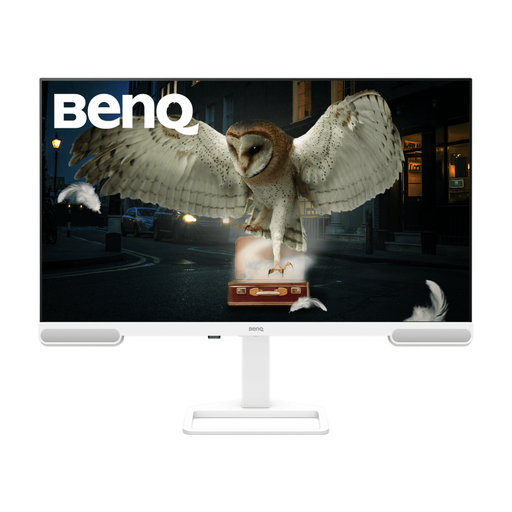
Consider this larger-format display if you have space for results and documents on screen. Its product name specifies 3840 × 2160 resolution; check the supplied stand’s adjustments and the desk space available before choosing its position.
Choose 4K if fitting dense tables, detailed charts or several documents on screen is your main constraint and your computer handles the resolution at a readable scale. A 27-inch QHD monitor may suit you when its workspace is sufficient and features such as docking and stand adjustment matter more; compare the screen sizes and exact models as well as their resolutions.
Yes, if your laptop supports video over USB-C and the monitor supplies enough power for it. Compare the laptop’s video and charging specifications with the exact monitor: AOC specifies 90 W power delivery for the Q27E4CV, while LG Electronics UK specifies 60 W for the 32UN880K-B.
Position the screen and room lighting to minimise reflections, then adjust the display’s angle and brightness for the material you are reading. The Health and Safety Executive’s display-screen guidance addresses positioning and reflections; assess the finish of the exact monitor in the lighting you expect to use.
No single monitor feature establishes compliance. For work users covered by display-screen-equipment duties, the Health and Safety Executive says employers must assess and reduce workstation risks; screen position is one part of a setup that also includes the desk, chair, lighting and working routine.
If you are covered by an employer’s UK display-screen-equipment duties, the Health and Safety Executive says eye and eyesight tests must be provided on request. That work-related duty should not be assumed to apply to every student or personal monitor purchase; check your circumstances with your employer or institution.