Buying priorities
Check the TV’s existing controls first, then match the audio route to whether listening is shared or personal and to the connections your television actually supports.
| Priority |
What to check |
Your needs |
| Dialogue control |
Try speech enhancement, subtitles where available, and modest treble or bass adjustments with familiar dialogue-heavy content. Check whether the TV or soundbar offers a night or dynamic-range mode for loud effects. |
I want to follow conversations without continually changing the master volume. Which? identifies quiet speech followed by louder action as a common home-viewing problem, while RNID notes that treble and bass adjustments can help some speech sound clearer. |
| TV connection |
Confirm HDMI ARC or eARC on both the TV and soundbar. If using optical, check that both devices have compatible optical connections; HDMI has broader audio-format bandwidth when both devices support it. |
I need an audio product that fits the ports, menus and remote-control arrangement already in my room. Samsung UK advises checking ARC/eARC support on both devices before using that route. |
| Personal or shared listening |
For headphones, check Bluetooth audio output and the relevant A2DP profile, or a compatible wired or optical-transmitter route. Confirm whether the TV can play through speakers and headphones at the same time. |
I may need a personal listening level without making the room louder, or a shared solution that everyone can hear. Sony notes that simultaneous output depends on the TV model and connection method. |
Joybuy product options
Joybuy options for the shared-room soundbar route and the personal wireless-headphone route described in this guide.
 No image available
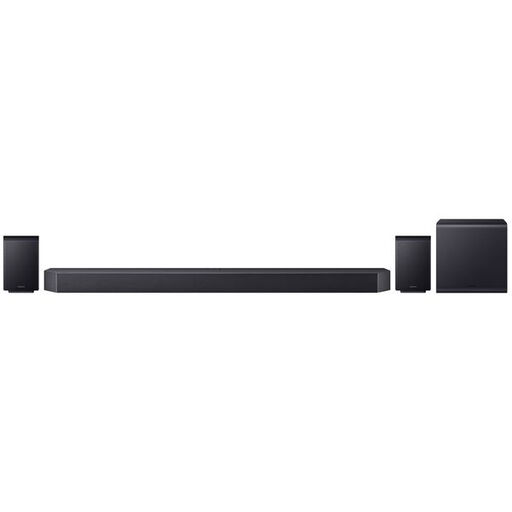
Samsung HW-Q990H/XC 11.1.4-Channel Soundbar, 756 W
For shared viewing where quiet speech and loud effects are a concern, subject to a compatible wired TV connection.
Listed features include Voice Enhancement Mode, Night mode, ARC/eARC, CEC and an included HDMI cable.
Check the TV’s selected ARC/eARC port and audio-output menu. The supplied wireless subwoofer and rear speakers also need suitable placement and power access.
Joybuy
 No image available
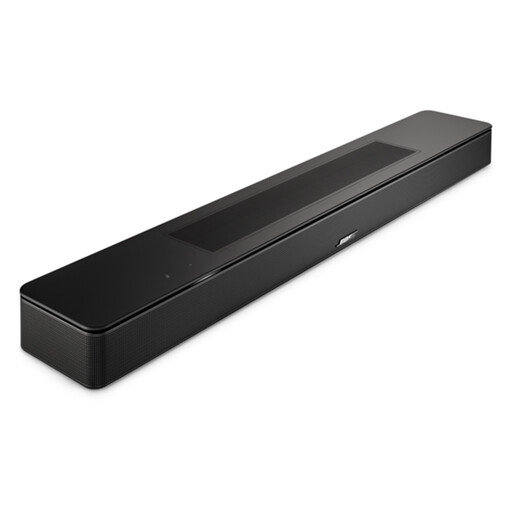
Bose Smart Compact Sound Bar
A compact shared-room soundbar option for dialogue-heavy viewing where the TV has a compatible wired output.
The listing specifies A.I. Dialogue Mode, HDMI eARC, optical input, HDMI CEC TV-remote control, and supplied HDMI and optical cables.
Confirm the TV’s ARC/eARC or optical output before buying. No night or dynamic-range-management mode is stated, and wall brackets are sold separately if required.
Joybuy
 No image available
Bose Smart Ultra Soundbar, Arctic White
For a shared viewing room where the furniture has space for a 104.5 cm soundbar and a wired TV-audio route is available.
Listed features include A.I. Dialogue Mode, HDMI eARC, optical input, HDMI CEC control, supplied cables and ADAPTiQ room calibration.
Check whether the TV supports the chosen HDMI or optical connection. No night or equivalent loudness-management control is stated, and calibration requires setup time.
Joybuy
 No image available
JBL Tune 780NC Wireless Over-Ear Headphones, Black
A personal listening route for one viewer who wants TV sound without increasing room volume, provided the television can send compatible audio.
The listing includes Bluetooth A2DP, app EQ controls, over-ear construction and a USB-C-to-3.5 mm audio cable.
Confirm Bluetooth audio output or a compatible transmitter for the exact TV. Speaker-and-headphone playback together depends on the television, and no dedicated dialogue mode is stated.
Joybuy
 No image available
JBL Tune 720BT Wireless Over-Ear Headphones, Black
A personal listening option for compatible TVs when one viewer needs their own volume level.
The listing states Bluetooth 5.3, a 3.5 mm wired connection, smart-TV compatibility and app EQ controls.
Check that the TV can output Bluetooth audio or has a compatible 3.5 mm output. Shared playback through speakers or a soundbar is dependent on the TV’s simultaneous-output behaviour.
Joybuy
Frequently asked questions
What should I check on my TV before buying a soundbar?
Check for HDMI ARC or eARC, optical digital audio output and the TV menu used to select an external audio device. Samsung UK advises that ARC/eARC needs support on both devices; optical is a fallback, but it has lower format bandwidth than HDMI.
Will Bluetooth headphones work with every TV?
No. The exact TV needs Bluetooth audio output support; Sony UK identifies A2DP as the relevant Bluetooth audio profile for compatible Android and Google TVs. If that output is unavailable, a suitable transmitter connected to optical output may be an alternative.
Can one person use headphones while others listen through the TV or soundbar?
Only when the exact TV and connection method support simultaneous output. Sony notes that some models do not support it and that certain HDMI, headphone-jack and Bluetooth arrangements cannot play alongside the TV speakers.
Are subtitles a useful alternative to increasing volume?
Yes, when they are provided for the programme. RNID notes that TVs and set-top boxes commonly offer subtitles, and Ofcom identifies subtitling as a television access service; availability and quality can vary by programme and service.
Do UK television access-service rules mean every programme has subtitles?
Do not assume that every programme has subtitles. Ofcom’s code concerns requirements for television broadcasters, so check the specific channel, service and programme before relying on subtitles for viewing.


