Viewers short on floor space
If a projector several metres from the wall would block seating or a walkway, measure the proposed lens position and investigate short-throw or ultra-short-throw placement.


Measure the available lens-to-wall distance before choosing a projector: a short-throw or ultra-short-throw model is worth considering if a conventional projector would obstruct seating or a walkway. For quiz shows, prioritise legible text at your intended image size and a way to connect your viewing source; a portable model is more suited to occasional viewing when you can darken the room.
If a projector several metres from the wall would block seating or a walkway, measure the proposed lens position and investigate short-throw or ultra-short-throw placement.
Questions, answer options, scores and subtitles matter more to you than simply achieving the largest image. Consider native resolution, image size and how much light remains in the room.
If you move the projector between uses and can darken the room, a portable setup may suit you. Check its connections, sound and placement each time rather than assuming portability guarantees a useful image size.
Establish where the projector can stand, then judge whether quiz text will be readable in your usual lighting. Consider portable convenience after those two needs.
| Concern | What to check | Who this matters to |
|---|---|---|
| Projection distance | Measure from the proposed lens position to the wall; check the exact model’s throw range against your intended image size. | If placing a projector farther back would obstruct the room, I need an image that fits from the space I actually have. Around 39% of consumers put placement fit first. |
| Readable text | Check native resolution and the stated brightness measurement, then consider image size and the light you can control. | When questions or subtitles appear, I want to read them without darkening the living room completely. For around 38% of consumers, legibility is the primary concern. |
| Occasional setup | Confirm the connection needed for your viewing source and check the projector’s speaker and positioning options. | If I put the projector away after a programme, a manageable setup matters more to me than viewing with the lights on. This is the main priority for around 23% of consumers. |
A claimed large image does not tell you whether the projector can produce it from the space available. An unsuitable position could leave the image too small or put the unit in a walkway.
Measure the proposed position and wall width, then check the intended size with the exact model’s throw information. ProjectorCentral advises confirming placement details with the supplier before making a final decision.
Brightness labels can use different measurement bases, so figures from different product listings do not, by themselves, establish how two projectors will look in your room.
Check which brightness measure each listing uses and consider whether you can control daylight or lamps during viewing.
Using a projector rather than a television does not change the viewing method. TV Licensing says watching live TV requires TV Licence coverage.
Check your household’s coverage before watching a quiz show live through the projector.
Its EH-LS650W illustrates an ultra-short-throw living-room setup when the projector needs to sit close to the wall.
Its range includes short-throw home models and portable models for different placement and lighting needs.
The X2-4K is a short-throw example for viewers who have some clear distance between projector and wall.
These projectors offer different approaches to occasional or compact-room viewing. Check the image size at your available distance and your room lighting before choosing from the list.
 No image available
Consider this model if you want a stated Full HD image for quiz text, but check the image size it will produce from your proposed position.
The product title specifies native 1080p, 900 ANSI lumens, Android 14 and HDMI and USB compatibility. Treat the brightness figure as a listing specification, not a prediction of how text will look with your room lights on.
 No image available
The rotating design may appeal if you move the projector between positions; confirm that your chosen position produces a suitable image size.
The title lists Full HD 1080p, 500 lumens, a claimed 120-inch display and HDMI. Check the brightness measurement and allow for lighting control rather than assuming the claimed display size will work in your room.
 No image available
This compact option is worth considering for occasional viewing if you can check that quiz text remains readable at your intended size.
The title specifies native 720p with 1080p support, Android 14 and a 180° rotating stand. Support for a 1080p signal does not make the native image 1080p.
 No image available
Consider this portable model if a compact setup matters, while checking its image size at the distance available in your living room.
The title states 1080p FHD and 4K support. Check which viewing apps and connections you need on the exact listing before relying on its smart features.
 No image available
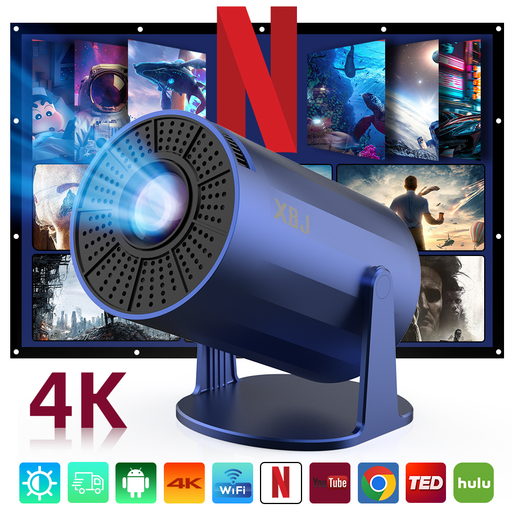
This movable projector is a choice to assess for occasional viewing with controlled lighting; check native resolution before relying on it for small quiz text.
The title lists 200 ANSI lumens, 1080p HD and 4K decoding. Decoding support does not establish native 4K resolution, and the claimed screen-size range does not establish what will fit at your chosen distance.
Measure the planned lens-to-wall distance and usable wall width, then check the image size for that distance using the exact model’s throw information. ProjectorCentral advises confirming supplier details before making final placement decisions.
It is more suited to occasional viewing when you can darken the room and keep the image modest than to viewing with lamps on or daylight present. BenQ lists its portable GV50P at 500 lumens, but that specification alone cannot establish how another portable projector will perform in your room.
The projector does not remove the need for TV Licence coverage when watching live TV. TV Licensing says the requirement applies to live viewing, so check whether your household is covered before watching.