For a small student-room desk, a tenkeyless (TKL) keyboard is a practical starting point: it removes the number pad while retaining dedicated arrow and function keys. If you race using keyboard controls, consider analogue input only after checking that your game and setup can use variable key presses; for a shared room, assess the sound of the particular model rather than assuming a switch type will be quiet.
Who this choice affects
Keyboard-driving racing players
If you steer, accelerate or brake with keys, variable input may be worth considering when your game and setup support it. Wooting describes this as a use for its analogue keyboards; it is a different consideration from simply changing how soon a key activates.
Small-desk PC gamers
When a mouse and study materials share the desk, keyboard width matters. As RTINGS.com explains, a TKL layout removes the number pad while keeping the main key groups used for gaming and study.
Shared-room evening gamers
If someone else is studying or sleeping nearby, keyboard sound deserves attention alongside layout and controls. RTINGS.com notes that louder keyboards are more likely to disturb people around them.
What matters when choosing
Decide whether you will drive with the keyboard, then check how much desk width and how many dedicated keys you need. Treat shared-room noise as a model-specific check, whatever layout you prefer.
| Concern | What to check | Who this matters to |
|---|
| Racing controls |
Check whether your game accepts the keyboard’s intended variable input and what setup it requires; adjustable actuation alone does not establish analogue throttle control. |
If I drive with keys, I want to know whether a press can do more than switch acceleration or braking on and off. Around 42% of consumers put keyboard-based racing control first. |
| Desk space and keys |
Measure room for the keyboard and mouse, then decide whether you need dedicated arrows, a function row or a number pad. |
With coursework and games sharing a small desk, I need mouse room without giving up keys I regularly use. Preserving that balance comes first for around 33% of consumers. |
| Room noise |
Look for sound information about the exact model; do not treat linear switches or internal dampening as a guarantee of quiet use. |
When I play near a roommate, I want key presses that are less likely to interrupt them. Keeping disturbance down is the main concern for around 25% of consumers. |
Buying pitfalls
-
Choosing 60% solely to save desk space
A 60% board omits dedicated function and arrow keys, which may be inconvenient for coursework, menus and games beyond racing.
If you use those keys regularly, compare a TKL or 80% layout before choosing the smaller format.
-
Assuming every analogue switch improves racing control
Variable in-game input, adjustable actuation and Rapid Trigger are distinct features. Their usefulness depends on the game, configuration and whether you drive with keys rather than a controller or wheel.
Identify the control you actually want, then check the exact keyboard’s features and your game’s input support.
-
Taking dampening as proof of quiet operation
Switches are only part of a keyboard’s sound; stabilisers, keycaps and construction also affect what someone nearby hears.
Compare sound information for the particular model where available, and check the seller’s return terms before relying on how it is described.
-
Choosing wireless without considering charging
Wireless can remove a desk cable, but it also brings battery and connection management into everyday use.
Choose a wired connection if you prefer an always-connected setup. If you prefer wireless flexibility, check the exact connection modes and the conditions attached to any battery-life claim.
Remember to allow for charging and, where required, managing a wireless receiver.
Relevant brands to consider
Wooting
An analogue-keyboard line to examine if variable keyboard input is central to how you play racing games.
- Wooting says its analogue key presses track press depth and can enable more gradual throttle and braking in compatible racing-game setups.
- Layouts differ across the line: the Two HE is full-size, the 80HE is an 80% option and the 60HE v2 is 60%. Check both game compatibility and the keys you need for study.
CORSAIR
A conventional TKL option for buyers seeking a narrower board with dedicated function keys.
- The UK K70 CORE TKL combines linear switches with two sound-dampening layers; a wireless version offers additional connection choices.
- Neither switch type nor dampening alone establishes how quiet a board will sound in your room. Wireless use also involves charging.
Logitech G
A TKL line worth comparing if a slim profile or a choice of connection modes matters.
- The G515 LIGHTSPEED TKL has a 22 mm low-profile design and wired, Bluetooth and wireless connection options.
- The G515 RAPID TKL offers adjustable actuation, but that specification does not itself establish variable throttle or braking in a racing game.
Razer
An adjustable-actuation TKL route for players interested in tuning key activation.
- The Huntsman V3 Pro Tenkeyless 8KHz is specified with a 0.1–4.0 mm adjustable actuation range.
- Actuation and polling specifications alone do not demonstrate a racing-specific advantage or establish variable throttle support.
Joybuy product choices
These keyboards offer different ways to use a limited gaming-and-study desk, from 65% layouts to an 87-key board and a 96% option. Check each layout and your racing game’s input requirements before choosing.
 No image available
ASUS ROG Falchion Ace HFX 65 Analogue Keyboard, UK Layout
Consider this 65% option if compactness and analogue input both interest you. Check the keys you need for coursework and whether your racing game can use the intended input.
UK layout; 65% format.
View on Joybuy
 No image available
AULA F75 75% Tri-Mode Wireless Keyboard, US QWERTY
The 75% format may suit a desk shared between gaming and study. Check whether the stated US QWERTY layout works for your typing.
The product name specifies wired, Bluetooth and 2.4G modes, plus PBT keycaps.
View on Joybuy
 No image available
ASUS ROG Strix Scope II 96 Wireless, White, UK Layout
Consider the 96% format if you want a fuller key layout, but measure the space left for your mouse before choosing it for a small desk.
Wireless model; white variant with UK layout. Check the switch option on the exact listing if key feel or sound matters to you.
View on Joybuy
 No image available
Siukie PL87W 87-Key 3-Mode Mechanical Keyboard
The 87-key format is worth considering if you want a narrower gaming keyboard while keeping a larger key set than a 65% board. Check the exact key layout against your coursework and typing needs.
The product name specifies detachable switches and three connection modes.
View on Joybuy
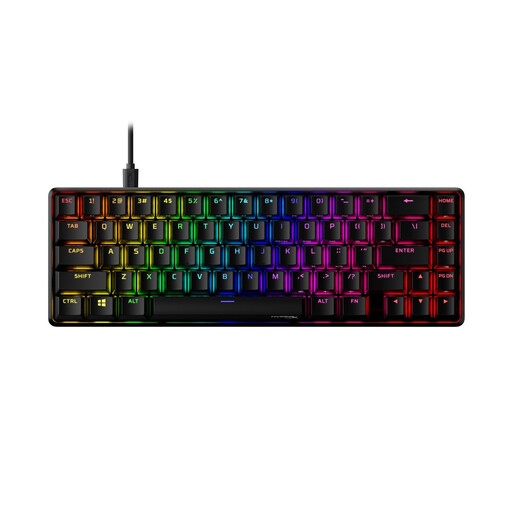 No image available
HyperX Alloy Origins 65, HX Red, US Layout
This 65% mechanical keyboard may suit a desk where width is tight. Check whether its key arrangement provides the shortcuts you use for study and whether the US layout suits your typing.
HX Red variant; US layout.
View on Joybuy
Frequently asked questions
Should I choose TKL or 60% for a student-room desk?
Choose TKL if you need more mouse room than a full-size board allows but regularly use dedicated arrows and a function row. A 60% layout saves further space by omitting those keys, so check your coursework shortcuts and other games before choosing it.
Will a dampened mechanical keyboard be quiet enough for a roommate?
Dampening alone cannot tell you how quiet a keyboard will be in a shared room. RTINGS.com notes the importance of keyboard noise to people nearby; compare sound information for the exact model rather than relying only on its switch type or construction claims.
Do I need software to use a gaming keyboard?
Basic operation does not require software for every model: CORSAIR says the K70 CORE TKL can use profiles saved onboard in hardware mode. Check the exact keyboard’s requirements if you want advanced lighting, macros or analogue-input configuration.
Can I use a wireless keyboard for racing games?
Yes, provided the particular keyboard’s connection options and charging routine suit you. If you want to avoid battery management, a wired model is the simpler choice; either way, check game compatibility separately if variable keyboard driving controls matter.


