PC racers seeking variable key input
If you want to vary steering, throttle or braking through a key press, check your racing title’s input support before choosing an analogue board. Wooting says analogue movement is game-dependent.


Choose an analogue keyboard for racing only if your PC game accepts variable input from keys and you want that control for steering, throttle or braking. Wooting describes this use for its analogue keys but cautions that not every game supports analogue movement. Otherwise, start with lighting you can control in a dark room, then choose a layout, switch feel and connection that suit your desk and other uses.
If you want to vary steering, throttle or braking through a key press, check your racing title’s input support before choosing an analogue board. Wooting says analogue movement is game-dependent.
If seeing your chosen controls matters, look for lighting you can adjust rather than RGB effects alone. SteelSeries, CORSAIR and Logitech G describe per-key lighting on specific models, though the available controls and software differ.
If the keyboard also serves everyday work or other games, weigh desk space, key layout, switch feel and cables alongside racing controls. Compact, full-size and wireless designs make different compromises.
Decide whether your racing game can use the input you want, then assess lighting for the room and the keyboard’s fit for your desk.
| Concern | What to check | Who this matters to |
|---|---|---|
| Variable vehicle control | Check whether your exact game and platform accept the keyboard’s analogue input and whether configuration is required. Adjustable actuation alone does not establish variable vehicle control. | If I want to ease on the throttle or brakes with keys, an on/off press will not meet that need in a game that accepts variable input. Around 40% of consumers put compatible variable control first. |
| Dark-room visibility | Check brightness adjustment and whether lighting is controlled per key or by zone; confirm any software needed for your preferred settings. | When I play with the room lights off, I want to find my driving keys without bright effects drawing my eye away. Around 30% of consumers prioritise controllable key visibility. |
| Desk fit and connection | Compare the key layout, including numpad availability, with your desk space. Check the exact UK or US variant and the connection modes you will use. | With other controls on my desk, keyboard size and cable placement affect how comfortably everything fits. Around 20% of consumers put layout and connection first. |
| Key feel and noise | Check the exact switch variant, keyboard height and any stated wrist-support or sound-dampening features. | If I play for long stretches or share a room, I want a key feel I like without unwanted noise. Around 10% of consumers make feel and disturbance their primary concern. |
Wooting says not all games support analogue movement. A keyboard’s analogue capability therefore does not establish that your chosen title will accept variable throttle or braking from it.
Check the game’s input options and the keyboard’s configuration requirements. A key configured to trigger different digital actions is not proof of native analogue support.
A model may have separate UK and North American variants, with different legends and key arrangements. CORSAIR lists both layout choices for its K70 CORE RGB.
Check the selected variant on the exact listing before ordering, particularly if you use a UK layout for everyday typing.
Lighting effects can draw attention away from the game, while a fixed pattern may not help you identify the keys you use to drive.
Look for adjustable brightness and the level of key or zone control you need; check whether your preferred setting requires manufacturer software.
A TKL board omits the numpad. A wireless board introduces connection and charging choices that a wired setup does not have.
Decide which keys you use outside racing and which connection modes your devices need before choosing a format.
The 80HE is a reference point for PC racers considering analogue keys rather than conventional on/off input.
The UK Apex Pro TKL Gen 3 combines a compact layout with adjustable magnetic-switch triggering and per-key RGB.
The UK K70 CORE RGB is a wired mechanical route for players considering per-key lighting and remapping.
Its G915 X LIGHTSPEED and G512 illustrate different choices for connection, profile and mechanical-switch feel.
The UK Ornata V3 offers a low-profile mecha-membrane option for an RGB-lit setup.
These keyboards cover compact boards with analogue-oriented features and RGB mechanical options with different layouts and connections. For racing, check your exact game’s keyboard-input support before relying on any model’s controls.
 No image available
Consider this compact option if adjustable key triggering interests you; confirm your racing game’s input support before choosing it for variable vehicle control.
The listed variant has a 60% layout and analog optical keys. Check whether its reduced key set suits your other controls.
 No image available
This compact board suits players considering adjustable magnetic-switch input, provided they check whether their game can use the control they want.
The title specifies 0.01 mm adjustable actuation, Rapid Trigger, 8K polling, RGB and a wired US-layout white-and-black variant with King Magnetic switches. Check that the layout suits your typing and racing keys.
 No image available
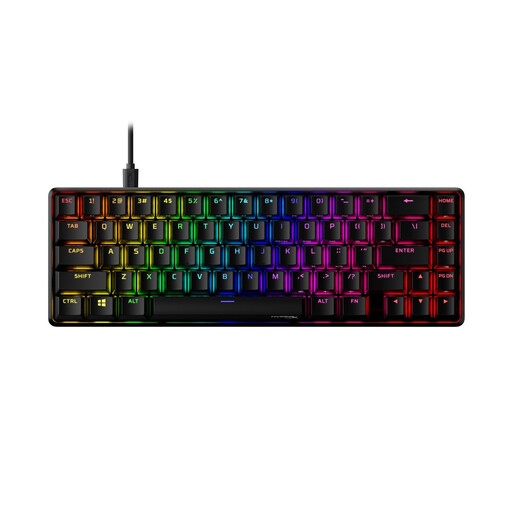
Consider this conventional mechanical option if a compact key arrangement matters more to you than analogue racing input.
The listed variant is the Alloy Origins 65 with HX Red switches and a US layout. Confirm that its key arrangement and your game’s keyboard support suit your setup.
 No image available
Consider this layout if you want to reduce desk clutter while keeping a choice of connection modes.
The title lists wired, Bluetooth and 2.4G modes, RGB backlighting, PBT keycaps and a QWERTY US layout. Check the lighting controls if dimming or highlighting particular keys is important to you.
 No image available
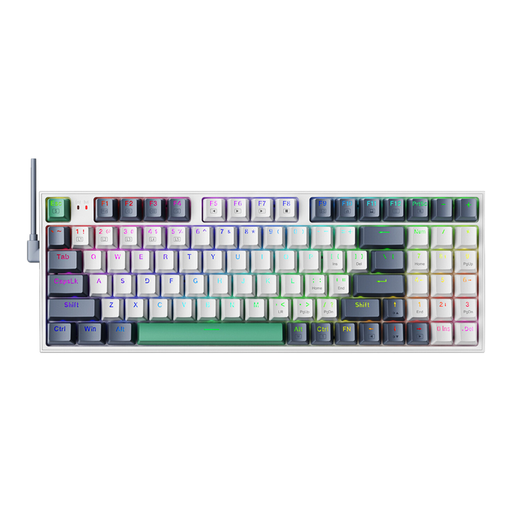
This wired mechanical option is worth considering if you want a 90% layout rather than a smaller 60% or 75% board.
The listed white variant has red switches, RGB and a QWERTY US layout. Check the physical key arrangement and lighting controls against your dark-room setup.
No. Wooting describes variable input for actions such as throttle and braking, but also says not all games support analogue movement. Check your exact title and the keyboard’s required input configuration before buying for that purpose.
Not necessarily: ordinary backlighting may be enough if you just need to see the keys. Per-key control is worth checking if you want to distinguish driving keys or tone down other lighting; SteelSeries, CORSAIR and Logitech G list it on the specific models discussed here, with advanced G512 settings requiring G HUB.
Check the physical layout selected on the exact product listing, not just the model name. CORSAIR lists separate UK and North American options for the K70 CORE RGB, and several of the Joybuy keyboards shown here specify a US layout.
Only when the particular cloud game supports mouse and keyboard input. Xbox Support says some cloud games can be played this way and provides a mouse-and-keyboard category for finding supported titles; check the racing game you intend to play.