Choose a compact gaming-focused tablet if racing performance and longer sessions matter most, a smaller iPad if carrying and holding it easily takes priority, or a larger tablet if you value more screen space in a bright waiting area. Before buying, check your particular game and controller, and decide whether you can download what you need in advance or will depend on a connection at the terminal.
Who each option suits
Performance-first mobile racers
You expect longer racing sessions while waiting to board and care more about gaming-oriented hardware and display refresh rate than having the largest screen. Check what your particular game can use before choosing on specifications alone.
Light-travel gamers
You want a tablet that is straightforward to pack, carry through the terminal and hold while playing. A smaller screen may leave less room for touch controls.
Bright-terminal screen seekers
You may play near windows or in other bright areas and put more value on screen space and the manufacturer’s stated brightness modes. Glare and viewing angle still matter.
What matters when choosing
Compact Android gaming tablet
Consider it when: Racing play is the main purpose and you want a gaming-focused tablet you can hold while waiting. Lenovo lists an 8.8-inch display, Snapdragon 8 Gen 3 and cooling for the Legion Tab Gen 3.
Trade-off: Its screen offers less space than a 10.9-inch tablet, and Lenovo’s 165Hz display specification does not establish your game’s frame rate.
Compact iPad
Consider it when: Easy carrying matters most and your racing game runs on iPadOS. Apple lists the Wi-Fi iPad mini at 293g with an 8.3-inch display.
Trade-off: Touch controls and game information have less screen space than on the larger routes; check controller support for the game you intend to play.
Larger-screen Android tablet
Consider it when: You prefer a roomier view in a bright waiting area. Samsung lists a 10.9-inch display and up to 800 nits in High Brightness Mode for the Galaxy Tab S10 FE.
Trade-off: A larger screen takes more bag space; Samsung’s brightness figure does not guarantee comfortable viewing through glare.
For racing games during a ferry-terminal wait, start with the requirement you would put ahead of the others, then compare the exact tablet variants against these checks.
| Concern | What to check | Who this matters to |
|---|
| Racing-game performance |
Confirm operating-system support for your game; compare the chip and refresh rate, then check which frame-rate settings the game offers. |
If I plan to race through a long wait, I want responsive play rather than a display figure my game cannot use; roughly 36% of consumers would put sustained racing performance first. |
| Portability and grip |
Compare the exact variant’s weight and dimensions, and consider the space its screen leaves for touch controls. |
Carrying the tablet through check-in and holding it to play matter more to me than maximum screen area; around 29% of consumers would make portability their primary concern. |
| Screen visibility and space |
Compare screen sizes and the conditions attached to manufacturers’ brightness claims; account for glare where you expect to sit. |
Near a bright terminal window, I want enough room to see the track and controls; roughly 21% of consumers would prioritise screen visibility and usable area. |
| Connection planning |
Check your terminal’s Wi-Fi arrangements and the game’s offline options; confirm your mobile-data arrangements before boarding. |
I would rather have a game ready to play than depend on an uncertain connection or encounter unexpected roaming charges; around 14% of consumers would put connection planning first. |
Buying pitfalls
-
Choosing on refresh rate alone
A tablet’s 165Hz or 90Hz display specification does not establish the frame rate of a particular racing game.
Check that your game runs on the tablet’s operating system and look at its available graphics and frame-rate settings before making refresh rate decisive.
-
Counting on terminal Wi-Fi for online racing
Portsmouth Port says free Wi-Fi is available across its site, but that does not tell you how a connection will perform for your game at a particular time or establish service at another terminal.
Install the game and updates before travelling, and check whether it has an offline mode you can use while waiting.
-
Leaving roaming active during the crossing
Brittany Ferries warns that using an offshore mobile network can incur additional charges.
Before boarding, check the applicable network and tariff; turn off data roaming if you do not intend to use it.
-
Assuming a product-family name identifies the variant
Storage, Wi-Fi or cellular configuration and included accessories can differ between listings for similarly named tablets.
Match the full model and configuration to the manufacturer’s specifications, and check the listing’s seller, charger details and warranty terms.
Brands to consider for these tablet routes
Lenovo
The Legion Tab Gen 3 represents a compact, gaming-focused Android route.
- Lenovo lists an 8.8-inch, 165Hz display, Snapdragon 8 Gen 3, Legion ColdFront cooling and a 350g weight for this model.
- These specifications do not confirm support or achieved frame rates for every racing game; the display is smaller than the 10.9-inch Samsung route.
Apple
The 8.3-inch iPad mini represents a compact iPadOS route for travel.
- Apple lists the Wi-Fi iPad mini at 293g with an A17 Pro chip; Wi-Fi + Cellular versions offer 5G.
- The smaller display leaves less room for touch controls than a larger tablet, and game and controller support must be checked for iPadOS.
Samsung
The Galaxy Tab S10 FE represents a larger-screen Android route.
- Samsung lists a 10.9-inch display, 90Hz visuals and up to 800 nits in High Brightness Mode for this model.
- The larger format takes more carrying space than either compact route, while actual visibility depends on lighting and glare.
Joybuy tablet choices
These tablets give you compact and larger-screen options to consider for racing games during a ferry-terminal wait. Check your game’s compatibility and each listing’s exact variant before choosing.
 No image available
Xiaomi Pad 8 Pro, grey, 12G RAM, 512G storage
Consider this larger-screen option if display space and storage for downloaded games matter to you. Check your racing game and controller, along with the tablet’s weight and dimensions, before choosing it for handheld play.
View on Joybuy
 No image available
Apple iPad mini 7 (A17 Pro), 256GB, Space Grey
Consider the iPad mini if a compact tablet suits your journey and your racing game runs on iPadOS. Check controller support and this variant’s Wi-Fi or cellular configuration; its smaller screen leaves less space for touch controls.
View on Joybuy
 No image available
DOOGEE Tab E3, black, 11-inch FHD+ 90Hz
Consider this Android tablet if you want an 11-inch view for racing. Its product name specifies Android 15 and a Helio G100; confirm the exact storage variant, game settings and weight before buying.
View on Joybuy
 No image available
Apple iPad Pro 11-inch (M5), Wi-Fi, 256GB, standard glass, Silver
Consider this 11-inch iPad if you want more viewing area than a mini tablet and plan to play an iPadOS-compatible game. Check your game and controller, and compare weight and screen visibility for the way you expect to use it at the terminal.
View on Joybuy
 No image available
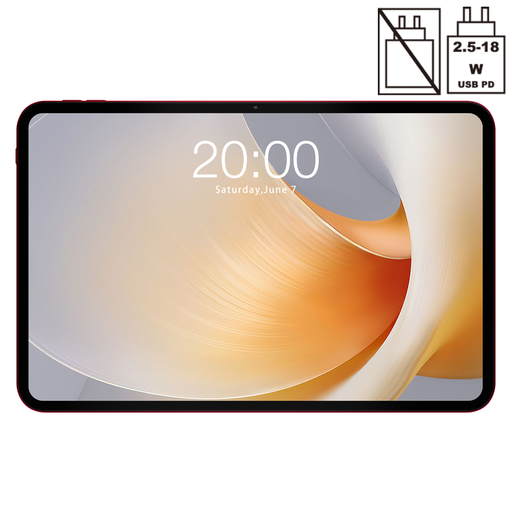
Teclast T65 Plus, 13.4-inch 120Hz, 128GB
Consider this Android 15 tablet if screen area matters more than a compact handheld format. Its product name specifies a Helio G99; check game compatibility, weight and brightness before relying on it for racing in a bright terminal.
View on Joybuy
Questions before you buy
Can I rely on ferry-terminal Wi-Fi for online racing?
Do not make terminal Wi-Fi your only plan for online racing. Portsmouth Port says it offers free Wi-Fi across its site, but connection conditions and your game’s requirements still matter; install games and updates beforehand and check for an offline mode.
Could mobile data incur extra charges once I am onboard?
Yes, an offshore mobile network may incur additional charges. Brittany Ferries advises turning off data roaming to avoid high charges; check your network arrangements and ferry route before deciding how you will connect.
Do I need a cellular tablet for the journey?
Not necessarily: a Wi-Fi-only tablet can suit games you prepare in advance and play offline. Consider a cellular variant if you need your own connection, but check the exact configuration and mobile-data arrangements; Apple offers 5G on Wi-Fi + Cellular iPad mini models, not its Wi-Fi-only models.
What should I check in a UK tablet listing?
Check the full model and variant, seller information, included charger and warranty terms rather than relying on the product-family name. If a marking is relevant to your purchase, GOV.UK explains that UKCA and CE markings reflect the manufacturer’s belief that applicable product requirements are met; a marking alone does not answer your game-compatibility or variant questions.


