Choose a truck-oriented wheel and mount if a flatter steering position is your priority: the Thrustmaster T128 SimTask Pack provides that arrangement for PC and Xbox, provided your desk fits its clamp. A conventional round wheel may suit consumers who also play racing games, while a direct-drive setup offers another route if you are prepared to check its platform variant, mounting and optional controls separately.
Who these setups suit
Desk-seated truck-sim players
If you want a flatter steering position at your desk, Thrustmaster describes its SimTask mount for heavy-vehicle simulation. Its specified desk-clamp range is 15–50 mm, so measure the desktop and check your seated clearance.
Players who also race cars
A conventional round wheel may suit you if you switch between lorry simulation and racing games. Check the console variant before choosing: Logitech G identifies G29 for PlayStation and PC, and G920 for Xbox and PC.
PC players planning a modular setup
MOZA Racing offers an R3 PC bundle and separate truck-oriented equipment. If you expect to add controls later, check that the chosen wheel, pedals and accessories work together rather than assuming they come in one bundle.
What to check before buying
Start with your platform and the space available at your seat, then decide which truck-style controls you would use. A wheel that suits the game still needs a workable mounting position and room for the pedals.
| Concern |
What to check |
Who this matters to |
| Seated position and desk fit |
Measure desk thickness and usable edge space. Thrustmaster specifies a 15–50 mm desktop for the SimTask clamp; check knee and pedal clearance too. |
If I want a flatter, cab-like steering position, the mount must fit where I actually sit. Around 36% of consumers would put posture and mounting first. |
| Platform and game compatibility |
Match the exact PC or console variant, then check support and control settings for your game. |
I do not want to set up a wheel only to find that I chose the wrong console version or cannot configure my controls. For around 29% of consumers, compatibility is the primary need. |
| Truck-style controls |
Decide whether you want steering and pedals alone or a spinner knob, shifter, clutch or truck-style rim; check what is included and compatible. |
When manoeuvring a simulated lorry, I may want one-handed steering or more cab-style controls. That is the leading concern for around 21% of consumers. |
| Bundle and upgrade path |
Check which wheel, pedals and mount come with the exact bundle, and which desired controls are separate. |
I want a usable starting setup without assuming I already have every control I might add later. Around 14% of consumers would prioritise bundle completeness and upgrade options. |
Buying pitfalls
-
Choosing by wheel-family name alone
Console support can differ within a family. Logitech G specifies G29 for PlayStation and PC, but G920 for Xbox and PC; MOZA Racing also distinguishes its PC and Xbox R3 configurations.
Check the full variant name against the platform you own before considering accessories.
-
Assuming a truck-style clamp fits any desk
Thrustmaster specifies a 15–50 mm desktop for the SimTask Steering Kit. Thickness alone does not establish that your desk edge, knees and pedals will have enough room.
Measure the mounting edge and test the space available around your seated position before ordering.
A different mounting arrangement may be needed if the desk cannot accommodate the specified clamp.
-
Assuming a shifter or clutch is included
Logitech G sells its Driving Force Shifter separately for compatible wheels, and MOZA Racing identifies a clutch pedal as optional for the R3 bundle.
List the controls you intend to use and check the contents of the exact bundle.
-
Choosing direct drive before checking the driving position
A direct-drive specification does not tell you whether the wheel shape or mounting angle suits seated lorry driving. MOZA Racing describes a 280 mm wheel in its standard R3 PC bundle, while it offers truck-oriented equipment separately.
Choose the position and control layout you need, then check which base and accessories can provide it.
Relevant brands to consider
Thrustmaster
Its T128 SimTask Pack is a PC and Xbox wheel, pedal and mount package described by Thrustmaster for trucking and farming simulation.
- Thrustmaster specifies an adjustable, flatter wheel position, a spinner knob and 270°–900° rotation for the pack.
- The SimTask clamp is specified for desktops 15–50 mm thick; this PC and Xbox pack is not a confirmed PlayStation choice.
MOZA Racing
Its R3 PC bundle offers a starting point for consumers considering a modular setup; MOZA Racing also lists separate truck-oriented equipment.
- MOZA Racing specifies a direct-drive base, wheel, pedals and table clamp for the R3 PC bundle.
- The clutch is optional, and Xbox use requires the distinct Xbox R3 configuration. Check compatibility before adding truck-oriented components.
Logitech G
Its G29 and G920 are conventional round-wheel options for consumers who divide their time between lorry simulation and racing games.
- Logitech G specifies 900-degree rotation for the G29/G920 family and offers a compatible Driving Force Shifter.
- G29 is the PlayStation and PC variant; G920 is the Xbox and PC variant. The shifter is sold separately.
Joybuy product choices
These choices cover a truck-oriented desk package, a Windows truck control system and conventional wheel-and-pedal sets. Match the exact platform, mounting arrangement and controls to your seated setup.
 No image available
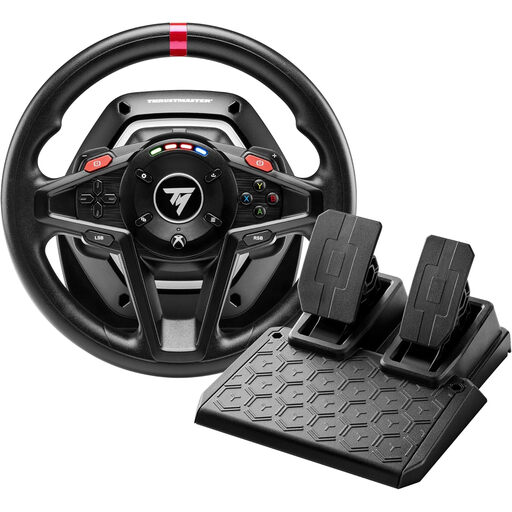
Thrustmaster T128 SimTask Pack (Xbox and PC)
Consider this package if you want a flatter steering position for seated lorry simulation. Thrustmaster specifies a T128 wheel, T2PM pedals and adjustable SimTask mount with a spinner knob; the mount requires a 15–50 mm desktop. Check your desk edge, pedal space and game compatibility.
View on Joybuy
 No image available
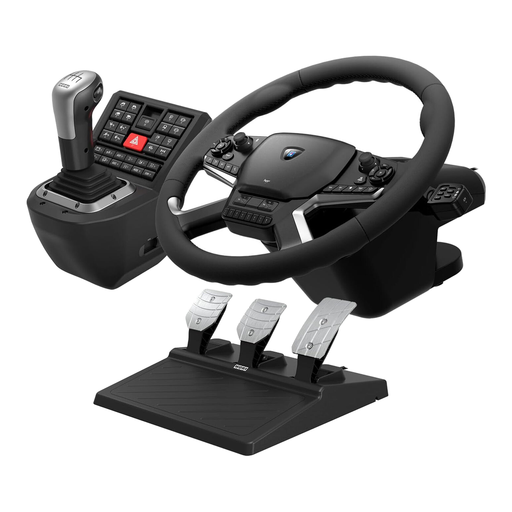
HORI Force Feedback Truck Control System (Windows 11/10)
Consider this truck control system for a Windows 11 or Windows 10 seated setup. Check the controls supplied with the exact package, desk-mount dimensions and wheel position against the way you sit and drive.
View on Joybuy
 No image available
Thrustmaster T-248X Wheel and Pedals (Xbox and PC)
Consider this conventional wheel-and-pedal set if you play driving games on Xbox or PC. Check support for your lorry simulator, desk-clamp fit and whether its mounted position suits your seat.
View on Joybuy
 No image available
Thrustmaster T128 Wheel and Pedals (PS5, PS4, PC)
Consider this conventional wheel-and-pedal set if your driving games are on PS5, PS4 or PC. Before choosing it for lorry simulation, check game support, desk mounting and whether the steering position works from your seat.
View on Joybuy
Questions about seated lorry simulation
Will any racing wheel work with my PC or console?
No: the exact variant must match your platform. Logitech G specifies G29 for PlayStation and PC and G920 for Xbox and PC; Thrustmaster specifies the T128 SimTask Pack for PC and Xbox, while MOZA Racing has distinct PC and Xbox R3 configurations. Check your game's wheel support and control settings as well.
Can I use a lorry-simulator wheel at a normal desk?
Yes, if the mount fits your desk and leaves a comfortable seated layout. Thrustmaster specifies a 15–50 mm desktop for its SimTask clamp; also measure the desk edge and allow space for your knees, pedals and any extra controls.
Do I need a shifter or clutch for lorry simulation?
Not necessarily; choose those controls if they matter to the way you want to drive, then check the exact bundle. Logitech G sells its compatible Driving Force Shifter separately, and MOZA Racing lists the R3 clutch pedal as optional.


