What to prioritise
Choose the screen format by the documents you need in view, then check desk fit and laptop connections. The routes below describe different ways of working rather than a ranking of monitors.
Compact office display
Consider it when: You mainly work on one document at a time and have limited desk space. Dell UK lists the 23.8-inch Full HD U2424HE as an adjustable USB-C hub monitor.
Trade-off: Its Full HD resolution provides less room for parallel documents than the 4K models listed by LG UK and ASUS UK.
Larger adjustable 4K display
Consider it when: You frequently keep a source passage, worksheet and browser visible together. ASUS UK lists a 27-inch 4K PA279CV, while LG UK lists a 31.5-inch 4K 32UN880K-B.
Trade-off: Allow room for the panel and stand, and check that the text size you prefer works with your computer’s display settings. LG’s clamp-mounted model also needs a suitable desk edge.
Taller 3:2 text-focused display
Consider it when: Reading and drafting long documents take priority over a conventional widescreen layout. BenQ UK lists the RD280UG with a 28.2-inch 4K+ 3:2 panel.
Trade-off: Its manufacturer-described reading modes are supplementary features, not a substitute for suitable screen position and lighting.
| Concern |
What to check |
Who this matters to |
| Readable text and workspace |
Check screen size, native resolution and aspect ratio against the number of documents you want visible; consider reflections in your usual lighting. |
If I compare passages with worksheets and answer sheets, I want enough readable text on screen without constantly switching windows. Around 42% of consumers put text and workspace first. |
| Screen position and desk fit |
Measure desk depth and stand space; check the available height adjustment and, for a clamp, desk-edge compatibility. |
On a limited or shared desk, I need to position the screen without crowding my working area. For around 33% of consumers, workable placement is the primary concern. |
| Laptop connection and charging |
Match the laptop’s USB-C video and charging requirements to the monitor’s stated capabilities; check which cable is supplied. |
When I connect a laptop for each work session, I want fewer cables without losing the video connection or the charging I need. Reducing connection complexity comes first for around 25% of consumers. |
Relevant brands and models
These examples illustrate particular screen formats and connections; the points below concern the named models, not every monitor from each brand.
LG
LG UK lists the 32UN880K-B for a larger 4K workspace with a repositionable, clamp-mounted stand.
- The 31.5-inch IPS model is listed with 3840 × 2160 resolution and USB-C power delivery up to 60W.
- Check desk depth and clamp compatibility before choosing this particular stand arrangement.
BenQ
BenQ UK describes the RD280UG as a 28.2-inch 4K+ monitor with a taller 3:2 format for text-oriented work.
- The model includes an adjustable stand and manufacturer-described paper-colour and coding modes.
- Those modes do not guarantee relief from discomfort; assess screen placement and room lighting separately.
ASUS
ASUS UK lists the 27-inch 4K ProArt PA279CV for work that may also involve preparing visual teaching materials.
- The model is listed with 65W USB-C power delivery and height, pivot, swivel and tilt adjustment.
- Its colour-management specifications need not drive the choice if your materials are almost entirely text.
Dell
Dell UK lists the 23.8-inch UltraSharp U2424HE as a compact Full HD USB-C hub monitor.
- The model is listed with an adjustable stand and USB-C power delivery up to 90W.
- Its Full HD resolution offers less room for parallel documents than the named 4K models; check whether a single-document view suits your work.
Joybuy monitors for this work
These monitors offer different screen sizes and resolutions for preparing reading exercises. Compare the working space each gives you, then check the stand and connections against your desk and computer.
 Image unavailable
ASUS ProArt PA24ACRV QHD IPS monitor
Consider this model if you prepare passages and worksheets on a compact desk but want a QHD working view. Check whether its screen size suits the number of documents you keep open, and confirm your laptop connection and the supplied cable before relying on a one-cable setup.
View on Joybuy
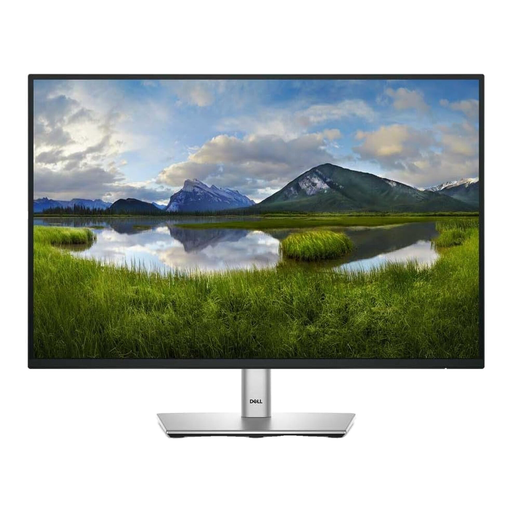 Image unavailable
Dell P2425 24-inch monitor
The 24-inch format is worth considering when desk space is limited and you mainly work on one document at a time. If laptop charging or connecting peripherals through the monitor matters, confirm the exact port configuration and power-delivery capability for this model.
View on Joybuy
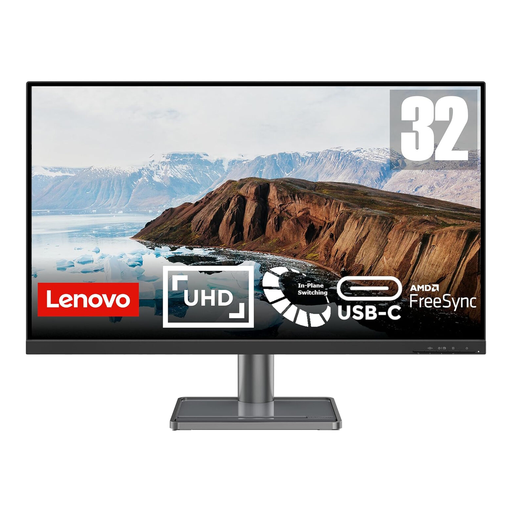 Image unavailable
Lenovo L32p-30 31.5-inch 4K IPS USB-C monitor
Its 31.5-inch 4K format is relevant if you need to arrange several reading-exercise documents together. Measure the desk and intended viewing distance; if you plan to charge a laptop through USB-C, check the model’s power-delivery rating against your laptop’s requirements.
View on Joybuy
 Image unavailable
LG 27UP650K 27-inch 4K IPS monitor
Consider the 27-inch 4K format if you want room to work across passages and exercise files without choosing a 31.5-inch screen. The product name specifies HDMI and DisplayPort; check the connection you intend to use, particularly if USB-C laptop charging is important.
View on Joybuy
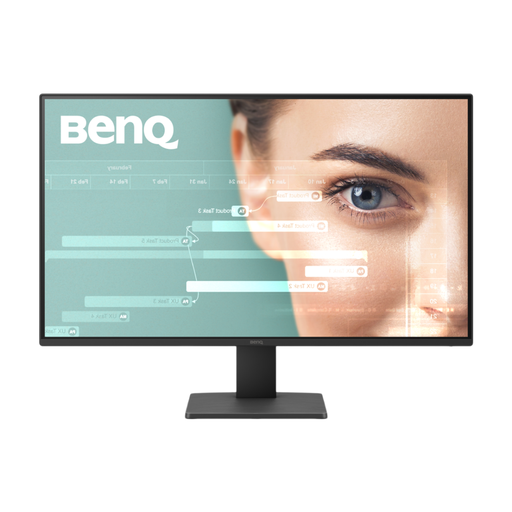 Image unavailable
BenQ GW2791 27-inch Full HD IPS monitor
This 27-inch Full HD model is an option if you prefer a larger physical screen for reading one main document. Full HD offers less room for parallel documents than the 4K formats discussed above. If setting the screen at eye level is important, check the stand’s height-adjustment options before choosing it.
View on Joybuy
Frequently asked questions
What monitor size works for preparing reading exercises at home?
Choose by the number of documents you need visible and the space available for the screen and stand. Dell UK’s 23.8-inch Full HD U2424HE illustrates a compact option, while the 27-inch ASUS PA279CV and 31.5-inch LG 32UN880K-B illustrate larger 4K formats for arranging documents alongside one another.
Where should I position the monitor?
The Health and Safety Executive advises placing the top of the screen level with your eyes and the display about an arm’s length away. Keep the screen and keyboard central to your work and adjust the wider workstation, rather than relying on monitor adjustment alone.
Will a USB-C monitor charge my laptop and show its picture through one cable?
Only if the laptop and monitor support the required USB-C video connection and compatible charging power. Check both devices’ specifications and the cable you will use; a USB-C socket by itself does not establish one-cable compatibility.
Do home-working screen rules affect a personal monitor purchase?
UK display-screen equipment regulations can apply to people who work at home, according to the Health and Safety Executive. If the monitor is for your employment, ask your employer how your home workstation is assessed; buying a monitor personally does not, by itself, determine which workplace duties apply.
How should I dispose of an old monitor?
Check an appropriate electrical-equipment collection or retailer take-back route before disposing of it. GOV.UK describes equipment that depends on electric current to function within its guidance on electrical and electronic equipment; confirm the arrangements available through your local council or retailer.


