What matters when choosing?
Deal with window reflections and screen positioning first, then decide how much spreadsheet space you need. Connection features come next if a laptop is part of the setup.
| Concern |
What to check |
Who this matters to |
| Glare and positioning |
Check the screen finish and stand movement; plan an angle and window covering that avoid direct reflections. |
If sunlight reflects across my cost sheet, I need to change the screen position without making it awkward to view. Around 33% of consumers would put glare control first. |
| Spreadsheet workspace |
Compare 23.8-inch QHD with 27-inch 4K against your usual sheet layout and available desk space. |
When I keep supplier pages and recipes open together, I want enough visible working space without constant switching. Around 27% of consumers would prioritise spreadsheet space. |
| Laptop connection |
Confirm USB-C video support and compare the laptop’s charging requirement with the monitor’s stated power delivery. |
For a laptop-led desk, I want fewer connections to manage, provided one cable can handle the functions I need. Around 20% of consumers would make connectivity their primary concern. |
| Everyday essentials |
Check native resolution, required inputs and the adjustment available from the supplied stand. |
If I mainly enter formulas and review routine cost sheets, I want a workable screen and stand rather than features unrelated to that task. Around 20% of consumers would put those essentials first. |
Joybuy monitors for this setup
These monitors offer different screen sizes, resolutions and connection options for recipe-cost work. For a bright-window desk, check each model’s screen finish and positioning options as well as the space available on your desk.
 No image available
ASUS ProArt PA278CV IPS WQHD
Consider this WQHD option if your cost sheets need more working space; check how its stand and screen finish fit your window-side desk.
If you plan to charge a laptop over USB-C, confirm the monitor’s power delivery against your laptop’s requirement.
View on Joybuy
 No image available
ASUS ProArt Display PA32UCG-K 4K HDR IPS Mini LED, 32-inch
The 32-inch 4K format is worth considering if you work across wide cost sheets and have room for a larger display.
Check desk space and viewing distance. Confirm which brightness specification applies before using that figure to compare bright-room visibility.
View on Joybuy
 No image available
ASUS ZenScreen MB249C IPS USB-C
Consider this USB-C model if laptop connection and flexible placement are priorities for your costing desk.
Confirm the screen finish for your lighting, and check laptop video and charging compatibility before relying on a single cable.
View on Joybuy
 No image available
ASUS ProArt PA24ACRV IPS QHD
This compact QHD option suits a desk where you want spreadsheet detail without moving to a larger panel.
Check the screen finish and typical brightness for your window-side position. If connecting a laptop through USB-C, confirm its video and charging compatibility.
View on Joybuy
 No image available
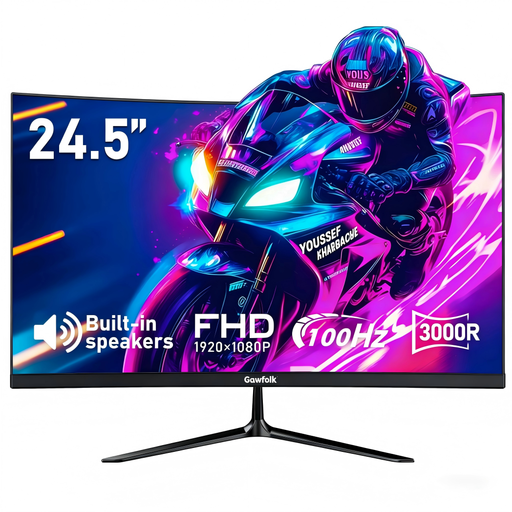
Gawfolk 24.5-inch FHD 3000R curved monitor, 100 Hz
Consider this FHD model for routine cost-sheet work if its curved screen and available desk position suit you.
The product name lists anti-glare treatment and HDMI; check the screen’s brightness for your room and whether the stand or listed 75 × 75 mm VESA mount allows the position you need.
View on Joybuy
Frequently asked questions
Will a brighter monitor solve reflections from the window?
No: brightness alone will not remove a direct reflection. The Health and Safety Executive advises arranging the desk and screen to avoid glare or bright reflections; check the screen angle and whether curtains or blinds can control intrusive light.
Should I choose 24-inch QHD or 27-inch 4K for recipe-cost sheets?
Choose a compact QHD screen if desk space is limited and you mainly work in one cost sheet; consider 27-inch 4K if you regularly view wide sheets alongside supplier pages or invoices. Dell’s P2425D is a 23.8-inch QHD example, while LG’s 27US500-W and ASUS’s VA27UCPS are 27-inch 4K examples. Check desk space and comfortable text scaling for your setup.
Can one USB-C cable carry video and charge my laptop?
Yes, if the laptop supports the monitor’s USB-C video mode and can use its stated power delivery. ASUS lists DisplayPort Alt Mode and up to 65 W power delivery for the VA27UCPS; compare those requirements with your exact laptop before buying.
Does a retailer’s returns policy determine what happens if my monitor is faulty?
No. A change-of-mind policy is separate from remedies for faulty goods. Coventry City Council Trading Standards explains that a faulty item can qualify for a refund in most cases; keep your order details and contact the seller promptly about the fault.
What should I do with an old monitor?
Use an appropriate electrical-equipment reuse or recycling route rather than assuming an old monitor belongs in ordinary household waste. GOV.UK describes the UK’s waste electrical and electronic equipment rules as encouraging recovery, reuse and recycling; check local collection options or a retailer take-back arrangement.


