Recipe-cost spreadsheet users
If you compare ingredient figures, yields and supplier invoices in separate windows, start with resolution and the space available on your desk. Dell UK and LG UK list QHD options relevant to this setup.


Choose a QHD monitor if you regularly need a costing sheet beside recipes or supplier invoices: its 2560 × 1440 resolution provides more display pixels than Full HD’s 1920 × 1080, although spreadsheet zoom and display scaling affect how much you can see. Full HD can suit simpler, single-window work; for a laptop desk or long sessions, check connection and charging requirements and how well you can position the screen.
If you compare ingredient figures, yields and supplier invoices in separate windows, start with resolution and the space available on your desk. Dell UK and LG UK list QHD options relevant to this setup.
If you update costs from a laptop at a fixed desk, a USB-C display connection may simplify your setup. Check the laptop’s video output and charging requirements against the particular monitor; Dell UK and LG UK list different power-delivery limits for their cited models.
If you spend long periods reviewing recipes and costs, consider screen positioning, reflections and the rest of the workstation alongside the panel. The Health and Safety Executive notes that poorly designed display-screen workstations can contribute to discomfort, fatigue and eye strain.
Decide how many documents you need visible at once, then check the connection to your computer and whether the stand suits your desk.
| Concern | What to check | Who this matters to |
|---|---|---|
| Spreadsheet workspace | Compare native resolution and screen size, then try your usual spreadsheet zoom or display scaling. | When I compare a costing sheet with recipes and invoices, I need room to see figures without constantly switching windows; around 36% of consumers put workspace first. |
| Laptop connection | Check USB-C video compatibility, stated power delivery and whether the required cable is included. | I update ingredient figures from a laptop at one desk and want a simpler connection without assuming the monitor will charge it; roughly 29% of consumers prioritise that laptop setup. |
| Screen positioning | Check height and tilt adjustment, plus swivel, pivot or mounting options if your desk requires them. | Repeated cost updates keep me at the screen for long stretches, so I need to position it comfortably and manage reflections; around 21% of consumers put this first. |
| Basic requirements | For mainly single-window work, compare Full HD with QHD and check that the ports and stand meet your needs. | I check recipe costs occasionally and would rather focus on a usable display than features unrelated to that task; about 14% of consumers prioritise those basics. |
A monitor displays your costing tool; it does not add ingredient, yield or margin calculations to the software.
Choose the computer and costing application for the calculations, then select a display for the documents and figures you need to view.
USB-C charging limits differ by model. LG UK states up to 15 W for the 27U631A-B, while Dell UK states up to 90 W for the P2425HE; neither figure establishes suitability for your particular laptop.
Check USB-C video support and the laptop’s charging requirements, as well as the cable needed for the connection.
You may still need to use your laptop charger or obtain a suitable USB-C cable.
BenQ lists the 27-inch GW2790 at 1920 × 1080, while LG lists the 27-inch 27U631A-B at 2560 × 1440. The equal diagonal size does not give them equal pixel workspace.
For side-by-side costing documents, compare resolution before deciding what physical screen size fits your desk and viewing distance.
The Health and Safety Executive notes that workstation design and display-screen use can affect comfort, fatigue and eye strain. A manufacturer’s viewing-comfort feature does not settle how the screen fits your desk.
Check adjustment, reflections, lighting and your chair and desk arrangement; follow any applicable workplace display-screen assessment process.
A stand that cannot position the screen as needed may call for a suitable riser or monitor arm.
Dell UK lists 23.8-inch office monitors that offer distinct choices between QHD workspace and Full HD USB-C hub connectivity.
LG UK lists the 27U631A-B as a 27-inch QHD IPS monitor with USB-C display connectivity.
BenQ lists the GW2790 as a 27-inch Full HD IPS monitor for general work and viewing.
These monitor choices span compact QHD, larger displays and a 27-inch 4K option for viewing recipe-cost sheets and related documents. Match the panel to your usual window layout, then check desk fit and connections for the model you choose.
 No image available
Consider this for recipe-cost sheets when QHD resolution is your priority. The product title identifies an IPS QHD panel; check screen positioning and, if you plan to connect a laptop by USB-C, confirm video support, charging requirements and cable inclusion.
 No image available
Consider the stated IPS WQHD panel if you routinely keep a costing sheet and another document in view. If USB-C laptop charging matters to you, confirm the monitor’s power-delivery limit against your laptop before relying on it.
 No image available
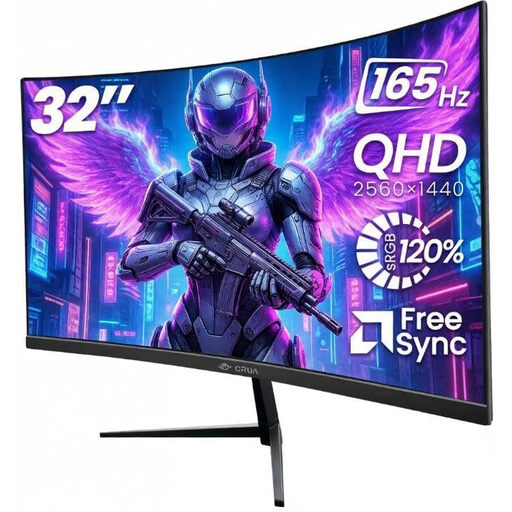
Consider this larger curved screen if you have room for several costing documents on your desk. Its product title states 2560 × 1440 resolution, HDMI and DisplayPort connections, and VESA 100 × 100 mm mounting; check desk fit and the positioning you need from the stand or a separate mount.
 No image available
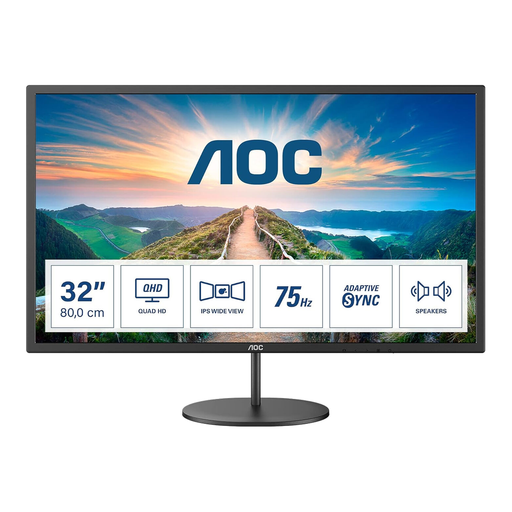
The stated 31.5-inch IPS screen may suit a desk where you want a physically larger view of costing documents. Confirm the exact display resolution, that the screen fits your viewing distance, and whether the stand or a separate mount provides the positioning you need.
 No image available
Consider the stated 27-inch 4K IPS display if you want a higher-resolution panel for viewing costing documents. Check how its resolution works with your preferred display scaling, and confirm the connection you need for your computer.
No. A monitor displays the spreadsheet or costing application running on another device; the software performs the ingredient, yield and margin calculations. Choose the screen for readable figures, useful workspace and a connection to that device.
Not necessarily: Full HD can suit mainly single-window work. The Dell UK and LG UK QHD examples have 2560 × 1440 pixels, compared with 1920 × 1080 on the cited Full HD models, which can help when arranging documents side by side; check the zoom and scaling you prefer.
Only if the laptop supports video through its USB-C port and the monitor provides enough power for that laptop. LG UK states up to 15 W for the 27U631A-B, whereas Dell UK states up to 90 W for the P2425HE; also check which cable is included.
For most online purchases, GOV.UK says you can tell the seller you want to cancel within 14 days of receiving the item. Check the applicable instructions for returning it; a fault or misdescription is a separate issue from changing your mind.
Check an appropriate electrical-waste collection or take-back route rather than putting the monitor in ordinary household waste. GOV.UK describes the UK waste electrical and electronic equipment framework as intended to reduce disposal and encourage recovery, reuse and recycling.