Computer-first recipe narrators
You want to record voice-overs straight to a computer with little separate audio hardware, and listen through headphones while setting up a take.


Choose a USB dynamic microphone if you want to record recipe narration directly to a computer and monitor your voice without a separate audio interface. An XLR condenser suits an interface-based setup instead, but the RØDE NT1 Signature Series requires an input supplying 48 V phantom power. Either route still calls for careful microphone placement and checks on mounting, monitoring and included accessories.
You want to record voice-overs straight to a computer with little separate audio hardware, and listen through headphones while setting up a take.
Your small booth still picks up computer noise, plosives or bumps through the desk and stand. You need to assess pickup direction, positioning and the accessories that address each noise path.
You are prepared to record through an XLR interface or mixer. If you choose the RØDE NT1 Signature Series, RØDE specifies that the input must supply 48 V phantom power.
Choose it when: You want to connect directly to a computer and monitor spoken narration through the microphone where the model provides a headphone output.
Allow for: Directional pickup still needs consistent placement, while software features depend on the particular microphone and compatible device.
Choose it when: You want an interface-based narration setup and have a compatible powered XLR input.
Allow for: The RØDE NT1 Signature Series cannot record directly over USB; RØDE says it needs 48 V phantom power.
| Concern | What to check | Who this matters to |
|---|---|---|
| Computer connection and monitoring | Check the connection and supplied cable against your computer; look for a headphone output if you want to monitor at the microphone. | I want to hear my narration as I record without setting up a separate interface. Around 40% of consumers put that direct recording workflow first. |
| Voice focus and unwanted noise | Check the pickup pattern and speaking side, plus the provision for plosives and vibration from your intended stand. | If computer noise and desk bumps reach my booth recording, controlling them matters more than a quick connection. Roughly 40% of consumers make that their primary concern. |
| Interface-based recording | For the RØDE NT1 Signature Series, confirm an XLR microphone input with 48 V phantom power and a suitable mount. | I would rather build a condenser recording chain around an interface I own or plan to use. About 20% of consumers prioritise that setup. |
The supplied XLR cable does not power the RØDE NT1 Signature Series. RØDE specifies 48 V phantom power for it to function.
Check that your interface or mixer has an XLR microphone input that supplies 48 V before ordering the microphone.
If you do not already have a compatible interface or mixer, you will need one for this recording route.
Pickup direction, pop filtering and vibration isolation address different problems. They do not make microphone position or avoidable room noise irrelevant.
Speak towards the intended pickup side, keep your position consistent and prevent desk bumps from reaching the mount where possible.
Monitoring connections and software-assisted features differ between the Shure MV7+ and Audio-Technica AT2040USB described by their manufacturers.
Check the exact model for a headphone output, a cable that fits your device and any operating-system requirements for the controls you intend to use.
The Shure MV7+ is relevant if you want USB-C recording now while retaining an XLR connection option.
The AT2040USB is a direct-USB dynamic option for narrators who can keep a consistent position in front of a directional microphone.
The NT1 Signature Series is relevant to an XLR condenser setup built around an interface or mixer.
These USB/XLR dynamic microphone options suit a direct-to-computer narration setup while leaving an XLR connection route available. Check each kit's mounting and control details against the way you will record.
 No image available
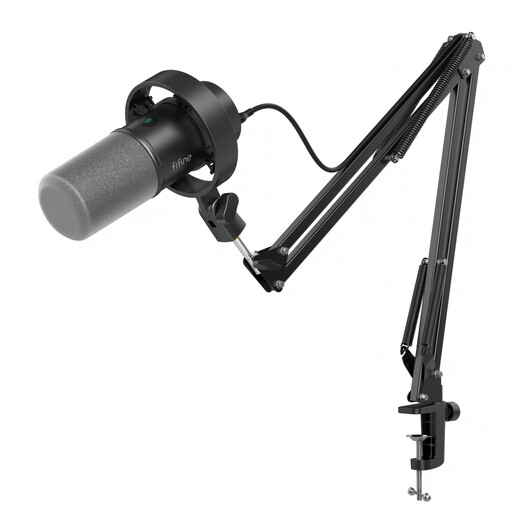
Consider this kit if you want a microphone and boom arm for positioning during recipe narration.
The listed microphone has USB/XLR connections, a headphone jack, mute button and gain knob. Check whether the included clamp fits your desk; the listing specifies desks under 2 inches thick. An XLR cable is not included, and the microphone's function keys are inactive in XLR mode.
 No image available
Consider this model if you plan to narrate from a desktop stand and want the choice of USB or XLR connection.
The listed microphone has a headphone jack and mute button. The XLR cable and boom arm are not included; check which controls work in your intended connection mode.
Choose USB for a direct-to-computer recording route; choose XLR if you want to record through a compatible interface or mixer. For the RØDE NT1 Signature Series specifically, RØDE says that input must supply 48 V phantom power.
No: the booth's size alone does not settle the choice. A directional USB dynamic model suits a simple computer connection, while an XLR condenser remains an option with the required interface; either way, position the microphone carefully and address plosives and vibration.
Speak towards the front, marked by a gold dot, according to RØDE's user guidance. The NT1 Signature Series is a side-address microphone, so speaking into the end rather than its front changes your position relative to its intended pickup direction.
For qualifying UK distance sales, GOV.UK says customers generally have 14 days after receiving an item to tell the seller they want to cancel, then another 14 days to return it. Check the applicable cancellation conditions and the retailer's process before use; remedies for faulty or misdescribed goods are separate from change-of-mind cancellation.
Do not assume it does. GOV.UK's Office for Product Safety and Standards identifies its Electrical Equipment (Safety) Regulations 2016 guidance as applying to equipment placed on the market in Great Britain; provisions differ in Northern Ireland under the Windsor Framework. For a powered microphone or interface delivered there, check the documentation applicable to the exact equipment and destination with the seller or manufacturer.