What matters when choosing
For live albums at a desk, establish a working speaker connection first. Then choose the amount of playback handling and format flexibility you actually need.
| Concern | What to check | Who this matters to |
|---|
| Desk-system connection |
Identify your speaker or amplifier input. A line-level input needs a suitable built-in or external phono stage in the turntable's signal path. |
I want my existing desk speakers to play records without discovering that the signal path needs another component; around 40% of consumers put connection compatibility first. |
| Playback handling |
Check whether operation is automatic or manual and, for wireless listening, whether the intended Bluetooth receiver is compatible. |
While I work, I would rather not cue and return the tonearm by hand; about 30% of consumers prioritise less hands-on playback. |
| Speeds and recording |
Match the speeds printed on your records to the model, and check for USB output only if you intend to record to a computer. |
My collection includes different record speeds, or I want to archive vinyl on a computer; roughly 30% of consumers place format or recording flexibility first. |
Joybuy product choices
These Sony turntables are choices for listeners considering automatic Bluetooth playback of live albums at a desk. Check the speaker connection and the speeds needed for your collection against the exact listing before buying.
 No image available
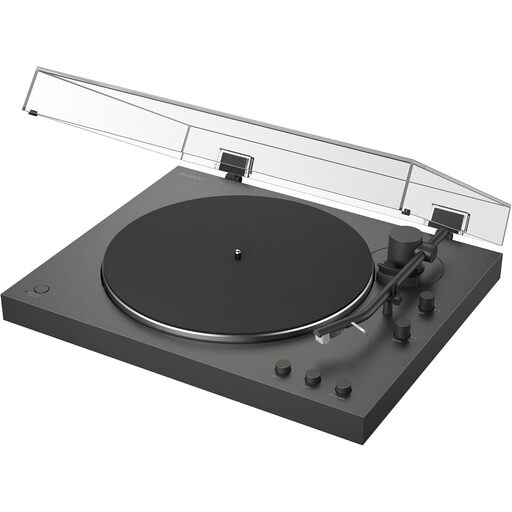
Sony PS-LX3BT Bluetooth Turntable with Auto Playback
Consider this model if you want automatic playback and a Bluetooth connection while listening at your desk.
Check the exact listing for the phono and line-output connection you need, compatibility with your Bluetooth receiver, and the speeds required by your records. Measure your available desk and cable space before ordering.
View on Joybuy
 No image available
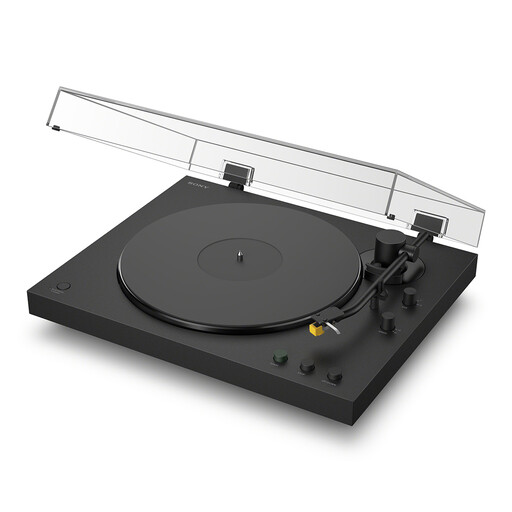
Sony PS-LX5BT Bluetooth Turntable with Auto Playback and Premium Cartridge & Stylus
Consider this model if automatic playback and Bluetooth fit the way you listen to live albums during desk work.
Confirm the phono and line-output route, Bluetooth compatibility and required record speeds for this variant. If recording to a computer matters to you, check its USB capability; also measure the space available for the deck and its cables.
View on Joybuy
Frequently asked questions
Can I connect a turntable directly to powered desktop speakers?
Yes, if the turntable provides a suitable phono stage and the speakers accept its line-level output. Rega says the Planar 1 Plus has an integrated moving-magnet phono stage for line-level inputs; check both devices' connections for any other pairing.
Is Bluetooth useful for listening to records in a home office?
Bluetooth is useful when you want to use compatible wireless speakers or headphones rather than run an analogue cable to them. Audio-Technica specifies Bluetooth for the AT-LP3XBT; confirm that your intended receiving device is compatible before buying.
Which record speeds do I need for live albums?
Check the speed printed on each record rather than assuming every live album uses the same one. Audio-Technica specifies 33⅓ and 45 RPM for the AT-LP3XBT and adds 78 RPM on the AT-LP5X; Pro-Ject specifies electronic 33/45 RPM switching for the Debut Carbon EVO.
Does automatic playback take care of all the setup?
No. Automatic operation handles playback actions, but you still need the correct speaker connection, enough placement space and the right speed for each record. Audio-Technica specifies fully automatic operation for the AT-LP3XBT, not a substitute for those checks.
Will a worn stylus be replaced under warranty?
Do not assume routine wear is covered by a voluntary warranty. Rega's Planar 1 manual excludes wear and tear and consumable parts from its limited warranty; check the terms for your exact model. That exclusion does not, by itself, determine any remedy for a faulty or misdescribed item.


