Desk-side convenience listeners
If you put on LP soundtracks between tasks, automatic playback reduces tonearm handling. A model with a built-in phono preamp may also suit powered speakers or an amplifier’s line input.


For home-office listening, choose a turntable that works with your existing speakers or amplifier before deciding whether automatic operation or Bluetooth would make it easier to use. A built-in phono preamp can simplify a line-input setup, but the turntable still needs suitable playback equipment. If your soundtracks include 78 RPM records, check both the turntable’s speed support and stylus suitability rather than choosing on convenience alone.
If you put on LP soundtracks between tasks, automatic playback reduces tonearm handling. A model with a built-in phono preamp may also suit powered speakers or an amplifier’s line input.
If speaker placement makes an analogue audio lead awkward, a Bluetooth turntable is worth considering alongside compatible receiving speakers or headphones.
If your collection includes 78 RPM records, check speed and stylus suitability. If you want to transfer records to a computer, check for USB output as a separate requirement.
Start with the equipment that will play the sound, then decide whether easier handling, flexible placement or support for older formats matters most.
| Concern | What to check | Who this matters to |
|---|---|---|
| Everyday playback | Check for automatic operation and a phono preamp suited to your speaker or amplifier input. | I want to start an LP between tasks without handling the tonearm much, and I need a workable connection to my existing audio equipment. Around 44% of consumers put straightforward playback first. |
| Flexible placement | Check Bluetooth compatibility with your receiving device and whether a wired output is available. | In a compact office, I would rather place the turntable away from the speakers than run an analogue lead between them. Roughly 33% of consumers make connection flexibility their primary concern. |
| Older formats and transfers | For 78s, check speed support and stylus suitability; for computer transfers, check USB output. | My soundtrack collection includes records beyond LPs and 45s, or I want to make computer copies, so a simple two-speed setup may not meet my needs. About 23% of consumers prioritise format or transfer capability. |
Bluetooth or a built-in phono preamp does not mean sound will come from the turntable itself. Sony’s instructions explicitly state that the PS-LX310BT has no built-in speakers.
Plan the complete playback chain: a suitable phono stage where needed, followed by powered speakers, an amplifier and passive speakers, or a supported headphone arrangement.
Audio-Technica specifies 33-1/3 and 45 RPM for the AT-LP60X, while its AT-LP120XBT-USB lists 78 RPM as a third speed. The speed setting alone does not establish that the fitted stylus suits your records.
Check the speeds in your collection, then confirm the appropriate cartridge and stylus guidance for any 78s before purchase or playback.
A Bluetooth turntable still needs a compatible receiving speaker, headphone or other playback device.
Decide which receiving device you will use and whether you also want a wired connection.
A turntable without a built-in phono preamp needs a suitable phono input or separate phono stage. Pro-Ject’s E1 guidance calls for a separate phono amplifier when the amplifier has no suitable phono input.
Check your amplifier’s input labels and the exact turntable variant before connecting it to an AUX or LINE input.
Its range offers distinct routes from automatic LP playback to more hands-on, three-speed use.
The Planar 1 line is a manual turntable route for a conventional hi-fi setup.
Its E1 models suit listeners willing to check how the turntable fits their existing hi-fi components.
The PS-LX310BT is an automatic Bluetooth option for a home-office audio system.
The SL-1500C is a manual direct-drive option for a dedicated hi-fi arrangement.
These two Sony models are choices for listeners who want automatic record playback and a Bluetooth connection in a home office. Match the receiving equipment, record speeds and desk space to your own setup before choosing.
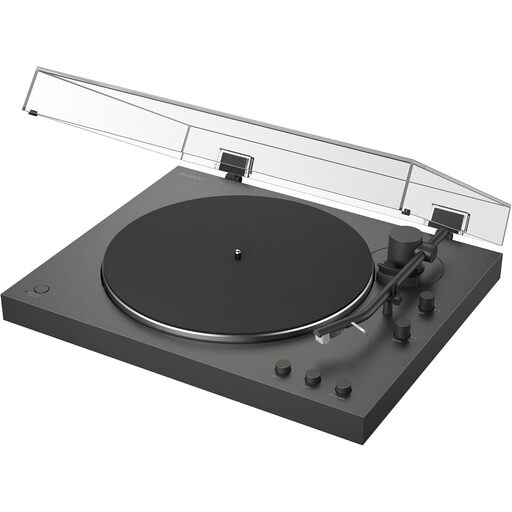 Image unavailable
Consider this model if automatic playback and a wireless connection suit your desk-side listening routine.
Confirm that your receiving audio equipment is compatible, and check supported speeds and stylus guidance if you own 78 RPM records.
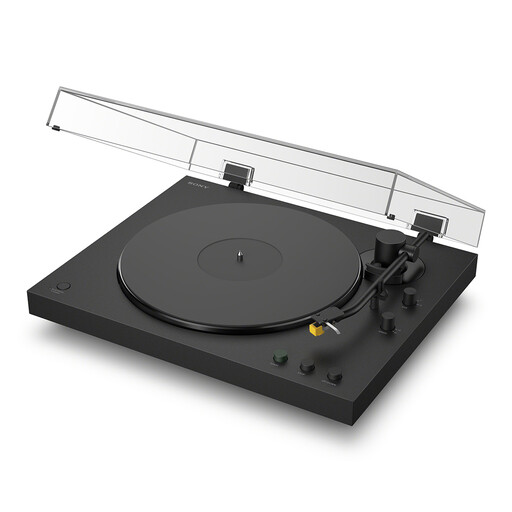 Image unavailable
Consider this model if you want automatic playback with the option of a Bluetooth audio connection.
Check compatibility with your speakers or headphones, available desk space and the record speeds you need. If computer transfers matter, confirm USB recording capability before choosing.
You need suitable equipment to play the turntable’s audio, such as powered speakers or an amplifier and passive speakers. Headphones are another option where the system supports them; Sony explicitly states that its PS-LX310BT has no built-in speakers.
You need a suitable phono stage when the turntable has no built-in one and your amplifier lacks an appropriate phono input. A built-in preamp can provide the signal for a line input when connected correctly, so check the exact turntable variant and your equipment’s input labels.
Only if that model explicitly supports 78 RPM, and you should also check stylus suitability for the records you own. Audio-Technica specifies 33-1/3 and 45 RPM for the automatic AT-LP60X, while its AT-LP120XBT-USB lists 78 RPM among its three speeds.
A faulty purchase may qualify for a refund, repair or replacement under the applicable circumstances. GOV.UK explains that the Consumer Rights Act 2015 covers faulty goods, and Citizens Advice advises contacting the retailer; keep your order record and describe the fault when you do.