Choose the recorder around where you can place its microphone and whether you can access the hall’s sound system. For one nearby commentator, a compact handheld or pocket voice recorder may suffice; if you need an authorised microphone or mixer feed, check for compatible inputs. As Shure’s microphone-placement guidance explains, recording from farther away in a reverberant room can make speech harder to understand, regardless of the recording format.
Who is recording?
Volunteer recording one nearby guide
If you can position a recorder close to the commentator or presentation area, a compact handheld or voice recorder offers a relatively simple setup. Shure’s microphone-placement guidance gives more reason to prioritise that position than a spot at the back of the hall.
Organiser recording a PA-supported talk
If the talk uses the hall’s sound system, ask whether you may record an output from its mixer or place an external microphone near the speaker. A recorder with suitable inputs, such as the two XLR/TRS inputs Zoom specifies for the H4essential, gives you a connection route to assess.
Archivist keeping a reference recording
Plan for intelligible words, files you can review and an agreed way to handle the recording. Check microphone placement and, if identifiable voices will be recorded for an organisation, agree how the recording will be used and retained before the event.
What matters when choosing?
Work out where the speaker’s voice can be captured clearly, then choose the recorder’s inputs and controls to match that plan.
Compact handheld recorder
Consider it: You can place its built-in microphones near one commentator and want a straightforward portable setup.
Trade-off: The 32-bit-float recording specified for models such as the Zoom H1essential and Tascam DR-07XP addresses level-setting concerns, not hall echo picked up by a distant microphone.
Pocket voice recorder
Consider it: The commentator will be nearby and simple speech recording and playback matter most.
Trade-off: Check the exact model’s connections before relying on an external microphone or sound-desk feed.
Multi-input handheld recorder
Consider it: You have permission to use a close external microphone or a compatible output from the hall’s sound system.
Trade-off: Confirm the output level and connector with the venue, and allow time to set up and monitor the connection.
| Concern | What to check | Who this matters to |
|---|
| Intelligible speech |
Can the microphone sit near the commentator? If not, can you use an authorised close microphone or direct feed? |
I need to understand the commentary later, even if the hall sounds reverberant. Around 40% of consumers put intelligible speech first. |
| Levels and operation |
Check the recording format and controls, and make a monitored test recording from the intended position. |
If I am recording alone while speech volume changes, I want to avoid a level-setting mistake. For around 30% of consumers, straightforward operation and level management are the primary concern. |
| External sources |
Confirm the venue’s output connector and level, and whether the recorder accepts the planned microphone or feed. |
When a PA feed or close microphone is available, I need a recorder I can connect to it. That connection is the main priority for around 30% of consumers. |
Mistakes to avoid
-
Planning to record from the back of the hall
Shure explains that speech captured at or beyond a room’s critical distance can become difficult to understand because reflected sound competes with direct speech.
Plan the microphone position before choosing the recorder. If close placement is impractical, ask whether you can use an authorised close microphone or mixer feed.
An unintelligible recording may require the commentary to be recorded again.
-
Expecting 32-bit float to remove echo
32-bit-float recording helps with recording-level management; it does not separate the commentator’s voice from room sound already reaching the microphone.
Use the format if varying levels concern you, but also listen to a test recording made from the position you intend to use.
-
Assuming every input fits the sound desk
A 3.5 mm mic/line input and an XLR/TRS input are not interchangeable connection plans. Zoom specifies a 3.5 mm mic/line input for the H1essential, while the H4essential has two XLR/TRS inputs.
Ask the venue technician what output is available and at what level, then check the exact recorder and cable requirements before connecting anything.
The setup may require compatible cables, adapters or attenuation.
-
Keeping identifiable voices without a handling plan
When an organisation controls a recording containing identifiable voices, how it will use, store and retain that recording needs attention. The Information Commissioner’s Office sets out UK GDPR principles including lawfulness, purpose limitation and storage limitation.
Agree the recording purpose, attendee information, access and deletion arrangements with the museum or organiser before the event.
Brands to consider for these recording routes
Zoom
Zoom’s named handheld models span simple built-in-microphone recording and a multi-input setup.
- Zoom specifies 32-bit-float recording, X/Y microphones and a 3.5 mm mic/line input for the H1essential. Its H4essential adds four tracks and two XLR/TRS inputs.
- Those specifications do not remove the need to place a microphone near the commentator or obtain a suitable direct feed.
Tascam
The DR-07XP is a handheld option for buyers considering adjustable built-in stereo microphones and an external stereo mini-jack.
- Tascam specifies 32-bit-float recording, adjustable A-B/X-Y microphones and low-cut-filter options for the DR-07XP.
- Microphone position still matters in a hall. Check the seller’s current availability and warranty terms for the DR-07XP before purchasing.
Sony
Sony positions the ICD-UX570 as a compact voice recorder for straightforward speech capture and playback.
- Sony lists Auto Voice Recording, built-in storage and microSD expansion for the ICD-UX570.
- If the plan requires a sound-desk connection or separate direct and room tracks, confirm those capabilities on the exact model rather than relying on its speech-recording settings.
Joybuy voice recorders for nearby commentary
These pocket voice recorders are choices to consider when you can place the device near the commentator. For a planned PA or external-microphone feed, confirm the required input on the exact product before choosing one.
 No image available
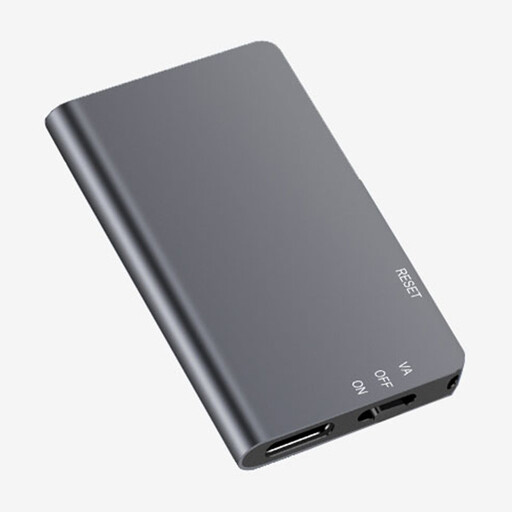
Rexsun L810 64GB digital voice recorder
Consider this one-touch recorder for a commentator you can record from nearby. Check its external-input and recording-level features if your plan calls for a separate microphone or venue feed.
One-touch recording; 64GB stated in the product name.
View on Joybuy
 No image available
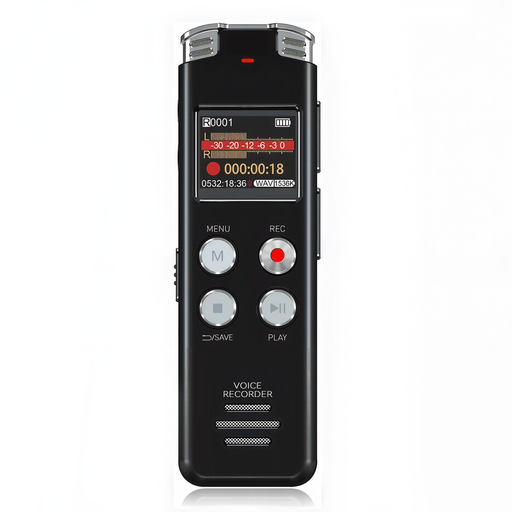
Rexsun L357 128GB voice recorder with LCD
Consider this portable voice recorder for nearby spoken commentary when an on-device screen is useful. Do not rely on its noise-reduction wording as a substitute for testing speech clarity at the intended position.
128GB and an LCD screen are stated in the product name; confirm input compatibility if you need a direct source.
View on Joybuy
 No image available
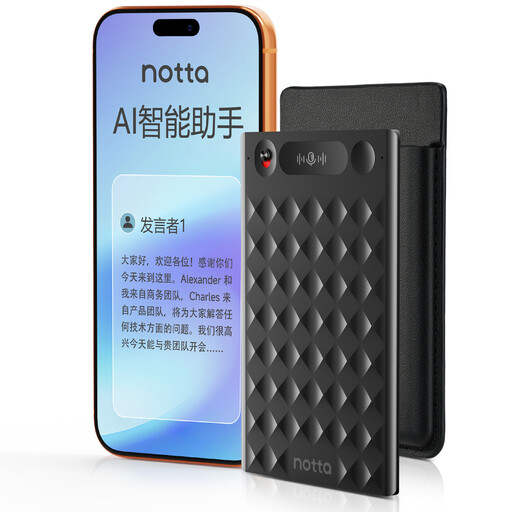
32GB AI voice recorder with case
Consider this one-press recorder if later text review through its app is part of your workflow. Test speech capture from the planned position, and check app access, cloud storage and deletion arrangements before using those services for an organisational recording.
The product name states 32GB storage, a 30-hour battery claim and a case; it also advertises app-based transcription.
View on Joybuy
 No image available
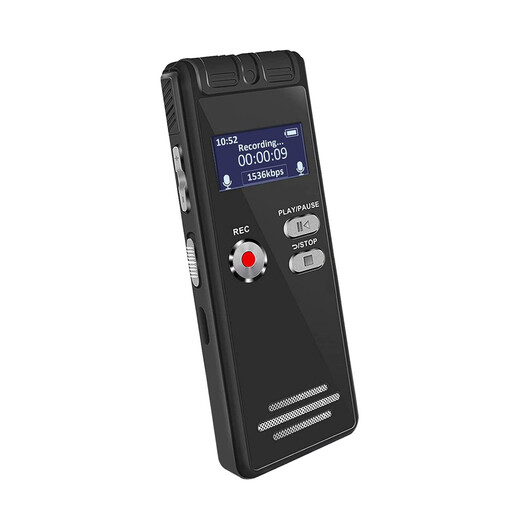
Rexsun L15 64GB voice recorder with LCD
Consider this portable recorder for a simple setup close to the commentator. Confirm whether its stated 64GB storage is built in or supplied on a removable card, and check input compatibility if you need an external source.
Portable design and an LCD screen are stated in the product name.
View on Joybuy
Common questions
Where should I put the recorder in a community hall?
Put its microphone as close to the commentator as the event setup reasonably allows, rather than leaving it at the rear of the hall. Shure explains that speech captured at or beyond a room’s critical distance can be harder to understand; the workable position depends on the room and microphone.
Will 32-bit float make a distant recording clear?
No: 32-bit float addresses recording-level management, not the hall sound mixed with speech at a distant microphone. Plan close placement or an authorised direct feed, and listen to a test recording before the commentary begins.
Can I record from the hall’s PA system?
You may be able to, if the venue permits it and provides a compatible output. Zoom specifies two XLR/TRS inputs and support for +4 dBu line-level input on the H4essential; ask the venue operator about its output level, connector and any cable or attenuation needed before connecting a recorder.
What should I arrange before recording attendees’ voices?
If an organisation will record identifiable voices and decide how to use the file, agree the purpose, attendee information, access and retention arrangements before recording. The Information Commissioner’s Office explains that organisations must assess an applicable UK GDPR lawful basis and follow relevant data-protection principles; do not assume that consent is always the required basis or that every private recording has the same obligations.


