What to check before buying
Start with game compatibility, then check the individual unit’s seller cover and battery; compare the complete offer only after those needs are clear.
Refurbished business laptops
Consider when: the exact fitted configuration meets your games’ requirements and the trader explains its condition, battery, returns and warranty.
Trade-off: the model family may include different processors, graphics, displays and batteries, so its name alone does not identify the unit you will receive.
Used laptops from marketplaces
Consider when: the seller provides enough detail to identify and assess the individual laptop, and you have checked whether the seller is a business or a private individual.
Trade-off: seller status affects which protections apply; a condition description does not by itself establish the laptop’s battery health or fitted components.
Manufacturer-outlet laptops
Consider when: manufacturer-backed condition and support are important, while you remain willing to check the available configuration against your games.
Trade-off: Dell UK says its outlet systems receive the same limited hardware warranty as new systems; this is a Dell programme term, not a promise about every outlet.
New entry-level laptops
Consider when: you prefer a stated new-device configuration and want to avoid uncertainty about prior battery use, provided its graphics and operating mode suit your games.
Trade-off: a new laptop is not automatically game-compatible; check the exact part number, graphics and operating mode before choosing.
| Concern |
What to check when buying |
Who this matters to |
| Game and launcher compatibility |
Check each title’s current operating-system and graphics requirements, plus its launcher and controller support. |
If I have specific games and launchers in mind, I want to check the fitted system and controls title by title. Consumers whose first priority is game compatibility account for around 36%. |
| Condition and seller cover |
Check the individual unit’s condition, fitted components, returns and written warranty; identify whether the seller is a trader or a private individual. |
I want a clear description of the laptop I will receive and who handles a fault or return. Consumers who put seller assurance first account for around 29%. |
| Unplugged play |
Ask about the actual battery’s condition, whether it has been replaced and what battery cover applies. |
If I plan to play away from a socket, I need information about this battery rather than its original rated capacity. Consumers who prioritise unplugged play account for around 21%. |
| Fit of the complete offer |
Compare the exact game-capable configuration and check which charger, support and return terms are included. |
I want the whole setup to suit my games, not just one headline specification. Consumers whose first priority is the fit of the complete offer account for around 14%. |
Joybuy laptop options
These Joybuy laptop options are related to portable PC gaming; check each game’s requirements against the exact model and configuration before choosing.
 No image available
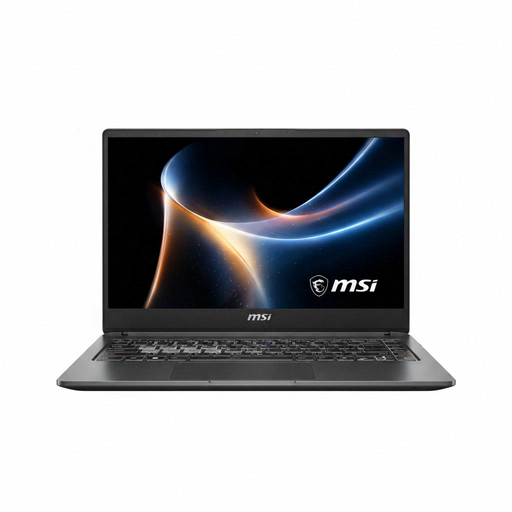
MSI Prestige N16 Flip AI+ C1XMT-044UKY
Compare the listed configuration with your games’ requirements before choosing it for portable play.
2-in-1; 32GB RAM; 1TB SSD; 2.8K 120Hz OLED touchscreen; UK keyboard; NVIDIA RTX Spark N1X.
View on Joybuy
 No image available
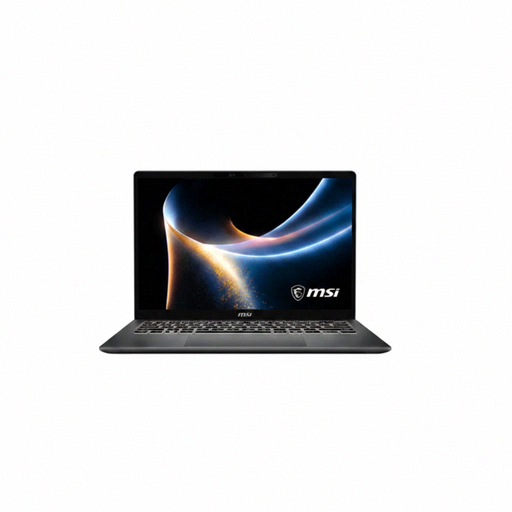
MSI Prestige N16 Flip AI+ C1XMT-051UKY
Check the listing’s configuration against the operating-system and graphics requirements of the games you want to play.
View on Joybuy
 No image available
ASUS ProArt P16 H7606WW-SE006W
Check the exact game requirements against this listed configuration rather than assuming that a model name establishes compatibility.
16-inch 4K OLED touchscreen; AMD Ryzen AI 9 HX 370; NVIDIA GeForce RTX 5080 16GB; 64GB RAM; 2TB SSD; Windows 11 Home.
View on Joybuy
 No image available
LOQ 15IRX10 i5-13450HX
Compare the listed model with the requirements of your own games and check the full configuration before deciding whether it suits portable play.
24GB RAM; 1TB SSD; W11H.
View on Joybuy
Frequently asked questions
Should I keep Windows 7 or 8 because my games are old?
Not for a Steam library without checking current support: Valve announced that Steam client support for Windows 7, 8 and 8.1 ended on 1 January 2024. Check each game’s current store requirements and the launcher you use. Microsoft says standard Windows 10 support ended on 14 October 2025.
Will every older game work with my controller?
No single laptop specification establishes controller compatibility across a library. Check the individual game’s listing and the controller’s connection method; Steam lists full controller support for Portal, which applies to that title rather than every older game.
How can I inspect the battery after delivery?
On a Windows laptop, Microsoft documents the command powercfg /batteryreport to generate a battery report. Compare its reported capacity and the laptop’s behaviour with the seller’s description, but do not treat the report as a promise of a fixed number of gaming hours.
Do refurbished laptops bought online have a 14-day change-of-mind period?
For an applicable distance sales contract with a trader, the Consumer Contracts Regulations 2013 provide a cancellation period that ends 14 days after the consumer receives the goods, subject to the regulations’ conditions and exceptions. Identify the seller and check that the transaction falls within those rules before relying on the period.
Does a short refurbished warranty replace my rights if the laptop is faulty?
No: a seller’s voluntary warranty and statutory remedies for faulty or misdescribed goods are distinct. For goods bought from a trader, the applicable remedy depends on the fault and circumstances; Coventry City Council Trading Standards explains that goods should be as described, fit for purpose and of satisfactory quality.


