One-device mobile callers
If you make and receive calls away from a desk, a smartphone keeps the phone call and relay text on the same device. Ofcom describes this as the smartphone arrangement for Relay UK.


Choose a smartphone if you want to make the call and read Relay UK text on one device. A tablet or computer may suit you better if you prefer a larger display or keyboard, but Ofcom says you will still need a separate phone with its number linked to the app. Whichever arrangement you choose, check the installed operating system and try the captions and your intended call-audio setup on the exact devices.
If you make and receive calls away from a desk, a smartphone keeps the phone call and relay text on the same device. Ofcom describes this as the smartphone arrangement for Relay UK.
A tablet display or computer keyboard may be more comfortable if you follow or type longer passages of text. This arrangement also means keeping a separate phone available for the call, as Ofcom explains.
If you plan to speak or listen during a relay call, check where the call audio and microphone input go with your own hearing aid or headset. A Bluetooth connection alone does not establish that the whole calling arrangement will work as you expect.
For Relay UK, choose the calling arrangement before comparing screens and accessories: the smartphone keeps the call and text together, while a tablet or computer relies on a separate linked phone.
Choose it when: You want to make the call and read the relay text on one device, as described by Ofcom.
Trade-off: You need to be comfortable reading captions on its smaller screen.
Choose it when: You prefer to read text on a tablet and can keep a separate phone at hand.
Trade-off: Ofcom and Relay UK describe a two-device call: the phone handles the call and the tablet app joins it for text.
Choose it when: You usually call from a desk and prefer a computer display and keyboard.
Trade-off: The computer does not replace the separate linked phone required for the call.
| Concern | What to check | Who this matters to |
|---|---|---|
| One-device calling | For a smartphone, check its installed operating system against Relay UK’s app requirements and try reading captions on its screen. | If I take calls away from a desk, I want the conversation and text together without managing another device. Around 50% of consumers put one-device mobile calling first. |
| Larger text and desk use | Try the app’s text display or keyboard layout, and make sure a separate phone with a number linked to the app will be available for calls. | When I follow longer exchanges at home, a larger display or keyboard matters more to me than carrying everything in one device. About 30% of consumers prioritise larger-screen or desk-based use. |
| Call-audio routing | With the exact hearing aid or headset, check incoming audio and microphone behaviour during a call; pairing alone is not enough. | If I speak or listen during relay calls, I need my own audio equipment to work with the calling setup. Roughly 20% of consumers place compatible call audio first. |
For Relay UK calls on a tablet or computer, Ofcom says a separate phone makes or receives the call and its number must be linked to the app.
Before choosing the larger screen, decide which phone you will use and practise joining a call in the app.
Relay UK publishes operating-system requirements rather than approving every model bearing a familiar brand name.
Check the installed version on the exact device. Relay UK lists iOS 15 or later for iPhone and iPad, Android 11 or later for Android phones and tablets, Windows 10 version 19044 or later, and macOS 13 Ventura or later. It excludes Android Chromebook use.
A paired hearing aid or headset may still need a different call-audio or microphone setting. Samsung UK’s statement that Galaxy devices support Bluetooth hearing-aid connections does not establish how every phone-and-hearing-aid combination handles a Relay UK call.
Where possible, try an incoming and outgoing call with the exact equipment, checking audio, microphone, captions and notifications together.
Relay UK lists Windows 10 version 19044 or later for its desktop app, but Microsoft says standard Windows 10 support ended on 14 October 2025. An app minimum is not a reason on its own to choose an older operating system for a new PC.
If buying a computer, check that its operating system is currently supported, that the Relay UK app is available for it and that you can use the required separate phone.
Apple devices offer iPhone, iPad and Mac routes covered by Relay UK’s published operating-system requirements.
Samsung Galaxy phones and tablets are Android options to assess against Relay UK’s Android 11-or-later requirement.
Windows provides a desktop route for people who prefer to read and type relay text at a computer.
These smartphones and tablets relate to the one-device mobile and tablet-with-phone arrangements. Relay UK’s platform requirements still need checking against each device’s installed software; every tablet arrangement also needs a separate phone with its number linked to the app.
 No image available
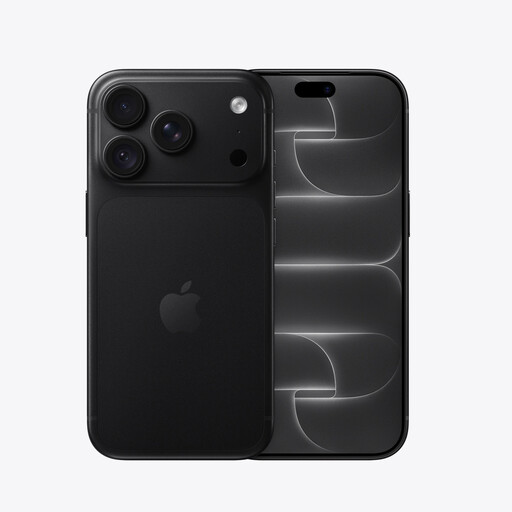
Consider this smartphone if you want the call and relay text on one device. It is the 256GB Black variant; check its installed iOS version against Relay UK’s iOS 15-or-later requirement and try your intended caption and call-audio settings.
 No image available
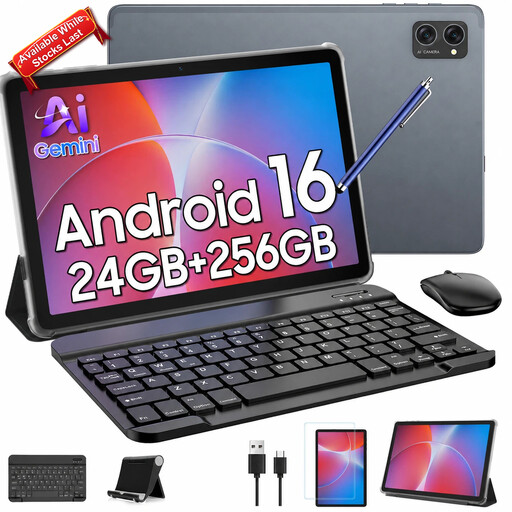
Consider this tablet if you want a 10.1-inch screen and the listed keyboard bundle for desk-based text use. The product name also lists 24GB (8+16) RAM and 256GB storage. Check its installed Android version against Relay UK’s Android 11-or-later requirement, and keep a separate linked phone available for calls.
 No image available
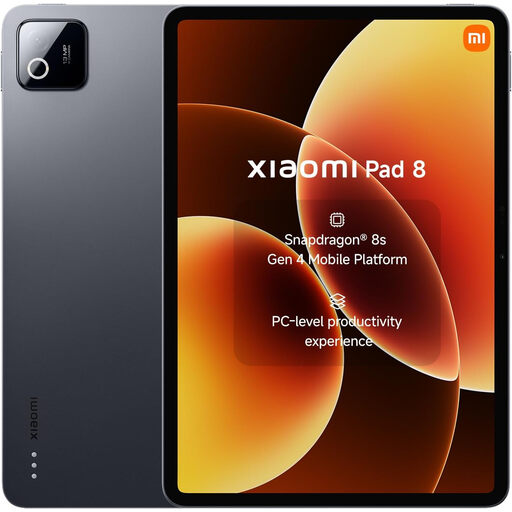
This tablet is an option if you prefer a separate screen for relay text while using a phone for the call. The listed variant has 8G RAM, 128GB storage and Wi-Fi. Check the installed Android version and caption readability, and link the number of the separate phone you intend to use.
 No image available
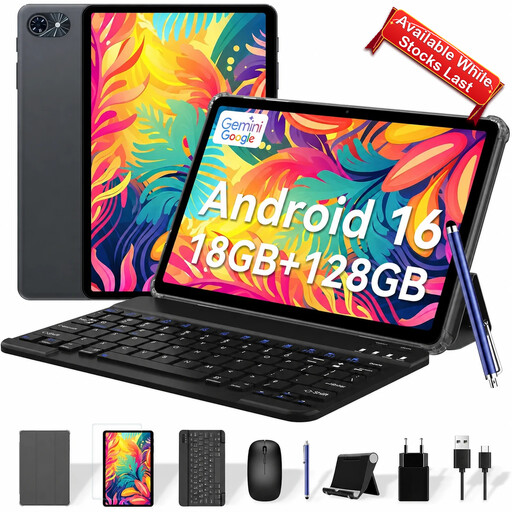
Consider this keyboard bundle if you want to type relay text at a tablet while a separate linked phone handles the call. Its product name lists a 10-inch screen, Android 16, 18GB (6+12) RAM and 128GB storage. Check the installed Android version and try the text display with your usual settings.
 No image available
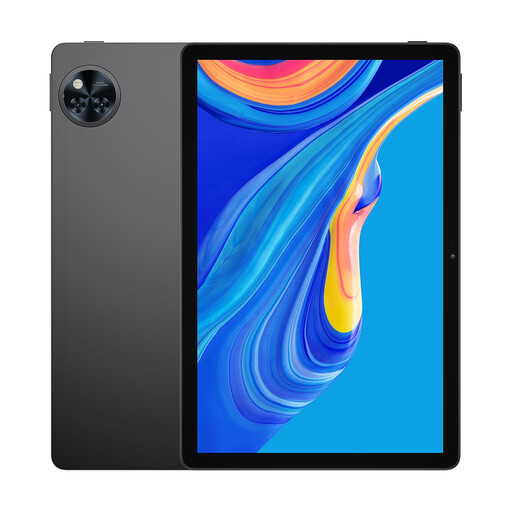
This 11-inch tablet is another separate-screen option for reading relay text alongside a linked phone. The product name lists 30GB RAM and 256GB storage. Confirm its installed Android version meets Relay UK’s Android 11-or-later requirement, then try caption readability and any hearing-aid or headset setup you plan to use.
Relay UK lists iPhone and iPad with iOS 15 or later, Android phones and tablets with Android 11 or later, Windows PCs with Windows 10 version 19044 or later, and Macs with macOS 13 Ventura or later. It says Android Chromebook is not supported. Check the installed version on the device you intend to use rather than relying on its model name alone.
No, not for the tablet or computer arrangement described by Ofcom: a separate phone handles the call, and its number must be linked to the Relay UK app. Relay UK explains that you dial 18001 followed by the full number from that phone, then join the call in the app.
Yes. Relay UK’s app setup includes linking the phone number used for calls, which is particularly important when the app runs on a tablet or computer and a separate phone handles the call. Follow the current setup instructions for the phone and app you will use.
No. Meeting Relay UK’s app requirements and connecting a hearing aid are separate checks; neither establishes the call-audio and microphone behaviour of your exact combination. Samsung UK says Galaxy devices support Bluetooth hearing-aid connections, but you should still try the intended phone, hearing aid and relay-call setup together where possible.