Housemates with simultaneous calls and study
Useful for households where several residents work, study, stream or download at once and need to establish whether shared demand is affecting the broadband service or particular rooms have weak Wi-Fi.


First work out whether the issue is weak Wi-Fi inside the home or the broadband service itself: better Wi-Fi cannot exceed the performance of the connection feeding it. Mesh can suit several weak rooms, Ethernet or a wired access point can suit a fixed desk, and provider availability, outages and line performance should be checked when every device slows down together.
Useful for households where several residents work, study, stream or download at once and need to establish whether shared demand is affecting the broadband service or particular rooms have weak Wi-Fi.
For people with an acceptable connection near the main router but poor coverage in a bedroom or study, especially where walls, metal, glass or router placement reduce signal.
Relevant when problems affect wired and wireless devices across the property, or may be caused by service availability, an outage or a line fault rather than in-home Wi-Fi.
Start by comparing performance near the router with the affected room. Then choose the route that addresses the actual bottleneck rather than adding hardware to a provider or line problem.
| Priority | What to check | Your needs |
|---|---|---|
| Reliable simultaneous use | Compare performance near the router and, where possible, on Ethernet. Check whether the broadband package or incoming line is the bottleneck before relying on Wi-Fi capacity features. | I want calls, coursework, uploads and other online activity to remain usable while several devices are active. |
| Coverage where people work | Check router placement first. For several weak rooms, consider mesh nodes placed through the home; for one cable-reachable room, consider a wired access point. | A fast result beside the router is not enough if the bedroom or study where I work has poor signal. |
| A targeted fix for one weak spot | Place an extender between the router and the weak area, not inside the dead zone. Check for an Ethernet port and access-point mode if a cable can reach the room. | I need to improve one desk or bedroom without replacing the whole network. |
| Avoiding an unnecessary hardware purchase | Check the provider’s outage status, compare wired and wireless performance, and use the Ofcom postcode checker before changing broadband service or buying Wi-Fi equipment. | If the whole household is affected, I want a short diagnostic sequence before spending on a router, mesh kit or extender. |
Ofcom explains that Wi-Fi cannot outperform the broadband service. A new router, extender or mesh system will not resolve a provider outage, a poor incoming line or an unsuitable package.
Check outage information, compare results near the router and on Ethernet where possible, and check local broadband availability before committing to in-home hardware.
An extender needs a usable connection back to the main router. Installed where the original signal is already very weak, it can repeat a weak link; Ofcom also notes that boosters can affect speed and responsiveness.
Place it between the router and the weak area, using its signal indicator where available. If Ethernet can reach the room, consider access-point mode instead.
Coverage and connected-device figures are model-specific claims and may not reflect your walls, layout, interference or broadband service. Ofcom notes that internal brick walls, metal, glass and placement can reduce Wi-Fi signal.
Use coverage figures to shortlist pack sizes, then plan node positions around the rooms that matter. Keep a return option where the retailer permits one.
Some products offer optional security or network-management features through a separate subscription.
Before buying, separate the Wi-Fi functions you need from optional security, parental-control or support subscriptions, and check renewal terms for the exact UK listing.
An optional subscription can add an ongoing household cost where those extra features are required.
Relevant across mesh systems, standalone routers and extenders or access points.
A mesh-focused option for households looking for app-led setup and an expandable multi-node system.
A mesh line for highly connected or larger-home setups where multi-band mesh and wired internet capacity are priorities.
Joybuy product options for improving in-home coverage in several rooms or addressing a single weak work or study area. Check broadband and provider performance first when the whole household is affected.
 No image available
For several weak work or study rooms where a unified mesh network and roaming between nodes are useful.
Three units, dual-band Wi-Fi 7, MLO, two 1 Gbps ports per unit, wired backhaul and a separate IoT network are stated.
Plan node placement around walls and interference, and check that the incoming broadband service is adequate before buying.
 No image available
For shared homes using distant rooms, with a satellite that can also serve a nearby wired desk.
The listing states one router, two satellites, dual-band Wi-Fi 7, 2.5 Gbps WAN/LAN on the router, one 2.5 Gbps LAN port per satellite, WPA3 and guest and IoT networks.
Stated coverage depends on construction, device traffic and installation; check any security-subscription terms for this exact listing.
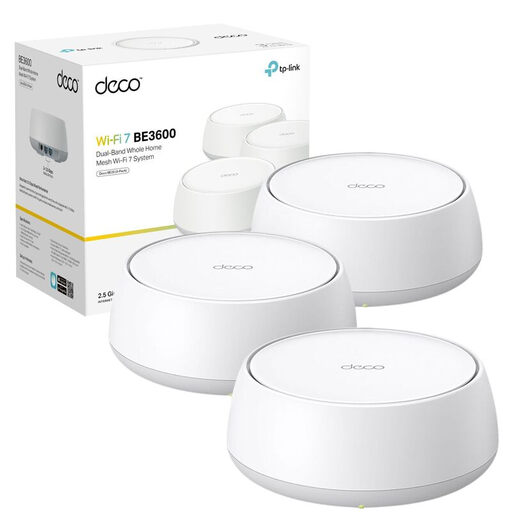 No image available
For extending one network through several rooms where additional Deco units can be positioned around the home.
The product name and listing state a three-pack whole-home mesh design, dual-band BE3600 Wi-Fi 7, AI-driven mesh optimisation, 2.5 Gbps Ethernet ports and WPA3.
Confirm the number of Ethernet ports per unit and wired-backhaul support before planning cabled desks or node links.
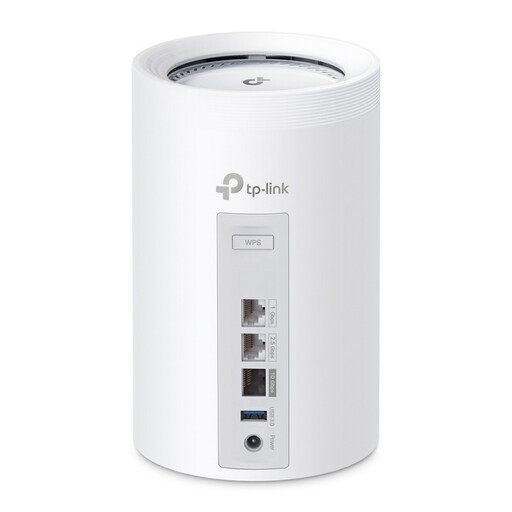 No image available
For a shared home with several weak rooms where a three-unit mesh layout and roaming are relevant.
The listing states tri-band Wi-Fi 7, a dedicated backhaul band, unified roaming, app management, guest access and parental controls.
Check the Ethernet-port configuration, wired-backhaul support, coverage basis and UK plug details before purchase.
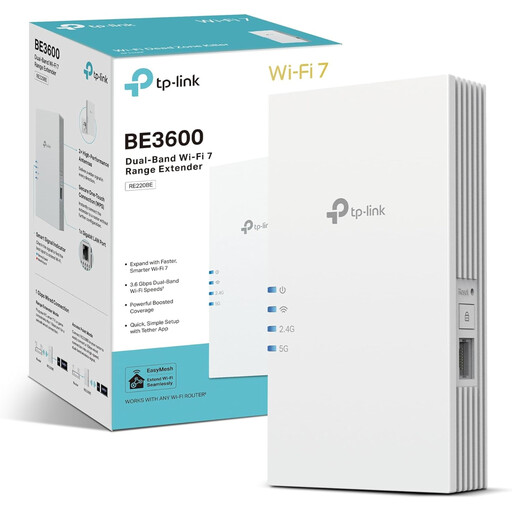 No image available
For one weak bedroom or desk area, especially where an Ethernet cable can reach the unit for access-point mode.
The listing states dual-band Wi-Fi 7, MLO, a 1 Gbps Ethernet port, access-point mode, EasyMesh and smart roaming with a compatible router.
Place it between the router and the weak area; an extender still needs a usable signal from the main router and cannot improve an inadequate broadband line.
Check first when every room is slow, wired devices are also slow, or several users have problems even close to the main router. Ofcom says Wi-Fi cannot outperform the broadband service, and its checker shows predicted availability of standard, superfast and ultrafast services by provider; a prediction is not a guarantee for an individual property.
Test close to the main router and, where possible, on Ethernet, then compare the result with the weak room at different times. A room-specific issue points towards placement, building materials or coverage, while property-wide problems on both wired and wireless devices call for provider, line and package checks.
No. Mesh is suited to several weak rooms and coverage across the property, while an extender can suit one limited weak area if it is placed where it still receives a usable signal. Ofcom notes that boosters and extenders can affect speed and responsiveness; use a cable-fed access point where a cable can reach the room.
Yes. For a fixed desk, a direct Ethernet cable avoids that device’s Wi-Fi link and can also feed an access point or mesh backhaul. It does not improve the incoming broadband line, so check the service when the whole household is affected.
According to Ofcom guidance published in June 2026, a home or business unable to get at least 10 Mbit/s download and 1 Mbit/s upload may be able to request an upgraded connection through the broadband Universal Service Obligation, subject to eligibility. BT handles requests except in the Hull area, where KCOM does; confirm eligibility and any excess construction cost with the designated provider.