If you only need to swap existing button functions, check the mapping options on your current platform before buying another controller. Choose rear controls when the awkward part is reaching an input during play; then match the exact controller, configuration app and connection method to your device and games. Xbox Elite Series 2, DualSense Edge and PC-focused alternatives serve different platforms, and their features do not necessarily transfer unchanged between them.
Who might need a different layout?
Xbox and Windows players who switch layouts
Players who want separate mappings for different games and reachable paddle inputs may consider the Xbox Elite Wireless Controller Series 2. Microsoft describes its button mapping and profiles; Windows configuration has a separate connection requirement.
PS5 players who want back-button layouts
Players who primarily use PS5 and want remappable back buttons, profiles or trigger adjustments can consider DualSense Edge. PlayStation says feature availability on other devices depends on the device, connection and game.
PC players who want extra inputs
Players focused on Windows or supported SteamOS setups may prefer configurable extra inputs and profiles over console-specific features. Check the exact controller model against the operating system and the games you use.
What should you check before buying?
Identify the game input that feels awkward, then decide whether you need to move an existing function, reach it from a new physical position or save several layouts.
| Concern | What to check | Who this matters to |
|---|
| Reachable inputs |
Check the number of rear controls and whether they can map to the gamepad inputs you need. |
If reaching a face button interrupts stick control in a particular game, a rear input offers another physical position for that action. About 36% of consumers put extra reachable controls first. |
| Device and app support |
Match the exact model to your console or operating system; check the app and its required connection method. |
A controller that plays a game is less useful for my layout change if I cannot configure it on my device. For about 29% of consumers, working platform and app support is the primary concern. |
| Game-specific profiles |
Check how layouts are saved and switched, and whether the settings you need work in your games. |
Switching between games calls for layouts I can recognise and select without rebuilding them. Keeping separate, accessible profiles comes first for about 21% of consumers. |
| Existing-button remapping |
Check built-in mapping options and their excluded buttons before choosing new hardware. |
If swapping two existing functions resolves the awkward layout, I do not need another physical button position. About 14% of consumers primarily need that kind of reassignment. |
Layout mistakes to avoid
-
Assuming Bluetooth play also allows configuration
A controller can connect for games while its configuration app requires a different connection. Microsoft says the Xbox Accessories app does not detect Elite Series 2 over Bluetooth on Windows.
Check configuration and gameplay connections separately; for this Windows setup, Microsoft specifies USB or a compatible Xbox Wireless Adapter.
-
Buying rear buttons to solve a simple button swap
Remapping changes an existing input’s function; rear controls provide another place to activate a mapped input. The distinction matters when deciding whether a new controller changes how you reach the action.
Identify the awkward action in your game. Try supported built-in reassignment if a swap is enough; consider rear controls if you need the action in another physical position.
-
Expecting the same features on every device
PlayStation says DualSense Edge features can vary by device, game and connection. A controller connecting to a PC or mobile device does not establish that every console feature works there.
Check official support for the exact controller, operating system, connection and game before relying on a particular feature.
-
Choosing a modular controller by its family name
Victrix Pro BFG Reloaded has distinct PlayStation/PC and Xbox/PC variants. A similar appearance does not establish console compatibility.
Match the complete variant name and stated platform support to your console before ordering.
Relevant brands and controller lines
Xbox
Xbox Elite Wireless Controller Series 2 is an Xbox and Windows option for mapped buttons, paddles and saved layouts.
- Microsoft describes interchangeable paddles and button mapping through Xbox Accessories.
- On Windows, Microsoft says the app cannot detect this controller over Bluetooth; configuration requires USB or a compatible Xbox Wireless Adapter.
PlayStation
DualSense Edge centres on PS5 layouts, with mappable back buttons and custom controller profiles.
- PlayStation describes back-button mapping and adjustable button, stick and trigger settings.
- PlayStation says features outside PS5 vary by device and game; setting the trigger stops to medium or short also disables trigger effects.
8BitDo
Ultimate 2 Wireless is a PC-oriented model for configurable R4/L4 fast bumpers and profiles.
- 8BitDo lists remappable R4/L4 controls and three custom profiles for this model.
- Check the exact device and operating-system support; its listed platforms do not establish PS5 or Xbox console compatibility.
Turtle Beach Victrix
Victrix Pro BFG Reloaded offers a modular layout alongside mappable rear inputs in its PlayStation/PC version.
- Turtle Beach lists four mappable quick-action buttons and three customisable modules for Pro BFG Reloaded.
- Confirm the platform variant: PlayStation/PC and Xbox/PC products are distinct.
GameSir
Selected G7-family controllers use GameSir Nexus for button mapping and profiles.
- GameSir lists mapping and up to three profiles for designated Nexus-compatible models.
- Nexus support for named models does not establish the same functions for every GameSir controller or connection.
Joybuy controllers for different layout needs
These Joybuy selections cover Xbox and Windows layout changes, plus modular PlayStation/PC and Xbox/PC controllers. Decide whether you need reassignment, another reachable control position or a changeable physical layout before comparing models.
 Image unavailable
Xbox Elite Wireless Controller Series 2
For Xbox or Windows players who want mapped inputs on paddles and separate layouts for games. Microsoft describes four interchangeable paddles and up to three custom profiles for Series 2. On Windows, configure it through Xbox Accessories using USB or a compatible Xbox Wireless Adapter, not Bluetooth.
View on Joybuy
 Image unavailable
Turtle Beach Victrix Pro BFG Reloaded PlayStation – White
For a PlayStation/PC setup where changing the physical layout matters alongside mapping rear inputs. Turtle Beach describes four mappable quick-action buttons and three customisable modules for Pro BFG Reloaded. Check this PlayStation variant’s support for your device and intended games.
View on Joybuy
 Image unavailable
Turtle Beach PDP Victrix Pro BFG for Xbox – Black
Consider this Xbox variant if you play on Xbox Series X|S, Xbox One or Windows 10/11 PC and want to assess a different control layout. Confirm the rear-control mapping, modules and app workflow for this exact model rather than relying on information for the PlayStation Pro BFG Reloaded.
View on Joybuy
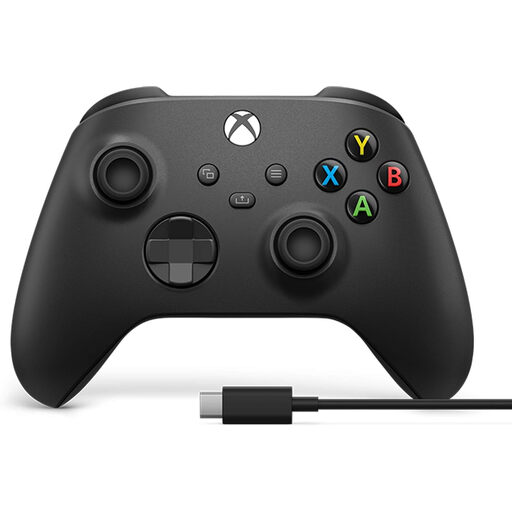 Image unavailable
Xbox Wireless Controller with USB-C Cable
For Xbox Series X|S, Xbox One or Windows players assessing a change to existing button functions. The named bundle includes a USB-C cable; check the Xbox Accessories mapping and connection workflow for this exact controller. A button reassignment alone does not provide another physical control position.
View on Joybuy
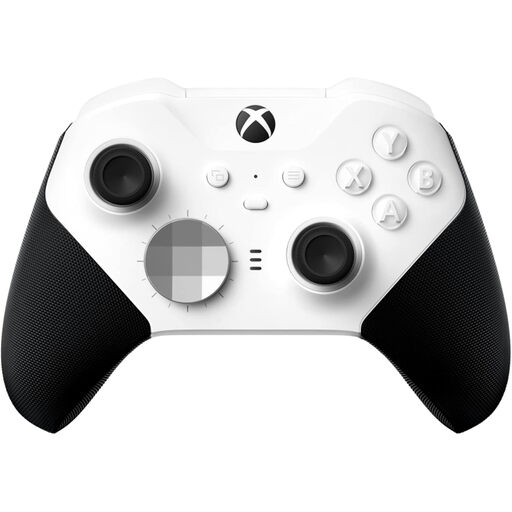 Image unavailable
Xbox Elite Wireless Controller Series 2 Core – White
Consider the Core variant if you want to configure an Xbox or Windows layout. Check which accessories come with this exact bundle before choosing it for paddle use; the full Series 2 accessory set should not be assumed for Core. Confirm the configuration connection and mapping needed for your games.
View on Joybuy
Questions about remapping
Does remapping give me extra buttons?
No. Remapping reassigns an existing input; rear buttons or paddles provide another physical place to activate a mapped input. If an existing-button swap solves the problem, check your platform’s built-in mapping options before choosing new hardware.
Can I configure Xbox Elite Series 2 on Windows over Bluetooth?
Not through the Xbox Accessories app over Bluetooth. Microsoft says to use USB or a compatible Xbox Wireless Adapter for Windows configuration, even if your gameplay connection is different.
Will DualSense Edge features work the same way on PC or mobile?
No uniform feature set is assured across devices. PlayStation says PC haptics may require USB, adaptive triggers depend on game support and are not compatible with Android, and the headset jack requires a wired PC or Mac connection. Check the feature you need against your device, connection and game.


