What to check before choosing
Decide whether you need to move an existing input, add a reachable control or change the physical arrangement; then check that your platform and configuration method allow it.
| Concern |
Buying check |
Who this matters to |
| Platform and mapping limits |
Match the controller and configuration method to your console or PC. Check whether the particular input you want to change is remappable. |
If one awkward button is the problem, I need to know that my system will let me move that action before considering other features. About 36% of consumers put platform support and mapping scope first. |
| Extra reachable controls |
Check which back buttons or paddles the exact edition includes and which actions you can assign to them. |
When moving an action between existing buttons still leaves it hard to reach, I want another control position. Extra reachable inputs are the primary need for about 29% of consumers. |
| Saved layouts |
Check where profiles are stored and how you switch them. Nintendo UK Support says Switch mappings stay on the console, while PlayStation Support and Xbox Support document profiles for DualSense Edge and Elite Series 2. |
If different games need different assignments, I want to change layouts without rebuilding them each time. About 21% of consumers prioritise saving and switching mappings. |
| Physical placement and expansion |
Check the intended console, external-device connections and any mounting needs. PlayStation Support says Access does not accept USB-based third-party accessories through its USB port. |
When a handheld controller’s shape is the obstacle, I need to place or expand the controls themselves. A differently arranged physical setup comes first for about 14% of consumers. |
Controllers to consider on Joybuy
These controllers cover remappable controls for the stated PlayStation, Xbox, Windows and Switch uses, including models presented with additional rear inputs. Choose by your actual platform and required reassignment; an adaptive-controller setup is a separate route to consider when a handheld layout is not workable.
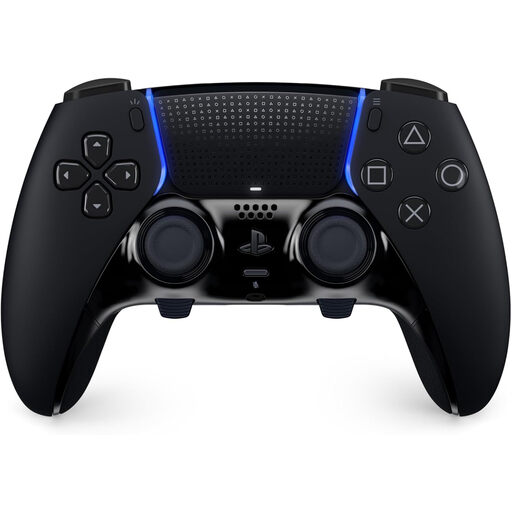 Image unavailable
Sony DualSense Edge wireless controller – Midnight Black
Consider this for PS5 if you want to assign an action to a back button and switch between control profiles. PlayStation documents mappable back buttons and custom profiles for DualSense Edge; confirm that your intended game and any PC setup support the arrangement you want.
View on Joybuy
 Image unavailable
Microsoft Xbox Elite Wireless Controller Series 2
Consider the full Series 2 package if you need physical paddles as well as saved layouts. Confirm the box contents and compatibility with your exact Xbox or PC; Microsoft specifies USB or a compatible Xbox Wireless Adapter for configuration on Windows rather than Bluetooth.
View on Joybuy
 Image unavailable
Turtle Beach Victrix Pro BFG Reloaded – White
This modular wireless PlayStation controller is worth considering if its control arrangement appeals to you. Before choosing it for PS5, PS4 or Windows, check which inputs Victrix Control Hub can reassign on your platform and how the intended game handles those assignments.
View on Joybuy
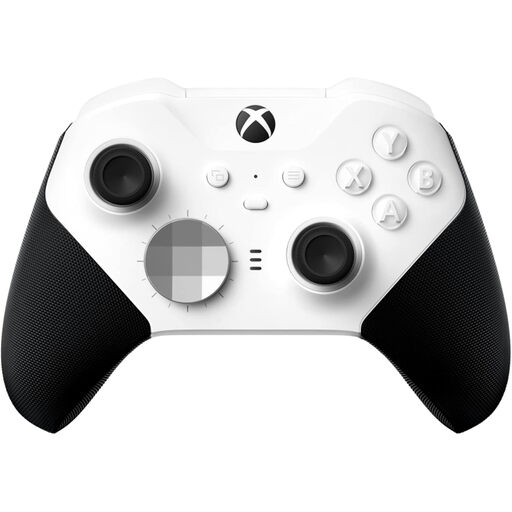 Image unavailable
Xbox Elite Wireless Controller Series 2 Core – White
Consider Core for Xbox or Windows remapping if included paddles are not central to your choice. Microsoft distinguishes its included accessories from the full Series 2 package, so check the contents before planning a rear-paddle layout. Windows configuration requires USB or a compatible Xbox Wireless Adapter.
View on Joybuy
 Image unavailable
Turtle Beach Rematch wireless controller for Nintendo Switch – Invincible Mario
Consider this Switch-family controller if a rear control would help more than moving an existing button. Check which actions its back buttons can take and how they are configured. For Switch 2 use, the listing states that this model has no C Button, so check whether your intended setup needs one.
View on Joybuy
Common questions
Can I change every Nintendo Switch controller input?
No. Nintendo UK Support says POWER, volume, HOME and SYNC cannot be remapped, and stick directions cannot be assigned to button inputs. Check the particular control you need to change before relying on console mapping.
Will my Switch mapping follow the controller to another console?
No. Nintendo UK Support says mappings are saved on the console, not the controller. You will need to set up the desired mapping on the other console.
Can I configure Elite Series 2 over Bluetooth on Windows?
Use a USB cable or compatible Xbox Wireless Adapter for Elite Series 2 configuration on Windows. Microsoft says most Xbox Accessories app features are not supported through Bluetooth there.
Does Xbox Elite Series 2 Core come with paddles?
Do not assume the Core package contains the full Series 2 accessory set. Xbox Support distinguishes the Core contents from the full package; check the exact edition’s box contents if paddles are essential to your layout.
Can PlayStation Access use any external switch or USB accessory?
No. PlayStation says Access accepts compatible external devices through its 3.5 mm expansion ports, but not every third-party device works. Its USB port does not support USB-based third-party accessories, so check the connection and compatibility of each planned input.


